


A company-wide device refresh may begin as a hardware purchasing project, but distribution is only half of the work.
Every replacement laptop, phone, tablet, or monitor can leave an older device in an employee’s hands. That equipment must be identified, collected, packed, shipped, tracked, inspected, and recorded. When the project involves thousands of employees, even a small weakness in the return process can lead to numerous missing assets, unanswered messages, damaged devices, and manual support tasks.
Traditional return programs often depend on shipping an empty box to each employee. The company pays for packaging, outbound transportation, warehouse labor, and address corrections before knowing whether the box will ever be used. Employees must then pack the equipment correctly, attach the right label, and complete the shipment.
There’s a better way to manage this.
A structured device refresh connects asset records, employee communication, IT service management, carrier drop-off, professional packing, reminders, tracking, and reporting. Employees receive a simple return experience, while IT teams maintain control over each device.
Here’s what enterprises and managed service providers should include in that process.
“Modern asset management systems allow IT staff to monitor each device, identify outdated systems, automate updates and proactively address vulnerabilities. These systems support inter-department collaboration by tracking device locations, usage history and access credentials.”
Read Article on Forbes

Start With A Complete Device And Employee Inventory
Accurate records are the foundation of a large refresh project.
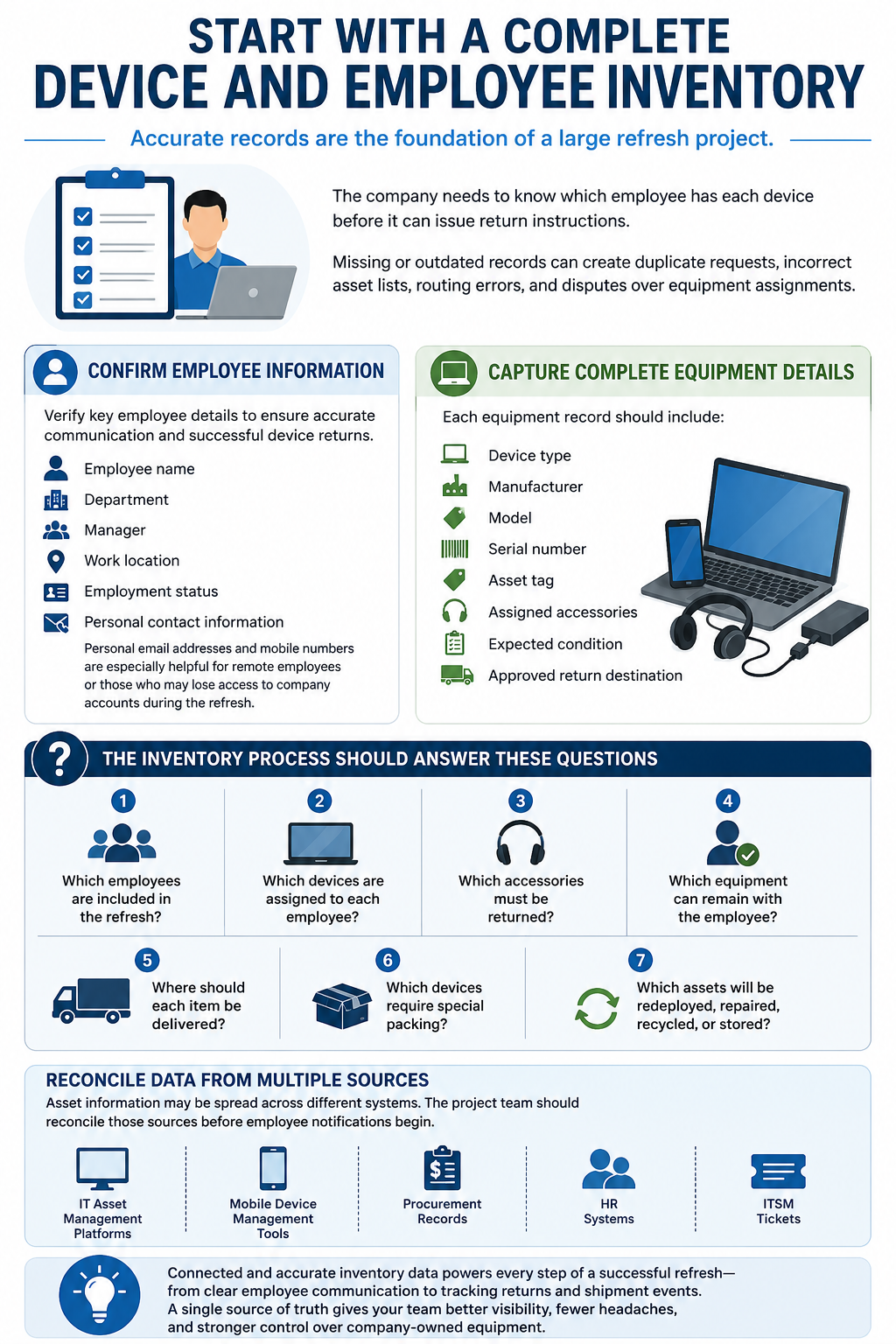
The company needs to know which employee has each device before it can issue return instructions. Missing or outdated records can create duplicate requests, incorrect asset lists, routing errors, and disputes over equipment assignments.
The refresh team should confirm each employee’s name, department, manager, work location, employment status, and personal contact information. Personal email addresses and mobile numbers can be useful when employees are remote or may lose access to company accounts during the refresh.
Each equipment record should include the device type, manufacturer, model, serial number, asset tag, assigned accessories, expected condition, and approved return destination.
The inventory process should answer several practical questions:
- Which employees are included in the refresh?
- Which devices are assigned to each employee?
- Which accessories must be returned?
- Which equipment can remain with the employee?
- Where should each item be delivered?
- Which devices require special packing?
- Which assets will be redeployed, repaired, recycled, or stored?
Asset information may be spread across IT asset management platforms, mobile device management tools, procurement records, HR systems, and ITSM tickets. The project team should reconcile those sources before employee notifications begin.
ReadyCloud’s IT asset management software resource explains how connected asset records, return activity, communication, and shipment events can give teams a clearer view of company-owned equipment.


Build One Standard Return Workflow Before Scaling It
A high-volume device refresh requires a single repeatable workflow.
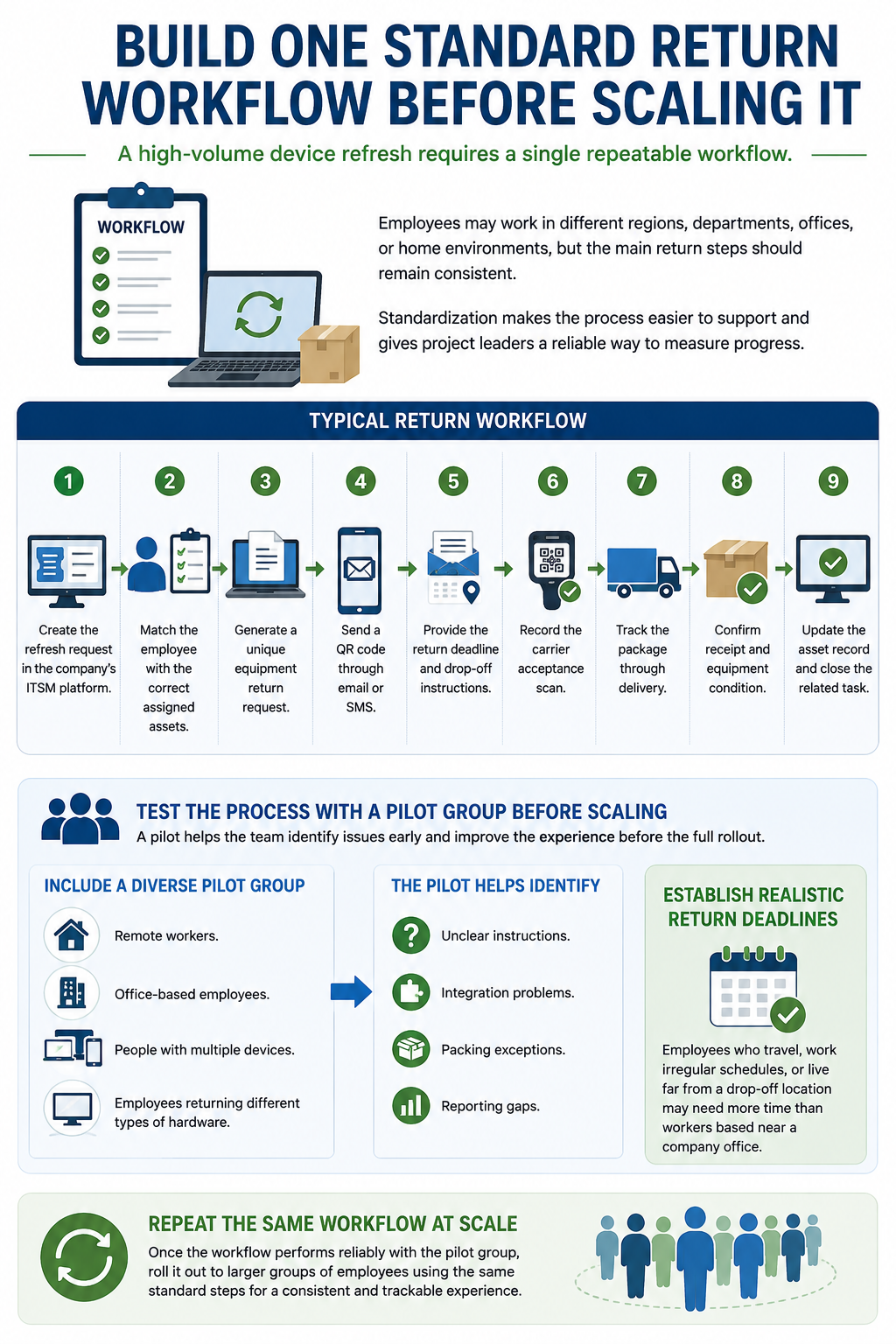
Employees may work in different regions, departments, offices, or home environments, but the main return steps should remain consistent. Standardization makes the process easier to support and gives project leaders a reliable way to measure progress.
A typical workflow may include:
- Create the refresh request in the company’s ITSM platform.
- Match the employee with the correct assigned assets.
- Generate a unique equipment return request.
- Send a QR code through email or SMS.
- Provide the return deadline and drop-off instructions.
- Record the carrier acceptance scan.
- Track the package through delivery.
- Confirm receipt and equipment condition.
- Update the asset record and close the related task.
Test the process with a pilot group before opening it across the company.
The pilot should include remote workers, office-based employees, people with multiple devices, and employees returning different types of hardware. This gives the team an opportunity to find unclear instructions, integration problems, packing exceptions, and reporting gaps while the volume is still manageable.
The pilot can also help establish realistic return deadlines. Employees who travel, work irregular schedules, or live far from a drop-off location may need more time than workers based near a company office.
Once the workflow performs reliably, the same process can be repeated across larger groups of employees.

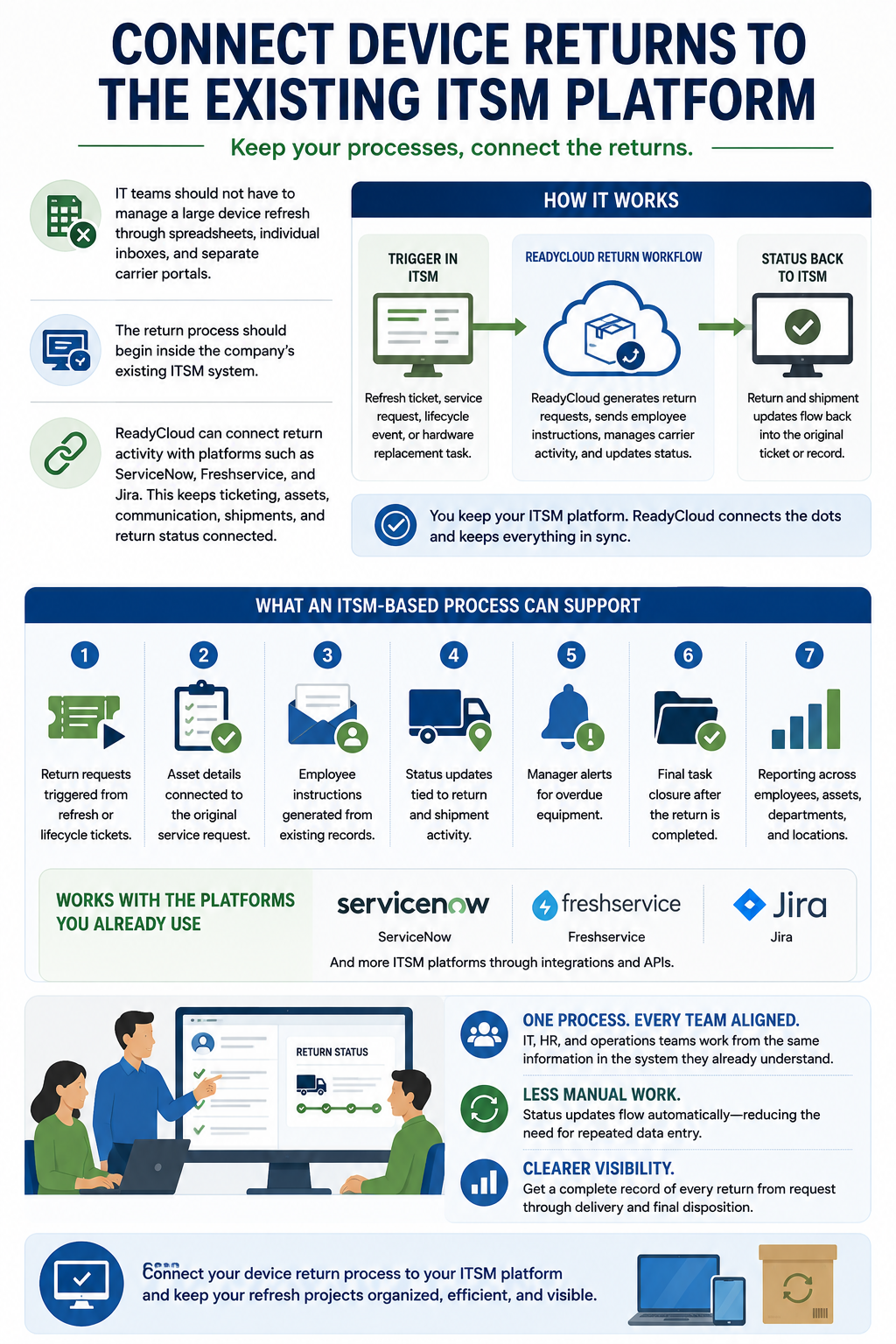
Connect Device Returns To The Existing ITSM Platform
IT teams should not have to manage a large device refresh through spreadsheets, individual inboxes, and separate carrier portals.
The return process should begin inside the company’s existing ITSM system. A refresh ticket, service request, employee lifecycle event, or hardware replacement task can trigger the next steps.
ReadyCloud can connect return activity with platforms such as ServiceNow, Freshservice, and Jira. This allows the company to keep internal ticketing, asset assignments, employee communication, shipment activity, and return status connected.
An ITSM-based process may support:
- Return requests triggered from refresh or lifecycle tickets.
- Asset details connected to the original service request.
- Employee instructions generated from existing records.
- Status updates tied to return and shipment activity.
- Manager alerts for overdue equipment.
- Final task closure after the return is completed.
- Reporting across employees, assets, departments, and locations.
The company can keep using the platform its IT, HR, and operations teams already understand. ReadyCloud handles the physical return workflow and sends relevant status information back into the process.
This reduces the need for repeated data entry and gives teams a clearer record of what has happened.
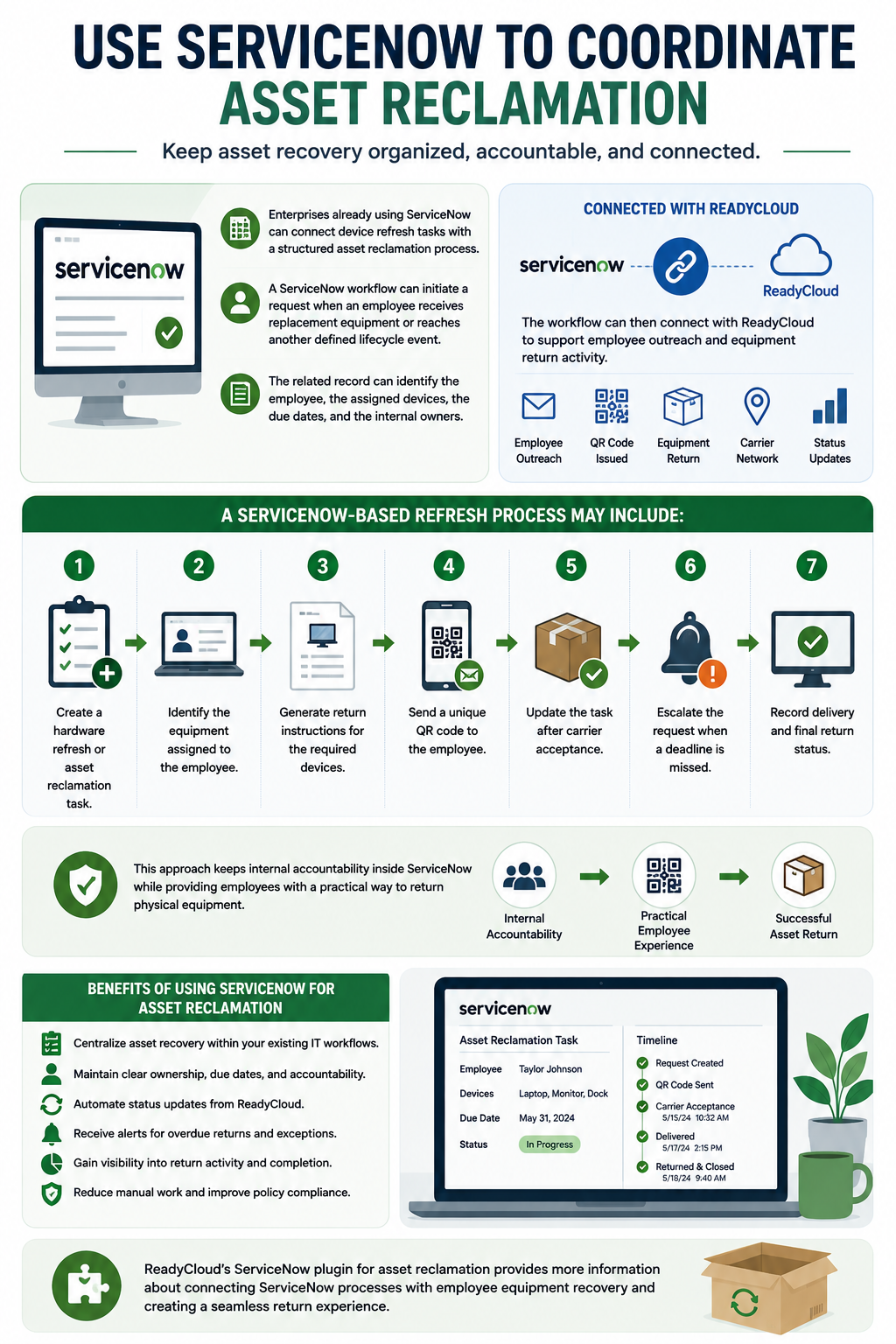
Use ServiceNow To Coordinate Asset Reclamation
Enterprises already using ServiceNow can connect device refresh tasks with a structured asset reclamation process.
A ServiceNow workflow can initiate a request when an employee receives replacement equipment or reaches another defined lifecycle event. The related record can identify the employee, the assigned devices, the due dates, and the internal owners.
The workflow can then connect with ReadyCloud to support employee outreach and equipment return activity.
A ServiceNow-based refresh process may include:
- Create a hardware refresh or asset reclamation task.
- Identify the equipment assigned to the employee.
- Generate return instructions for the required devices.
- Send a unique QR code to the employee.
- Update the task after carrier acceptance.
- Escalate the request when a deadline is missed.
- Record delivery and final return status.
This approach keeps internal accountability inside ServiceNow while providing employees with a practical way to return physical equipment.
ReadyCloud’s ServiceNow plugin for asset reclamation provides more information about connecting ServiceNow processes with employee equipment recovery.
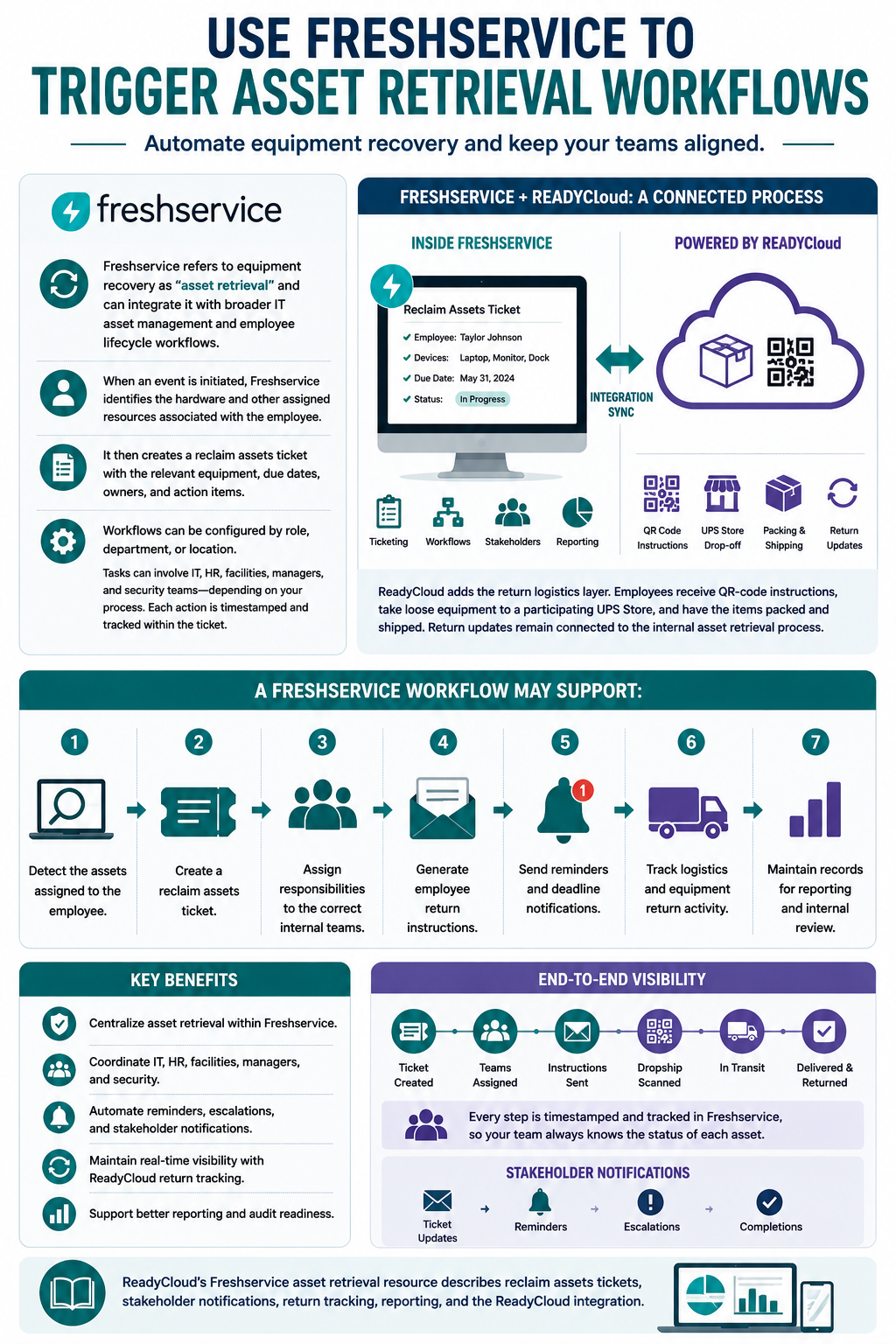
Use Freshservice To Trigger Asset Retrieval Workflows
Freshservice refers to equipment recovery as “asset retrieval” and can integrate it with broader IT asset management and employee lifecycle workflows.
When an event is initiated, Freshservice can identify the hardware and other assigned resources associated with the employee. It can then create a reclaim assets ticket with the relevant equipment, due dates, owners, and action items.
Freshservice workflows can be configured by role, department, or location. Tasks can also involve IT, HR, facilities, managers, and security teams, depending on the company’s process. Each action can be timestamped and tracked within the ticket.
ReadyCloud adds the return logistics layer. Employees can receive QR-code instructions, take loose equipment to a participating UPS Store, and have the items packed and shipped. Return updates can remain connected to the internal asset retrieval process.
A Freshservice workflow may support:
- Detect the assets assigned to the employee.
- Create a reclaim assets ticket.
- Assign responsibilities to the correct internal teams.
- Generate employee return instructions.
- Send reminders and deadline notifications.
- Track logistics and equipment return activity.
- Maintain records for reporting and internal review.
ReadyCloud’s Freshservice asset retrieval resource describes reclaim assets tickets, stakeholder notifications, return tracking, reporting, and the ReadyCloud integration.
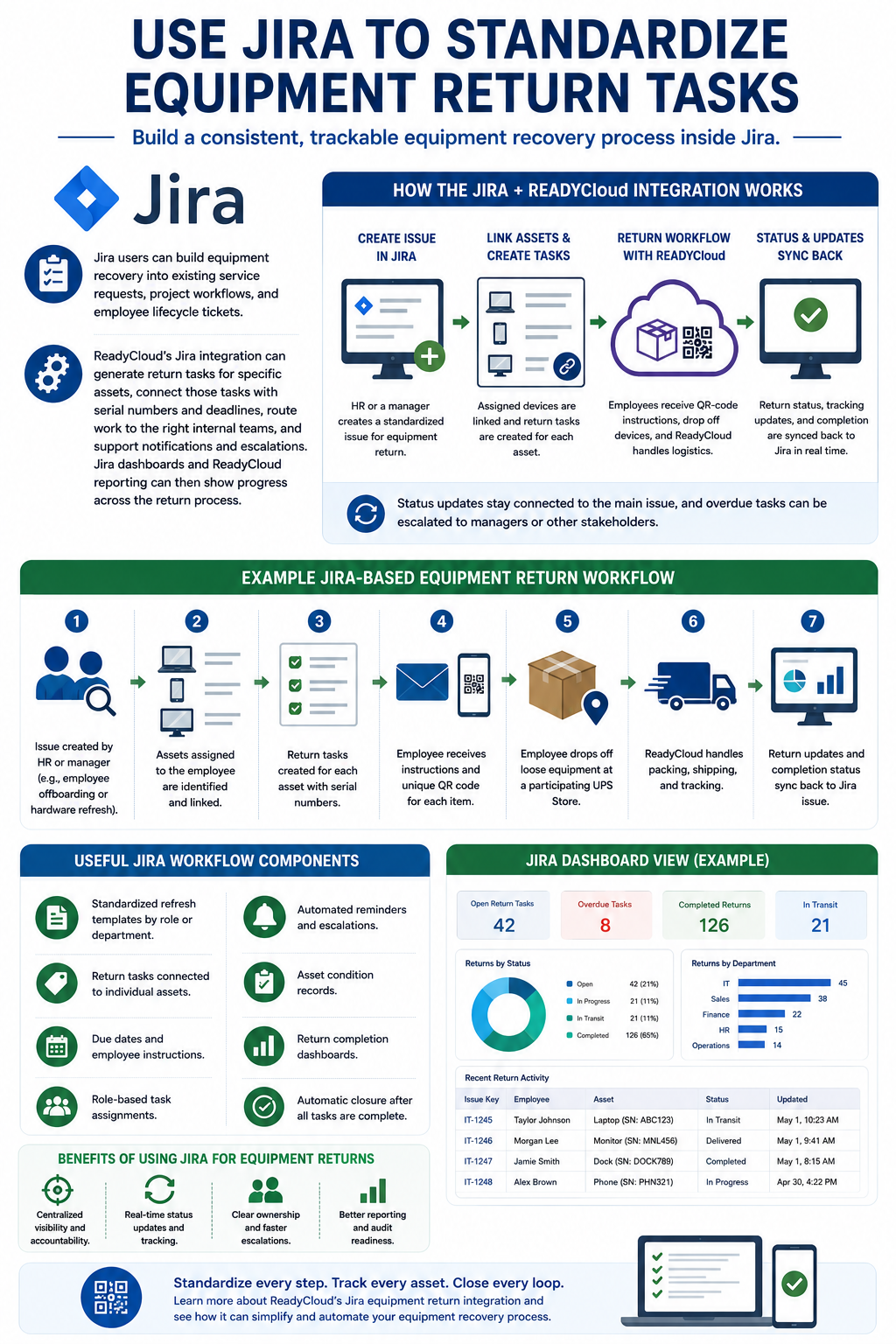
Use Jira To Standardize Equipment Return Tasks
Jira users can build equipment recovery into existing service requests, project workflows, and employee lifecycle tickets.
ReadyCloud’s Jira integration can generate return tasks for specific assets, connect those tasks with serial numbers and deadlines, route work to the right internal teams, and support notifications and escalations. Jira dashboards and ReadyCloud reporting can then show progress across the return process.
A Jira-based workflow may begin when HR or a manager creates a standardized issue. Assigned devices can be linked to return tasks, and employees can receive instructions for each item.
As equipment comes back, teams can record its condition, missing accessories, and other notes. Status updates can remain connected to the main issue, while overdue tasks can be escalated to managers or other stakeholders.
Useful Jira workflow components include:
- Standardized refresh templates by role or department.
- Return tasks connected to individual assets.
- Due dates and employee instructions.
- Role-based task assignments.
- Automated reminders and escalations.
- Asset condition records.
- Return completion dashboards.
- Automatic closure after all tasks are complete.
Learn more about ReadyCloud’s Jira equipment return integration.
Make The Return Process Easy For Employees
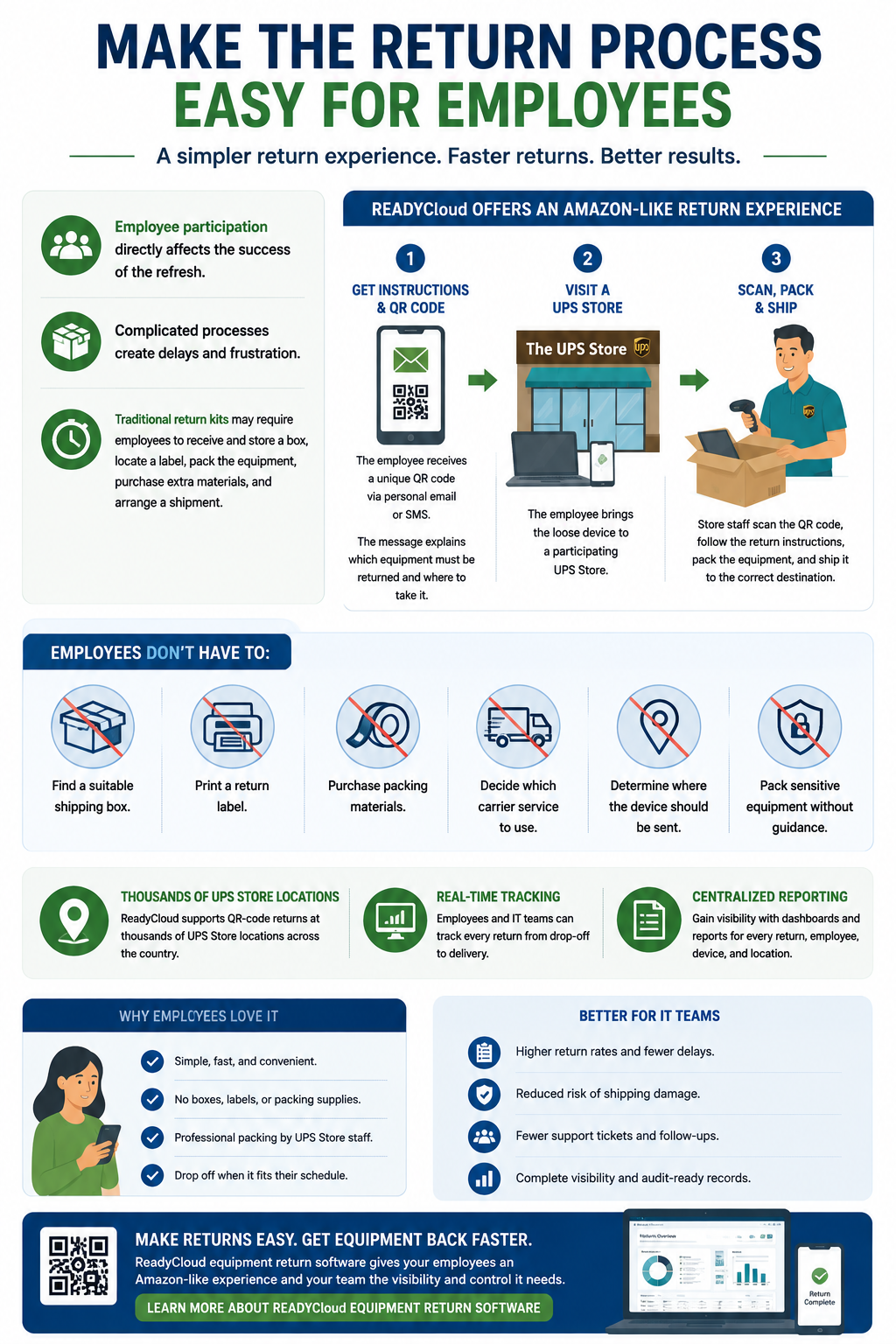
Employee participation directly affects the success of the refresh.
A complicated process gives employees more reasons to delay. Traditional return kits may require workers to receive and store a box, locate a label, pack the equipment, purchase extra materials, and arrange a shipment.
ReadyCloud offers an Amazon-like return experience for company-owned equipment.
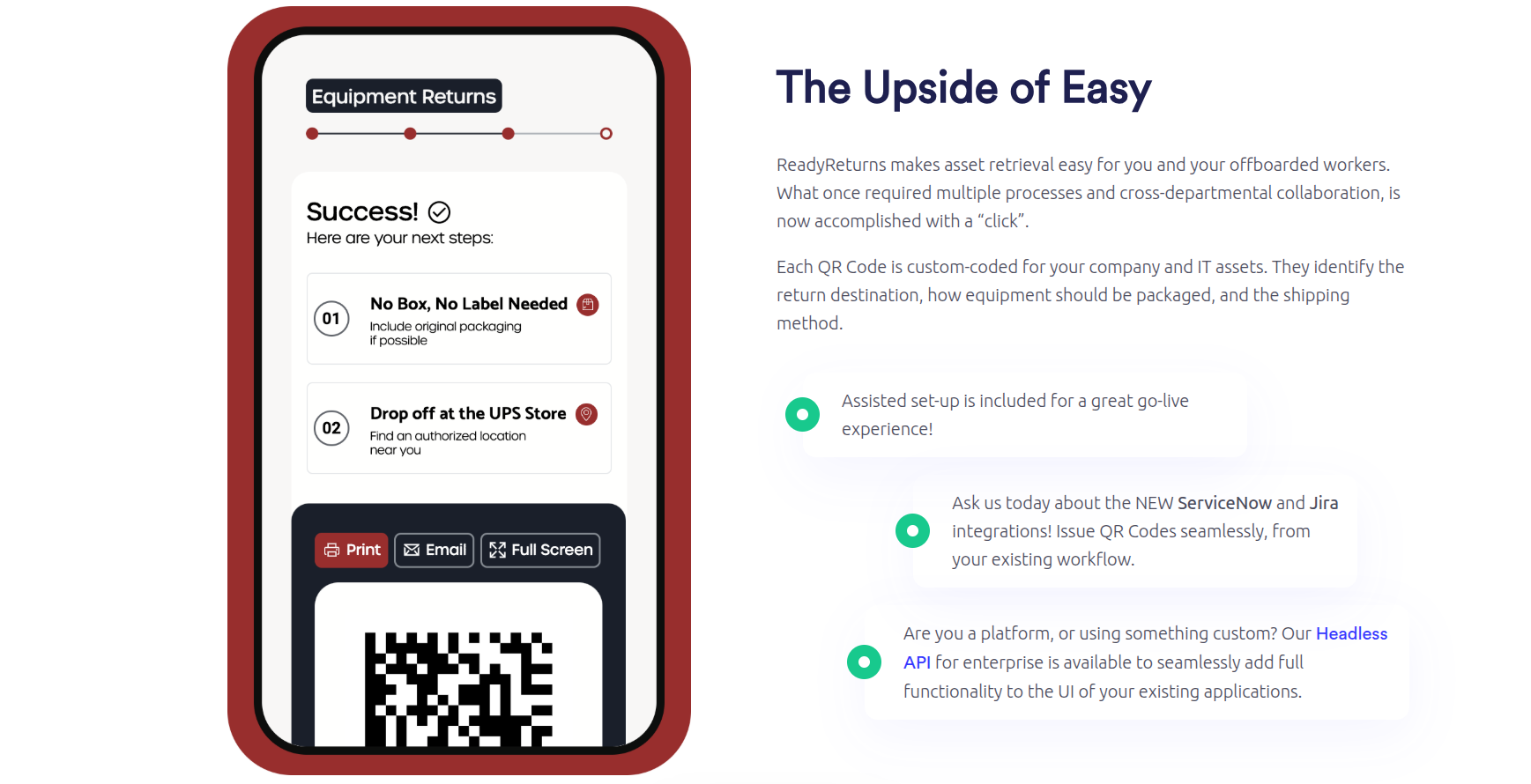
The employee receives a unique QR code through personal email or SMS. The message explains which equipment must be returned and where the employee should take it.
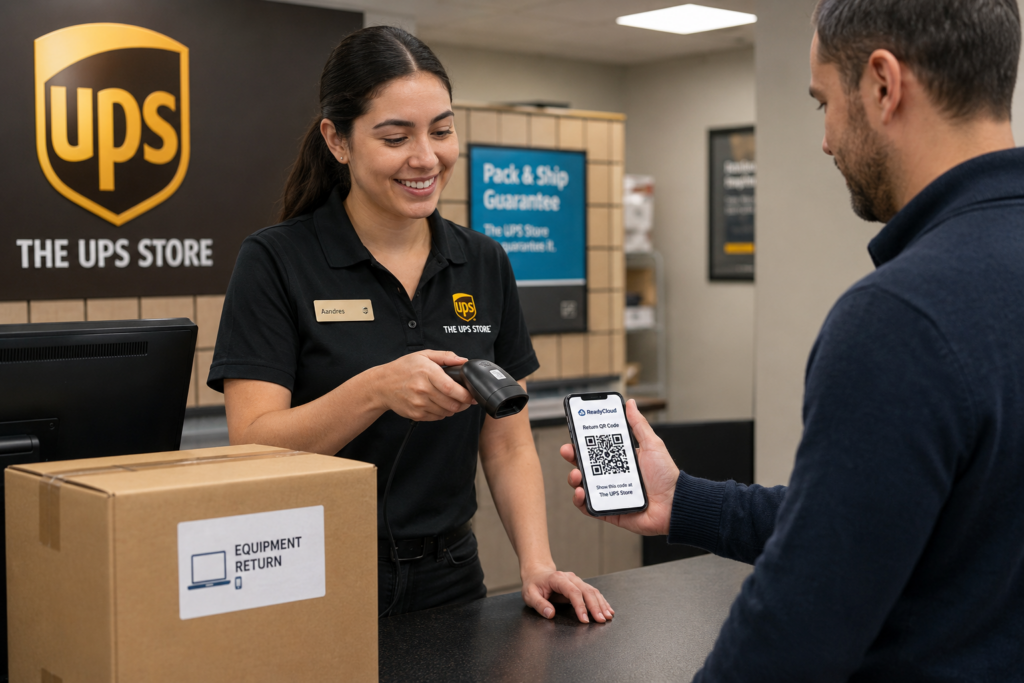
The employee brings the loose device to a participating UPS Store. Store staff scan the QR code, follow the return instructions, pack the equipment, and ship it to the correct destination.
The employee does not need to:
- Find a suitable shipping box.
- Print a return label.
- Purchase packing materials.
- Decide which carrier service to use.
- Determine where the device should be sent.
- Pack sensitive equipment without guidance.
ReadyCloud supports QR-code returns at thousands of UPS Store locations, along with tracking and centralized reporting for company-owned equipment.
Learn more about ReadyCloud equipment return software.
Replace Empty-Box Shipping With A More Predictable Process
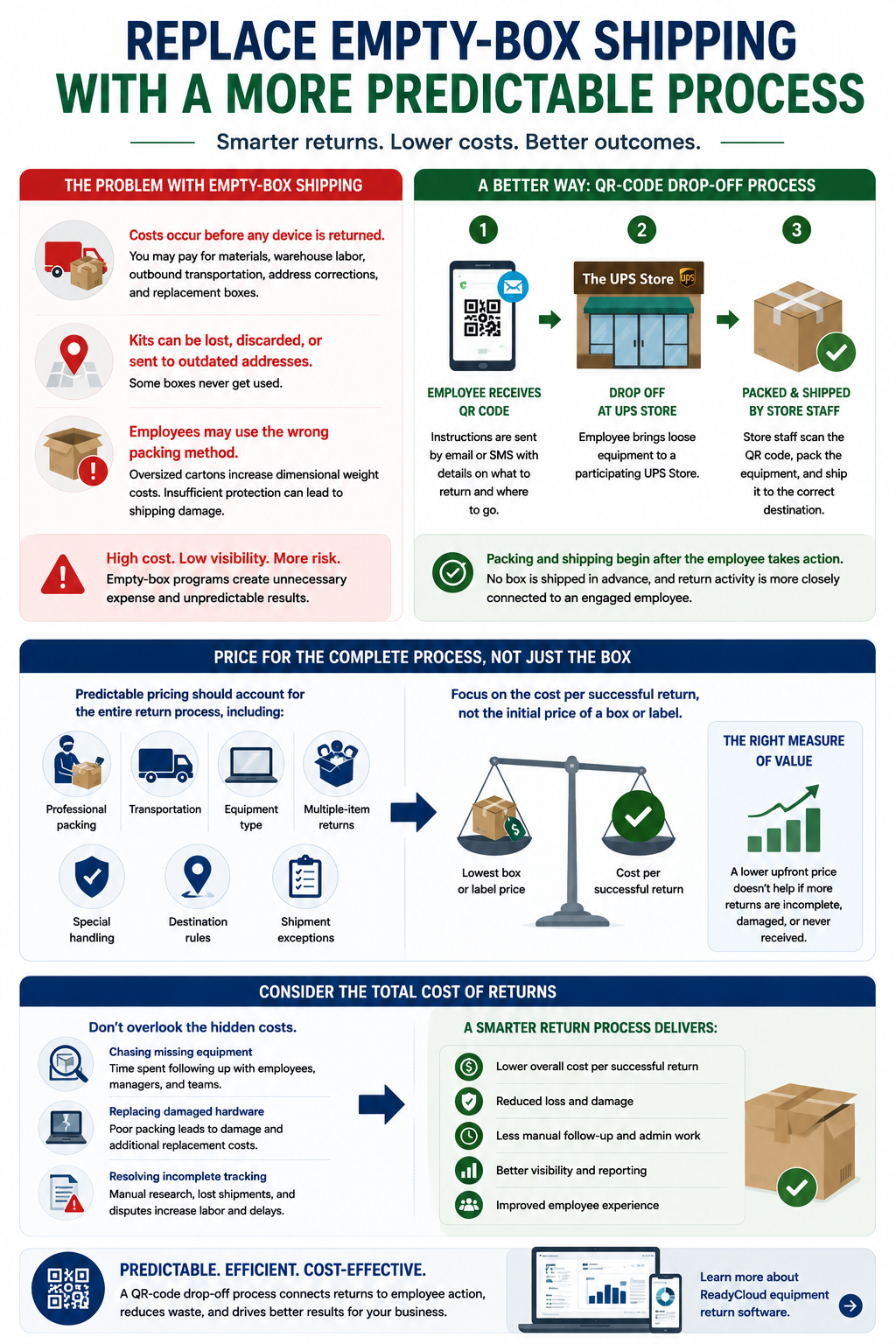
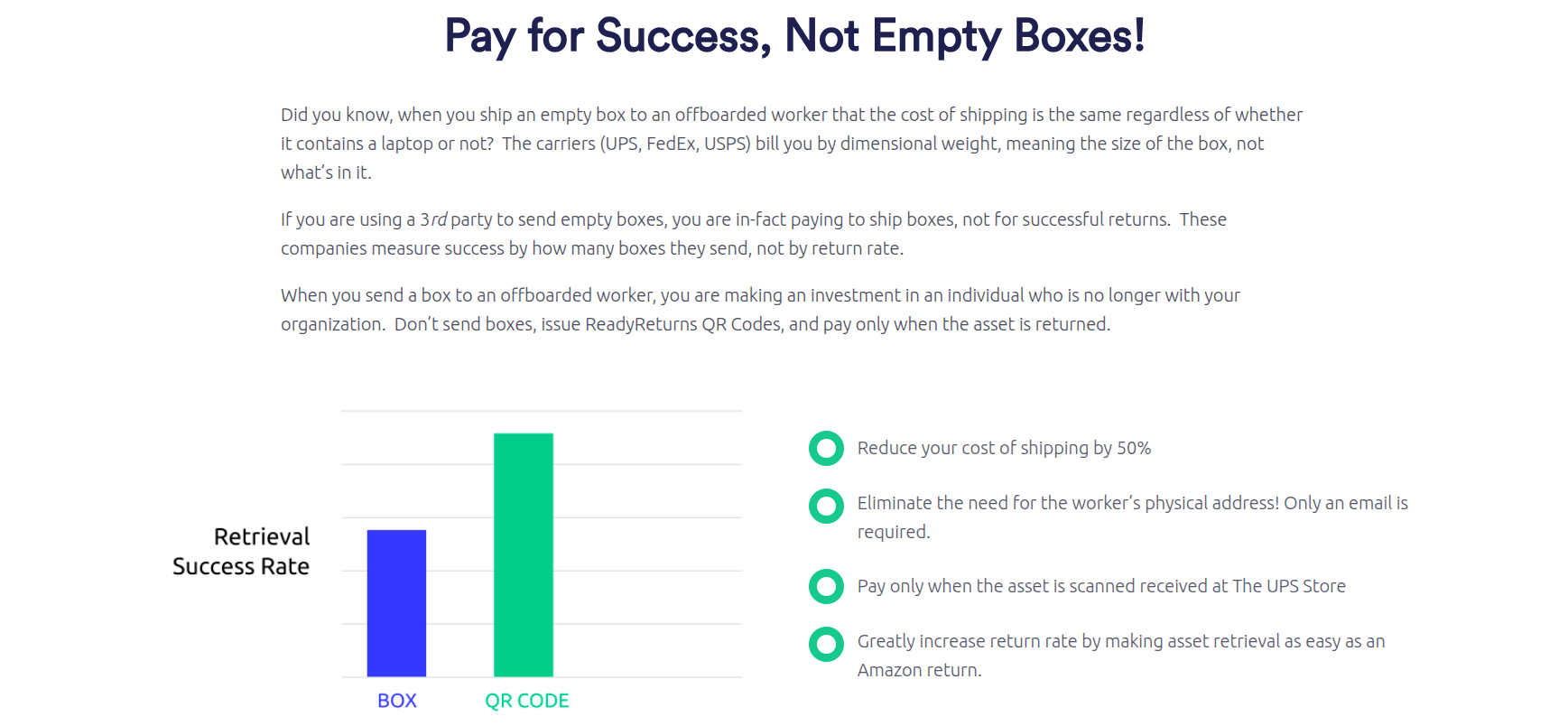
Shipping empty return kits to every employee can create costs before any device enters the return network.
The company may pay for materials, warehouse labor, outbound transportation, address corrections, and replacement boxes. Some kits may be lost, discarded, or sent to outdated addresses.
Employees may also choose the wrong packing method. An oversized carton can create higher dimensional weight charges, while insufficient protection can expose the device to damage.
A QR-code drop-off process changes the sequence.
Packing and shipping begin after the employee arrives at the UPS Store with the equipment. The company does not need to send a box in advance, and the return activity can be more closely connected to an employee who has taken action.
Pricing should account for the complete return process, including:
- Professional packing.
- Transportation.
- Equipment type.
- Multiple-item returns.
- Special handling.
- Destination rules.
- Shipment exceptions.
Project leaders should evaluate the cost per successful return rather than focusing solely on the initial price of a box or label.
The labor spent chasing missing equipment, replacing damaged hardware, and resolving incomplete tracking records should also be considered.
Use Packing Logic Designed For IT Equipment
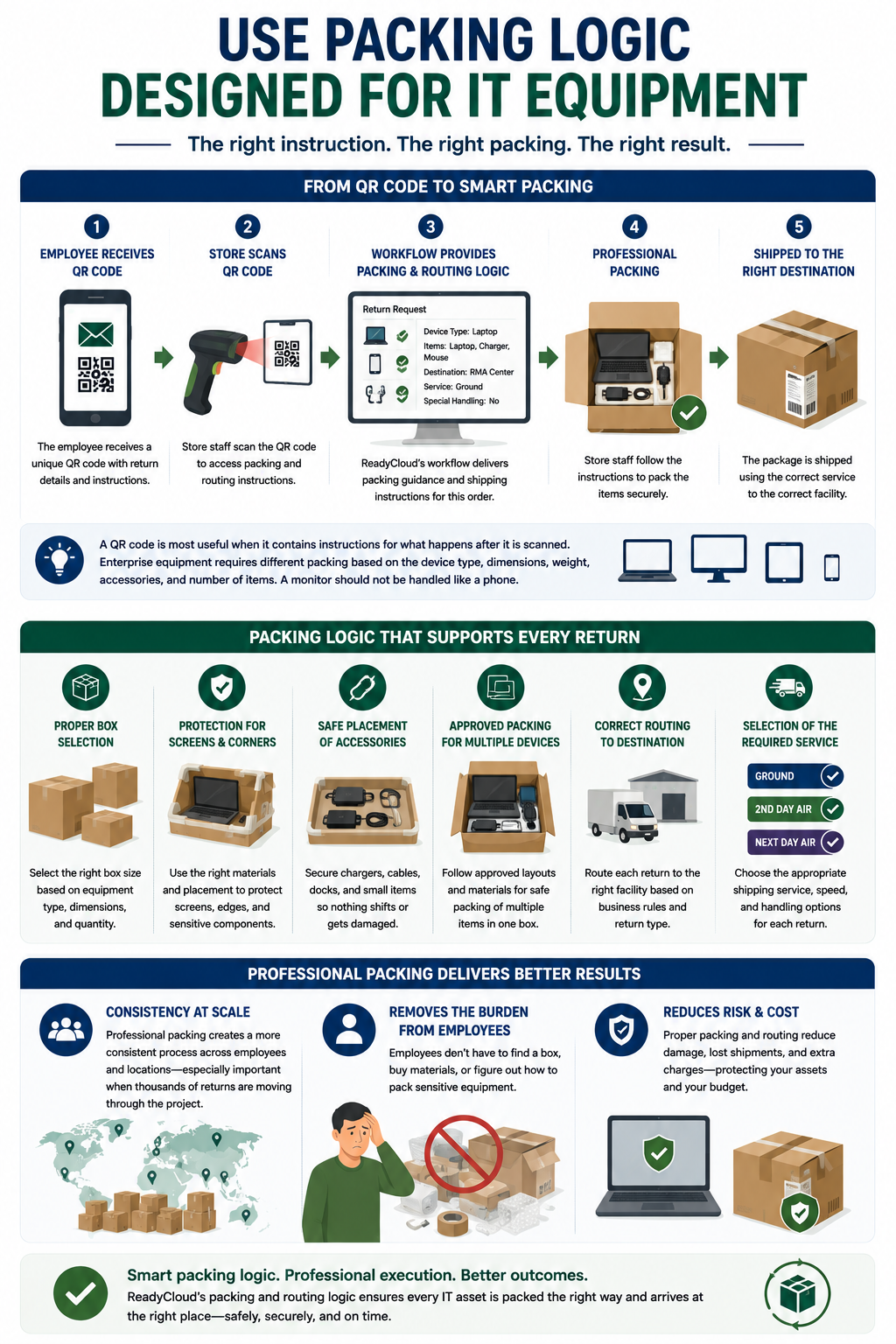
A QR code is most useful when it contains instructions for what happens after it is scanned.
Enterprise equipment requires different packing based on the device type, dimensions, weight, accessories, and number of items. A monitor should not be handled like a phone. A laptop, charger, and mobile device may need a different box than a laptop returned alone.
ReadyCloud’s workflow can provide the store with packing and routing information connected to the return request.
That logic can support:
- Proper box selection for the equipment.
- Protection for screens and device corners.
- Safe placement of chargers and accessories.
- Approved packing for multiple devices.
- Correct routing to the receiving facility.
- Selection of the required shipping service.
Professional packing creates a more consistent process across employees and locations.
It also removes a major responsibility from the employee. IT teams do not have to rely on each worker to choose the right box, materials, or packing method.
Consistency becomes especially useful when thousands of returns are moving through the project during a limited period.
Automate Reminders And Escalations
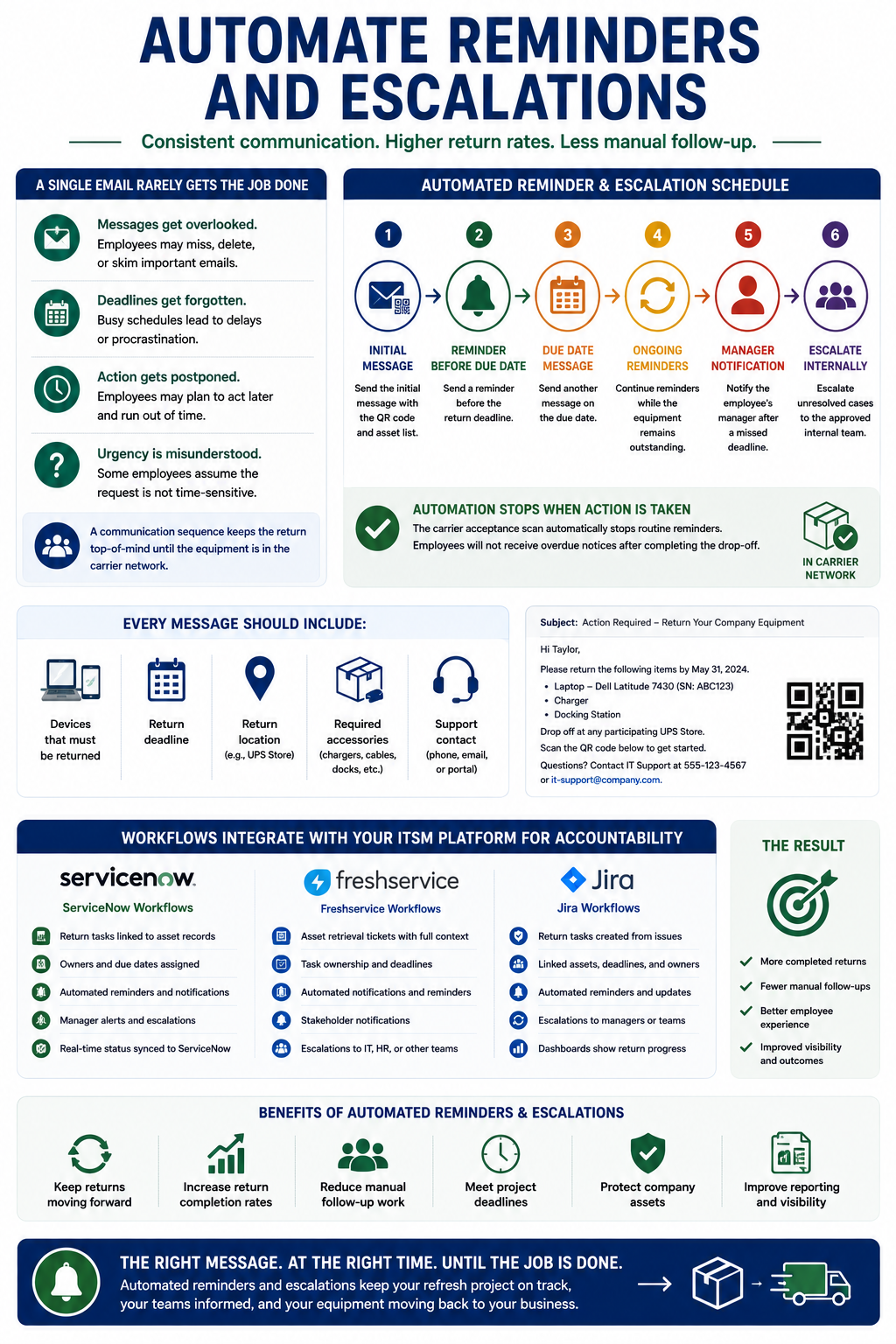
A single email rarely produces a complete return rate.
Employees may overlook the message, forget the deadline, postpone the drop-off, or assume the request does not require immediate action. The project team needs a communication sequence that continues until the equipment is connected to the carrier network.
A typical schedule may include:
- Send the initial message with the QR code and asset list.
- Send a reminder before the return deadline.
- Send another message on the due date.
- Continue reminders while the equipment remains outstanding.
- Notify the employee’s manager after a missed deadline.
- Escalate unresolved cases to the approved internal team.
Each message should identify the devices, the deadline, the return location, the required accessories, and the support contact.
The carrier acceptance scan should automatically stop routine reminders. Employees should not continue receiving overdue notices after completing the drop-off.
ServiceNow, Freshservice, and Jira workflows can also provide internal accountability. Tasks, owners, deadlines, stakeholder notifications, and escalations can remain connected to the company’s existing process. ReadyCloud’s Freshservice and Jira resources describe automated notifications, reminders, task ownership, and escalation activity tied to asset retrieval.
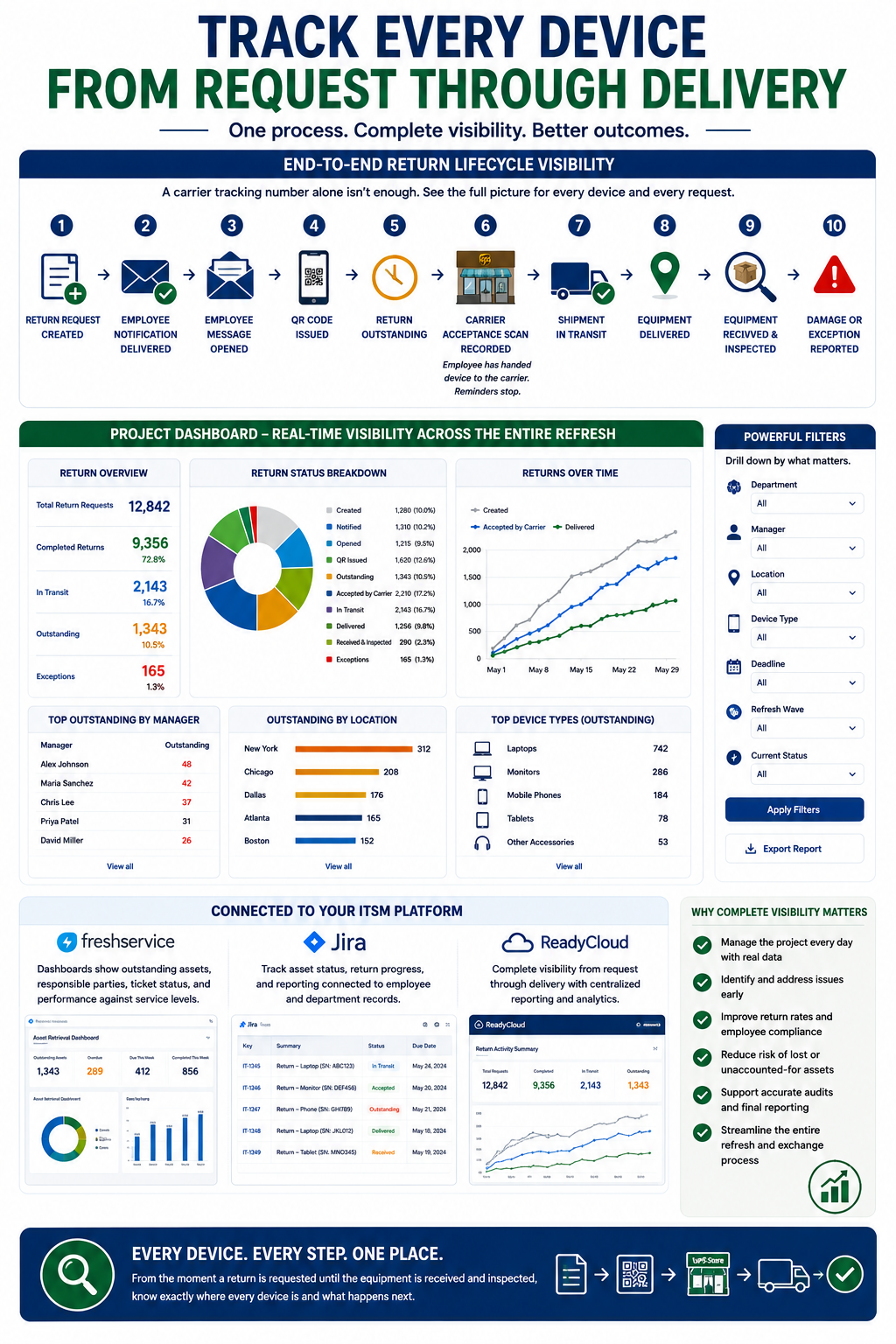
Track Every Device From Request Through Delivery
A carrier tracking number alone does not provide enough visibility for a company-wide refresh.
The project team needs a single dashboard that shows what has happened to every request.
Useful statuses may include:
- Return request created.
- Employee notification delivered.
- Employee message opened.
- QR code issued.
- Return outstanding.
- Carrier acceptance scan recorded.
- Shipment in transit.
- Equipment delivered.
- Equipment received and inspected.
- Damage or exception reported.
The carrier acceptance scan confirms that the employee has handed the device to the carrier location. IT teams can see that progress before final delivery, and employee reminders can stop.
Reporting should allow project leaders to filter return activity by department, manager, location, device type, deadline, refresh wave, and current status.
Freshservice dashboards can show outstanding assets, responsible parties, ticket status, and performance against service levels. Jira and ReadyCloud can also provide asset status, return progress, and reporting connected to employee and department records.
This information supports daily project management and final reporting while streamlining the equipment recovery and exchange process for all parties.
Create A Repeatable Process For Future Device Returns
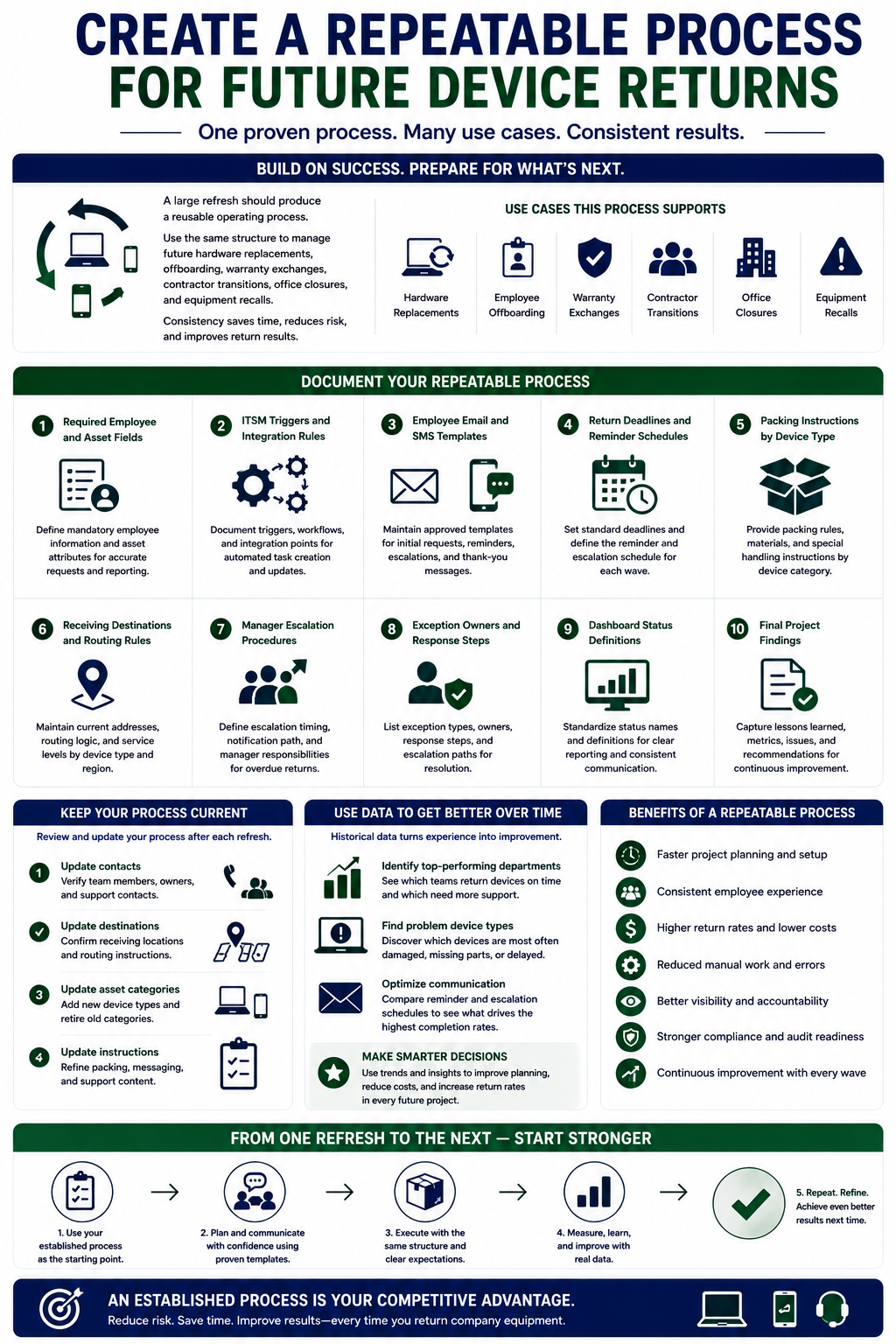
A large refresh should produce a reusable operating process.
The same structure can support future hardware replacements, employee offboarding, warranty exchanges, contractor transitions, office closures, and equipment recalls.
Document the following information:
- Required employee and asset fields.
- ITSM triggers and integration rules.
- Employee email and SMS templates.
- Return deadlines and reminder schedules.
- Packing instructions by device type.
- Receiving destinations and routing rules.
- Manager escalation procedures.
- Exception owners and response steps.
- Dashboard status definitions.
- Final project findings.
Review the templates and rules after the refresh. Update old contacts, destinations, asset categories, and instructions before the next project begins.
Connected historical data can also show which departments completed returns quickly, which device types created problems, and which communication schedules produced the strongest results.
The next device refresh should begin with an established process rather than a new spreadsheet.
Launch The Refresh In Controlled Waves
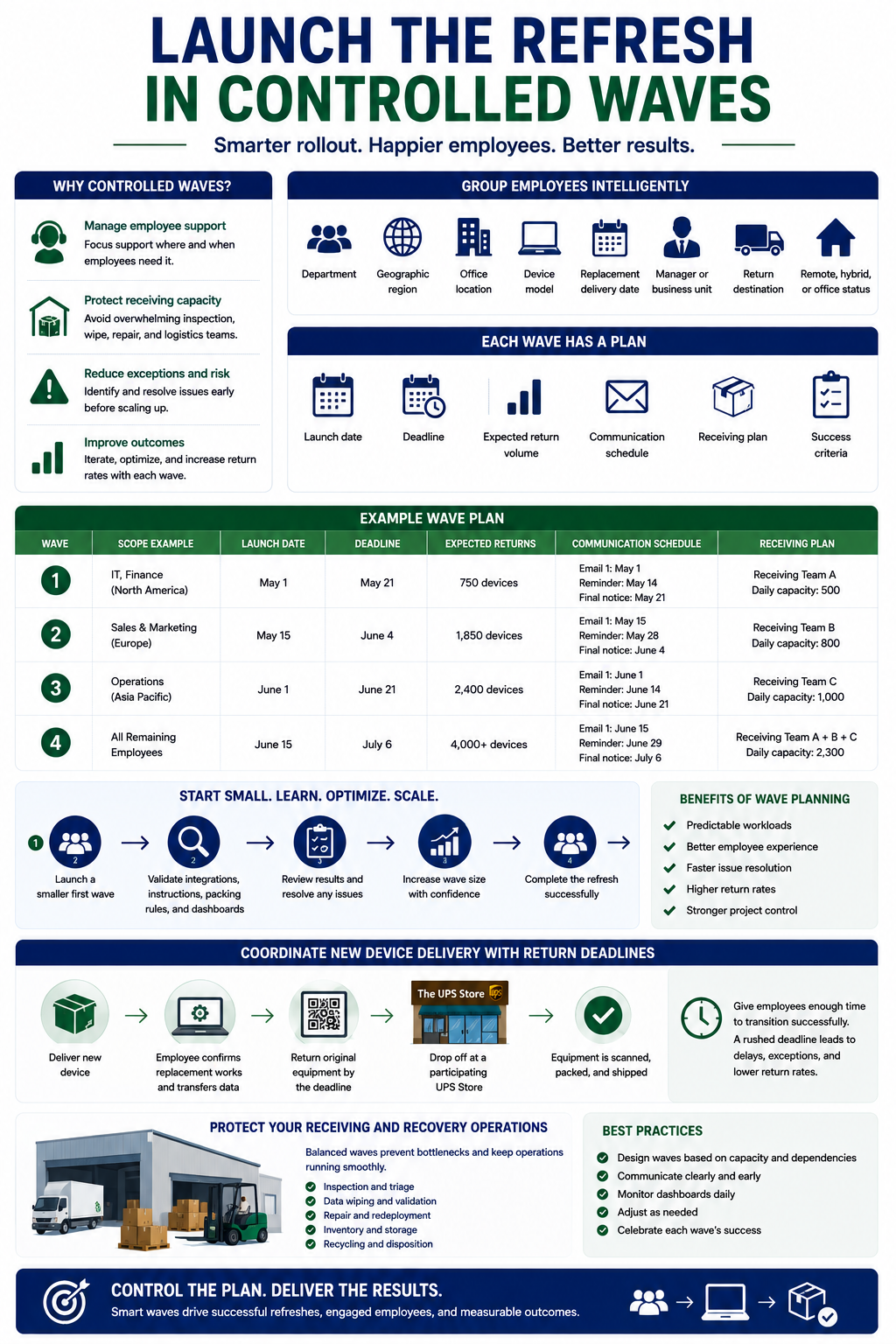
A company-wide refresh does not require sending every return request on the same day.
Controlled waves help IT teams manage employee support, receiving capacity, equipment inspection, and carrier exceptions.
Employees may be grouped according to:
- Department.
- Geographic region.
- Office location.
- Device model.
- Replacement delivery date.
- Manager or business unit.
- Return destination.
- Remote, hybrid, or office status.
Each wave should include a launch date, a deadline, an expected return volume, a communication schedule, and a receiving plan.
The first wave may be smaller so the project team can confirm that the integrations, instructions, packing rules, and dashboards are working properly. Later waves can grow after the initial process has been reviewed.
Wave planning also protects receiving teams. Thousands of devices arriving within a few days can create backlogs in inspection, data wiping, repair, redeployment, storage, and recycling.
Coordinate new-device delivery with the old-device return deadline. Employees need enough time to confirm that the replacement works and complete any approved file transfer before returning the original equipment.
Define Exception Workflows Before The Project Begins
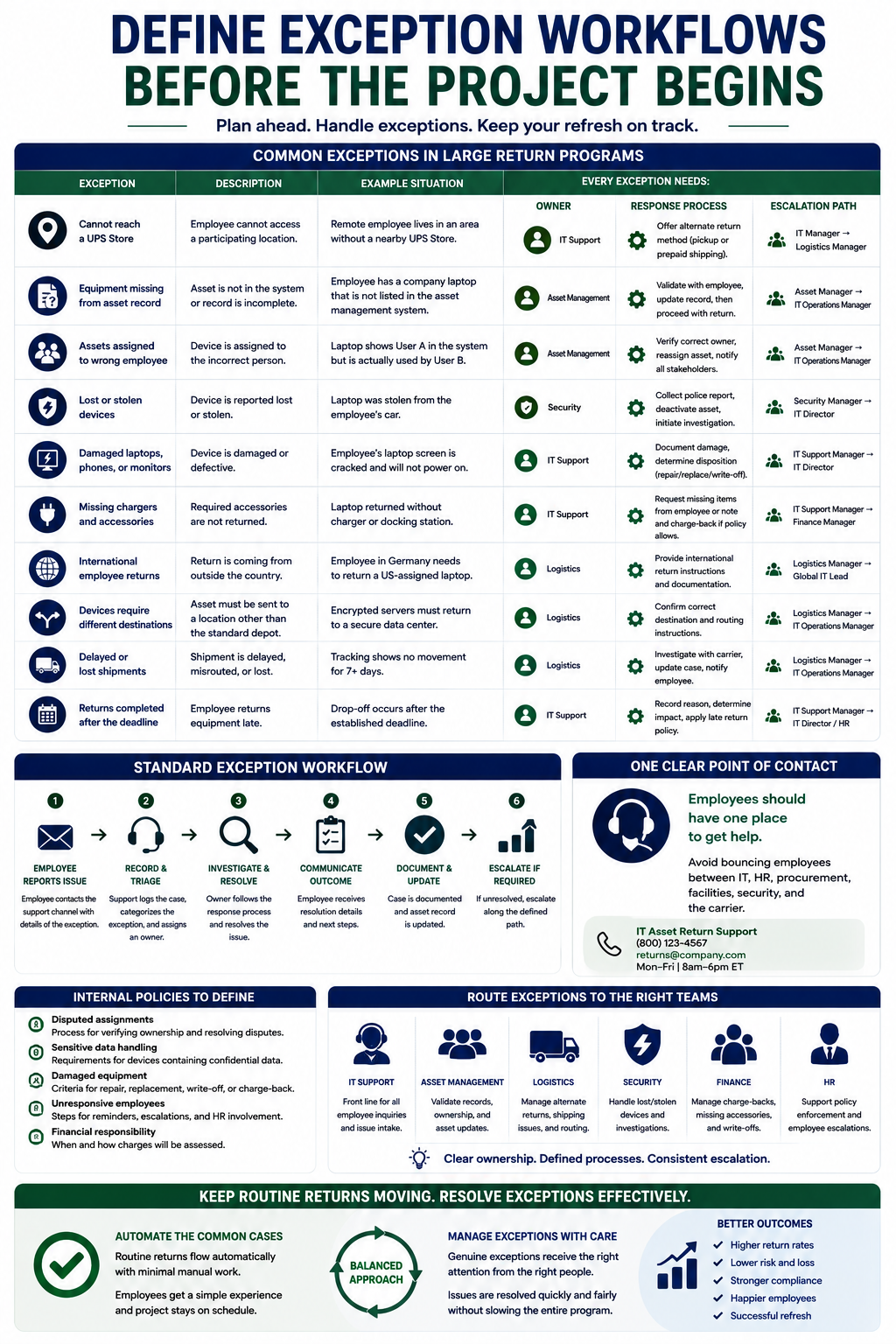
Large return programs always create exceptions. The project team should decide how each common situation will be handled before employee requests are issued.
Common exceptions include:
- Employees who cannot reach a UPS Store.
- Equipment missing from the asset record.
- Assets assigned to the wrong employee.
- Lost or stolen devices.
- Damaged laptops, phones, or monitors.
- Missing chargers and accessories.
- International employee returns.
- Devices that require different destinations.
- Delayed or lost shipments.
- Returns completed after the deadline.
Each exception should have an owner, a response process, and a defined escalation path.
Employees should have one clear point of contact for support. Sending workers between IT, HR, procurement, facilities, security, and the carrier can create delays and conflicting instructions.
Internal teams also need policies for disputed assignments, sensitive data, damaged equipment, and unresponsive workers.
Routine returns should continue automatically, while genuine exceptions receive personal attention.
Measure The Results Of The Refresh
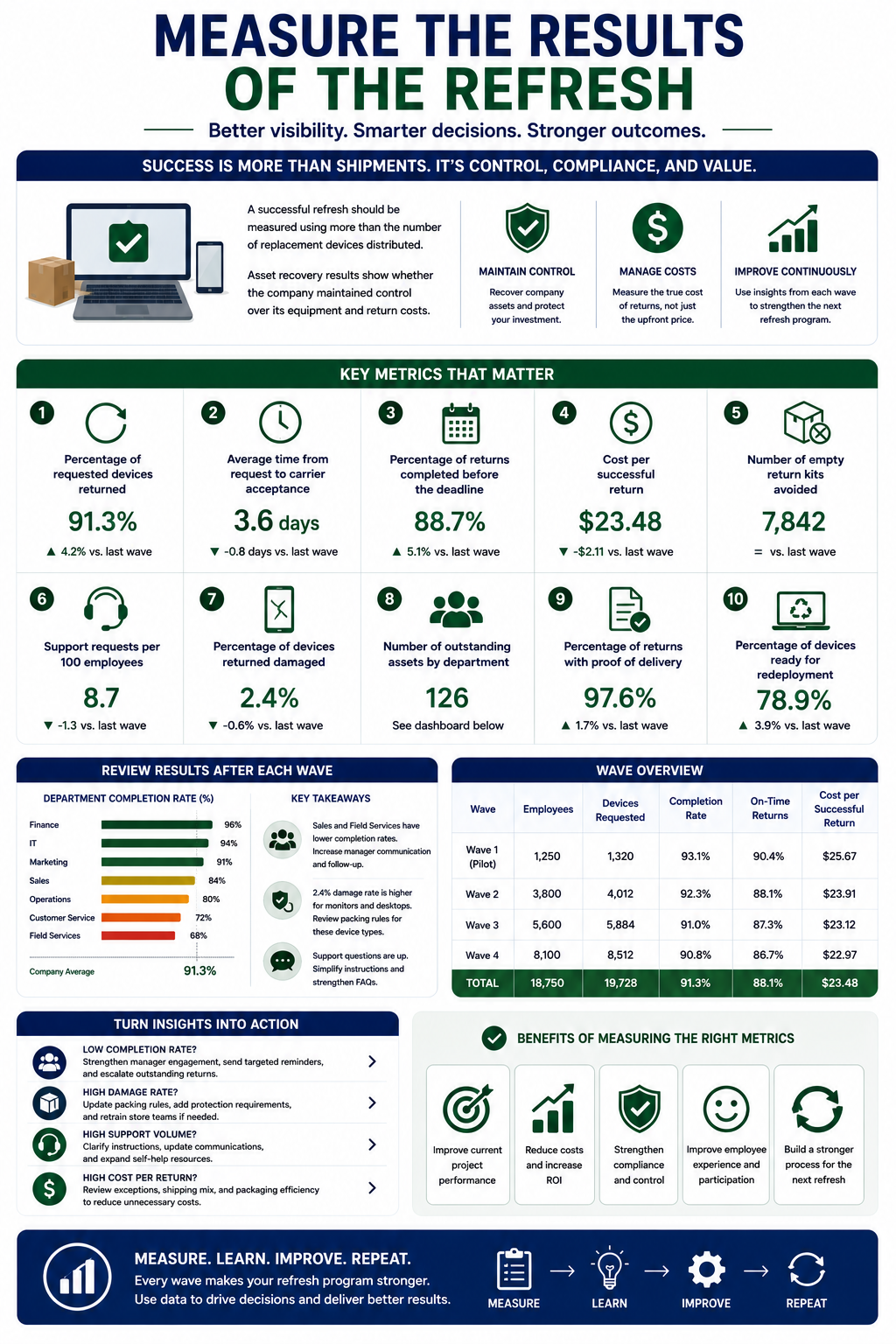
A successful refresh should be measured using more than the number of replacement devices distributed.
Asset recovery results show whether the company maintained control over its equipment and return costs.
Useful metrics include:
- Percentage of requested devices returned.
- Average time from request to carrier acceptance.
- Percentage of returns completed before the deadline.
- Cost per successful return.
- Number of empty return kits avoided.
- Support requests per 100 employees.
- Percentage of devices returned damaged.
- Number of outstanding assets by department.
- Percentage of returns with proof of delivery.
- Percentage of devices ready for redeployment.
Review these results after each project wave.
A department with a lower completion rate may need stronger manager communication. A device category with frequent damage may require different packing rules. A large number of employee questions may indicate that the instructions are unclear.
Reporting should improve the current project and create a stronger process for the next refresh.
A Better Process Protects More Than Hardware
The biggest mistake companies make is treating a laptop like a replaceable object and nothing more. Yes, there’s a hardware cost. Though there’s also downtime, data risk, redeployment delay, staff frustration, and avoidable administrative work.
That’s why the right response is a process, not a panic reaction. Start with a clear reminder. Confirm the device details. Make the return easy. Involve IT right away. Document each step. Escalate in a structured way if the employee stops responding. Then fix the workflow so the next offboarding event doesn’t create the same scramble.
Companies that handle this well aren’t just better at recovering laptops. They’re better at protecting data, preserving inventory, and keeping HR and IT from wasting hours on preventable follow-up.
Get Company Equipment Back Without the Chase
Still relying on boxes, labels, address checks, and repeated follow-ups? ReadyCloud’s equipment return software gives HR and IT teams a faster way to recover laptops, monitors, mobile devices, and other company-owned hardware. Instead of mailing empty boxes and hoping for compliance, you can issue a QR code by email or SMS and let former employees drop equipment off at a UPS Store with no box and no label required. ReadyCloud says this workflow supports returns at more than 5,000 UPS Store locations, integrates with Jira and ServiceNow, and lets teams pay only for successful returns rather than empty-box shipments

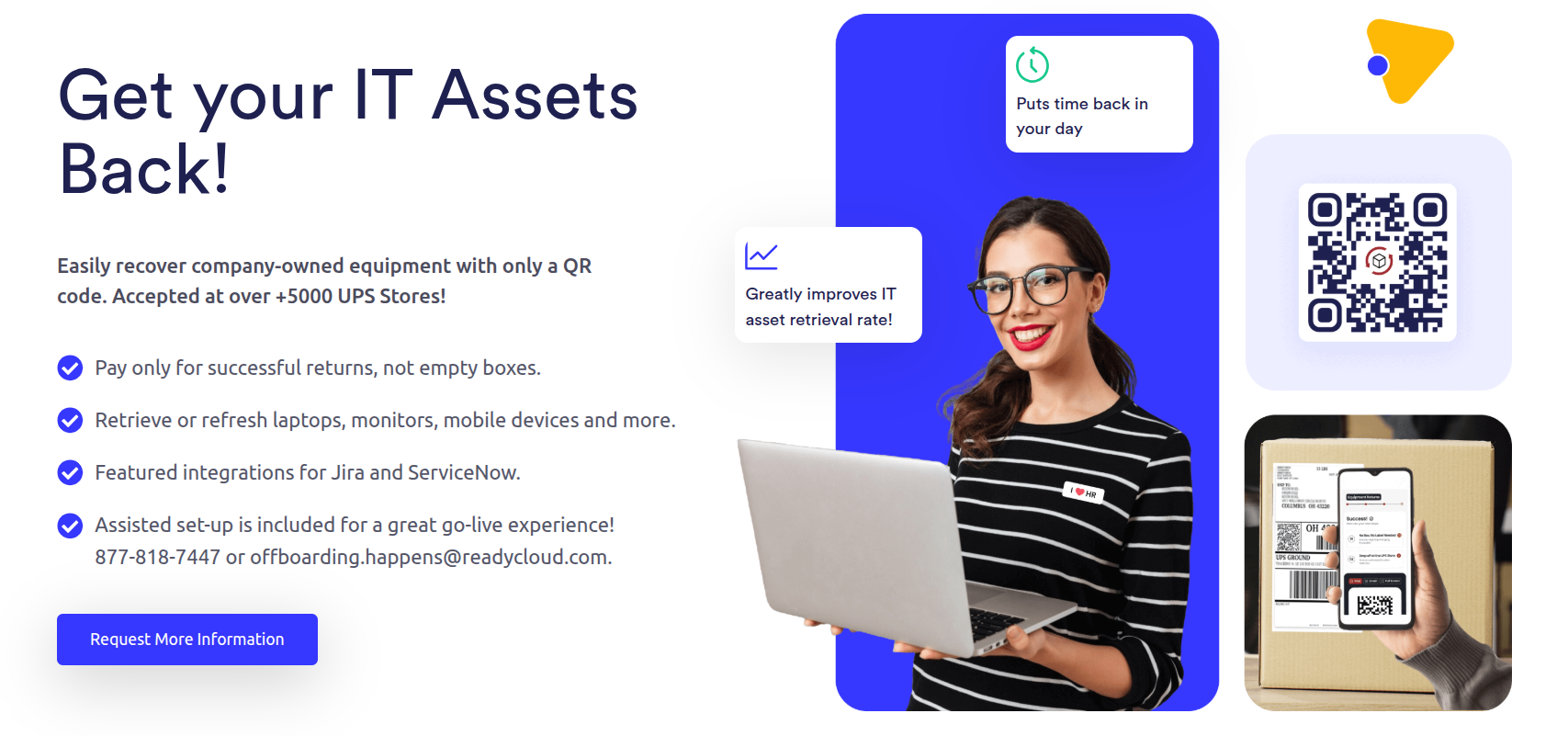
Whether you’re handling remote offboarding, missing laptops, aging asset recovery, or routine device refresh cycles, this is built to make the process easier on both your team and the employee returning the equipment. Explore how ReadyCloud helps streamline retrieval, improve return rates, reduce manual work, and cut shipping waste on the Equipment Returns page.
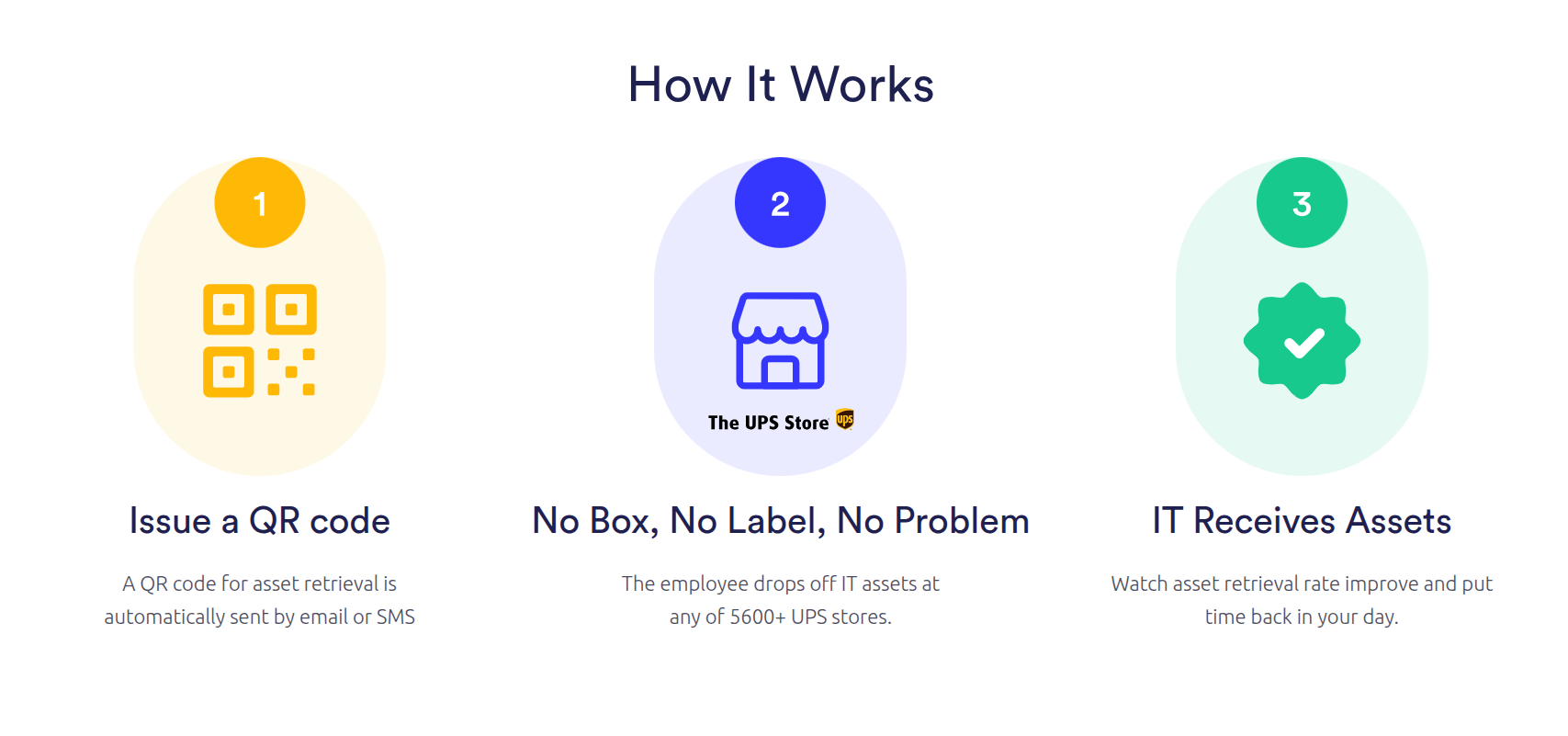
For companies managing remote teams, high-volume offboarding, or expensive hardware losses, this creates a simpler path to getting equipment back without wasting time or budget. See how ReadyCloud’s equipment return software works and connect with the team to learn more.



Why ReadyCloud Fits This Process
ReadyCloud’s Equipment Return Software fits this kind of workflow because laptop recovery shouldn’t depend on memory, manual reminders, or disconnected systems. HR and IT teams need visibility. Former employees need clear instructions. The business needs a return process that’s easy to follow and easy to track.
That means fewer blind spots for internal teams and fewer excuses for delayed returns. It also means the company can move from scattered follow-ups to a more organized system that supports tracking, communication, and accountability from start to finish.
That’s the real next step. Don’t just chase the missing laptop. Build a process that keeps the next one from going missing, too.
Ready to get started? Reach to our Sales Team for a Demo.
Or contact our Sales Department at: 877-818-7447 ext. 1.
Frequently Asked Questions About Company Device Refreshesh
What Is A Company-Wide Device Refresh?
A company-wide device refresh is a coordinated project to replace laptops, phones, tablets, monitors, and other business equipment across multiple departments or locations. It usually includes purchasing, provisioning, distribution, employee communication, recovery of old devices, asset tracking, inspection, and final disposition.
How Do You Plan A Large-Scale Device Refresh?
Start with a verified employee and asset inventory. Build one standard workflow, connect it to the company’s ITSM platform, test it with a pilot group, and launch it in controlled waves. Define communication, packing, tracking, escalation, receiving, and exception procedures before sending requests.
How Can A Company Collect Old Laptops During A Device Refresh?
A company can send each employee a unique QR code connected to the assigned equipment. The employee brings the loose laptop to a participating UPS Store, where staff scans the code, packs the device according to the instructions, and ships it to the approved destination.
Can ReadyCloud Integrate With ServiceNow For Asset Reclamation?
ReadyCloud provides a ServiceNow plugin to connect internal asset reclamation workflows with employee equipment returns. A ServiceNow process can initiate a request, identify assigned devices, track internal responsibilities, and connect return progress with the related task.
How Does Freshservice Support IT Asset Retrieval?
Freshservice can identify assigned assets within an employee lifecycle workflow and generate a reclaim-assets ticket. The ticket can include equipment, due dates, responsible teams, reminders, and stakeholder notifications. ReadyCloud can add QR-code returns, packing, logistics tracking, and connected reporting.
Can Device Returns Integrate With Jira?
ReadyCloud’s Jira integration can connect return tasks with specific assets, deadlines, internal owners, notifications, escalations, condition records, and completion reporting. Teams can manage internal workflows in Jira, while ReadyCloud supports the employee return and logistics processes.
How Do You Manage Device Returns For Remote Employees?
Send instructions and a unique QR code through personal email or SMS. Give the employee a drop-off option that does not require a printer, box, or packing materials. Automated reminders, manager alerts, carrier scans, and centralized reporting can help IT teams monitor completion.
How Can Companies Reduce The Cost Of Employee Equipment Returns?
Companies can avoid automatically shipping empty boxes, standardize professional packing, automate employee follow-up, connect costs with completed return activity, and track assets from request through delivery. Clear packing and routing rules can also reduce damaged devices, shipment errors, and manual support work.
How Do You Track Thousands Of Devices During A Hardware Refresh?
Use a central dashboard that records return requests, employee notifications, QR codes, deadlines, carrier acceptance scans, shipments, deliveries, inspections, and exception statuses. Reporting should allow teams to filter progress by department, manager, location, device type, deadline, and project wave.