


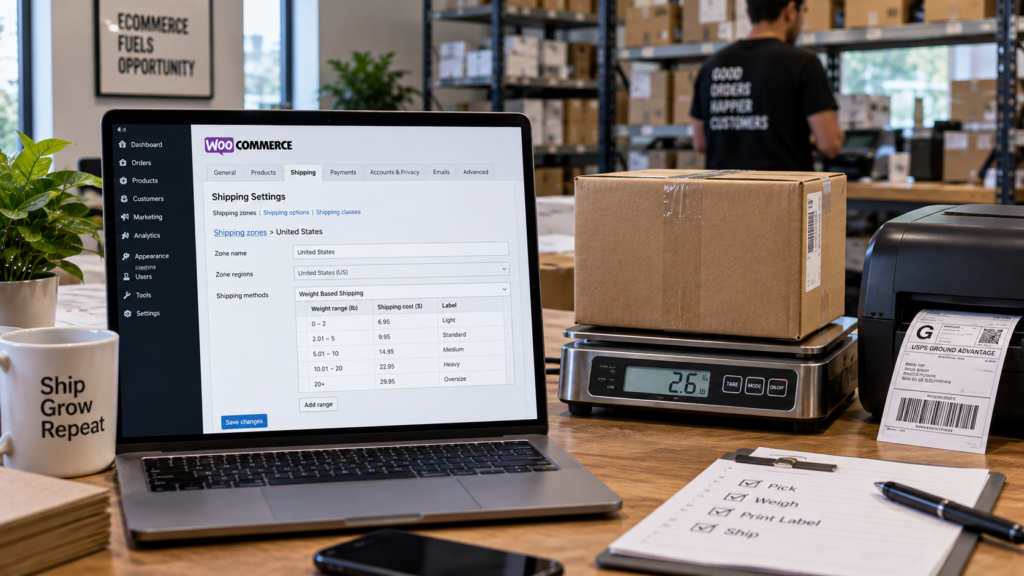
Weight-based shipping in WooCommerce works by assigning accurate product weights, creating shipping ranges, and matching each range to a shipping charge or service level. Products can then be connected to those rate levels through their weight, shipping class, destination, or other shipping rules.
For growing ecommerce brands, the better setup goes beyond calculating a checkout charge. Shipping rules should also support the fulfillment process that begins after the customer places an order.
WooCommerce gives retailers considerable control over shipping. That flexibility becomes more valuable as a catalog grows and products begin to vary widely in weight, dimensions, packaging, and handling requirements.
A lightweight apparel order and a 20-pound tool kit shouldn’t necessarily follow the same shipping logic. Mixed carts make the calculation even more complicated.
The goal is simple: charge shoppers appropriately without creating a shipping configuration that ecommerce teams struggle to manage, and ReadyCloud’s WooCommerce Shipping Integration can streamline your efforts.
“The post-purchase experience deserves a seat at the executive table because it affects both brand equity and margin. A better return process can reduce service volume while increasing customer confidence. Clearer shipping communication can lower inbound tickets while improving trust. Faster resolution can protect repeat purchases. Cleaner workflows can reduce stress on teams and make the business easier to scale.” Read Article on Forbes


How to Set Up Weight-Based Shipping in WooCommerce
Setting up shipping by weight generally involves four steps:
- Enter accurate shipping weights for products and variations.
- Create weight ranges that correspond to different rate levels.
- Assign a shipping charge or shipping method to each range.
- Test those rules using real product combinations and destinations.
A basic weight structure could look something like this:
| Cart Weight | Rate Level | Example Shipping Charge | Typical Order |
| 0–2 lb | Level 1 | $6.95 | Small accessories |
| 2.01–5 lb | Level 2 | $9.95 | Apparel or smaller goods |
| 5.01–10 lb | Level 3 | $14.95 | Medium parcels |
| 10.01–20 lb | Level 4 | $22.95 | Larger orders |
| 20+ lb | Level 5 | Carrier or custom rate | Heavy shipments |
These are example ranges, not recommended rates. Actual charges should reflect the retailer’s packaging, destinations, carrier agreements, margins, and average order profile.
Merchants comparing different ways to build the workflow can use this guide to choose the best shipping plugin for WooCommerce. Retailers that want a broader comparison can also review these seven WooCommerce shipping plugins for online stores.


Step 1: Add Accurate Shipping Weights to WooCommerce Products
Every physical product affected by a weight rule needs accurate shipping data.
If a product is listed as one pound but actually ships at three pounds, WooCommerce may apply the wrong rate level. Those small errors can become expensive across hundreds or thousands of orders.
Pay particular attention to:
- Products with missing weights
- Product variations with different sizes
- Bundles and kits
- Products whose packaging recently changed
- Heavy or oversized products
- Items that require special handling
Variable products deserve extra attention. A small and extra-large version of the same product may not weigh the same amount. If those differences affect shipping cost, the variations should reflect them.
Accurate catalog data gives every rule that follows a better foundation.
“In my experience, the most effective enterprise organizations are the ones that make it easy for people to understand what needs to happen next. This is because simplicity isn’t about removing capability. On the contrary, it’s about removing unnecessary friction.” Read Article on Forbes

Step 2: Create Weight Ranges and Shipping Rate Levels
Next, decide where one rate level ends and the next begins.
A simple store might use three categories:
| Rate Level | Total Cart Weight |
| Light | Up to 3 lb |
| Standard | 3.01–10 lb |
| Heavy | Above 10 lb |
A retailer with more complex carrier costs may need narrower ranges.
More rules aren’t automatically better. Each additional condition has to be configured, tested, and maintained. The better approach is to create enough rate levels to reflect meaningful changes in shipping cost without making the system difficult to manage.
Weight can also be combined with:
- Shipping zones
- Order subtotal
- Product shipping classes
- Destination
- Free-shipping thresholds
- Carrier requirements
Stores considering a more connected shipping architecture can compare how different WooCommerce shipping APIs handle ecommerce fulfillment.
“The post-purchase experience shapes your brand just as much as what draws a customer to it before they buy. Branding or advertising begin to shape customer confidence, but the experience that follows checkout influences loyalty more.” Read Article on Fast Company


How Do You Link Products to Rate Levels in WooCommerce?
You can link products to shipping rate levels through the data attached to each item. In a weight-driven setup, WooCommerce or a compatible shipping extension calculates the combined weight of eligible products and selects the rule that matches that range.
The logic looks like this:
Product weight → total cart weight → shipping condition → rate level → customer shipping charge
Consider this example:
| Product | Weight | Quantity | Shipping Weight |
| T-shirt | 0.5 lb | 2 | 1 lb |
| Shoes | 2.5 lb | 1 | 2.5 lb |
| Appliance | 7 lb | 1 | 7 lb |
| Tool kit | 18 lb | 1 | 18 lb |
If a shopper buys two T-shirts and one pair of shoes, the cart weighs 3.5 pounds.
If Level 2 covers 2.01 through 5 pounds, that cart falls into Level 2.
This approach means retailers don’t necessarily have to assign every product manually to a named rate tier. Product data drives the calculation.
Step 3: Use Shipping Classes for Products That Need Different Treatment
Weight tells you how heavy something is. It doesn’t always tell you how expensive it is to ship.
A compact 10-pound item may cost far less to ship than a large 10-pound item. Dimensions, packaging, fragility, and handling requirements can all change the cost.
Shipping classes give retailers another layer of control.
Common classes could include:
| Shipping Class | Typical Purpose |
| Standard Parcel | Normal boxed merchandise |
| Heavy | High-weight products |
| Oversized | Large packages |
| Fragile | Items requiring special care |
| Special Handling | Products outside normal rules |
A shipping class can work alongside weight.
For example:
If cart weight is 5–10 pounds AND the product uses Standard Parcel, apply Rate A.
A different rule could say:
If the product uses Oversized shipping, apply a separate method regardless of its normal weight tier.
Retailers building a larger WooCommerce technology stack can also explore WooCommerce integrations for connecting ecommerce operations.
“System failure often shows up in other ways. For example, a customer service employee may not be able to answer a basic question without opening four systems and four tabs. The warehouse team may be unable to reach the right person. Or a shipment delay can create five internal messages to five different people, each with multiple support tickets attached.” Read Article on Fast Company
Step 4: Test Every Weight Threshold
Test shipping rules around the exact points where one rate ends and another begins.
If Level 1 stops at five pounds, test a cart at:
- 4.99 pounds
- 5.00 pounds
- 5.01 pounds
Repeat that process at every threshold.
A useful testing plan looks like this:
| Test Scenario | What to Verify |
| One lightweight item | Base rate |
| Several lightweight products | Combined cart weight |
| Heavy product | Higher rate level |
| Mixed cart | Combined calculation |
| Product variation | Variation weight |
| Different destinations | Shipping-zone rules |
| Oversized product | Shipping-class exception |
| Free-shipping order | Rule priority |
Mixed carts deserve particular attention. A rate can work correctly for individual products and still produce unexpected results once multiple items enter the same order.
Testing should reflect the combinations customers actually buy.
Step 5: Decide Between Weight-Based Rates and Live Carrier Rates
Weight-based pricing is one option. Live carrier rates and flat-rate structures solve different problems.
| Shipping Method | How It Works | Good Fit For |
| Weight-based rates | Matches cart weight to predefined charges | Predictable catalogs |
| Live carrier rates | Calculates current carrier pricing | Variable destinations and packages |
| Flat rate | Uses a fixed checkout charge | Simple shipping structures |
| Rule-based shipping | Applies conditions to shipping decisions | Larger fulfillment operations |
| Hybrid model | Combines checkout pricing with fulfillment rules | Growing ecommerce teams |
Weight-based rates can make checkout pricing easier to control.
Live carrier rates may better reflect actual carrier charges when destination, service level, and package characteristics vary significantly.
A hybrid approach can also work. A retailer might use predictable weight ranges at checkout, then use shipping software after the sale to select an appropriate carrier and service.
Teams processing larger order volumes can compare features in this guide to shipping software for large ecommerce businesses.
Step 6: Connect WooCommerce Shipping to Fulfillment
Checkout is only the start.
After an order reaches the warehouse, someone still has to:
- Receive the order
- Select the carrier
- Choose the shipping service
- Process the shipment
- Print the label
- Add tracking
- Move the package out the door
WooCommerce merchants using ReadyCloud can follow the WooCommerce store connection instructions to connect their store.
Retailers evaluating the shipping workflow can also see how ReadyShipper works with WooCommerce.
ReadyShipper is designed for ecommerce teams that need multi-carrier shipping, rate shopping, shipping rules, batch processing, and high-volume fulfillment tools.
The difference is practical. Checkout shipping rules determine what customers see and pay. Fulfillment software helps the warehouse decide how the package should actually ship.
Growing retailers often need both.
“Consumers typically see “shipping and handling” as a category of fees added to their e-commerce orders, but they might wonder what exactly it covers. The fees break down into the costs of packaging materials, transportation, warehouse space for inventory, delivery and labor across all these activities. If there is a task on the post-purchase side of the supply chain, it likely falls under shipping and handling.” Read Article on Forbes


WooCommerce Shipping Management Changes as Order Volume Grows
A smaller store may be able to review shipping decisions manually.
That becomes much harder when an operation is processing hundreds or thousands of orders. Warehouse teams can’t spend several minutes deciding how to ship every package.
Shipping logic can evolve from a simple question:
How much does this order weigh?
into a broader fulfillment decision:
Which service should handle this order based on weight, destination, shipping cost, delivery time, and business rules?
That shift is common as businesses move from smaller ecommerce operations to enterprise fulfillment. Retailers planning for that growth can explore how ecommerce platforms, shipping, and returns software support expanding businesses.
Platform choice also affects which integrations and workflows are available. ReadyCloud compares WooCommerce with Shopify, NetSuite, BigCommerce, and Magento in its guide to choosing the best ecommerce platform for a growing online business.
“Customers don’t separate departments. They don’t care whether a delay came from the carrier, the warehouse, the support team or the return platform. They only know whether the brand made the experience easy or painful.” Read Article on Forbes
WooCommerce Integrations Can Connect More of the Shipping Workflow
WooCommerce supports a wide range of stores and integrations, allowing merchants to shape their shipping process around their business requirements.
Retailers researching the platform can review these WooCommerce statistics and ecommerce adoption trends.
ReadyCloud has also been available through the ReadyCloud WooCommerce Marketplace vendor page. ReadyCloud announced the relationship when it joined the WooCommerce Marketplace.
For online retailers, the bigger issue is how well the pieces work together.
Product weights feed rate calculations. Rate levels determine checkout charges. Shipping classes handle exceptions. Fulfillment tools help the warehouse process the resulting order.
A connected system gives retailers more control as workflows get busier.
Build WooCommerce Shipping Rules Around Real Fulfillment Costs
Weight-based rates give WooCommerce retailers a clear way to connect product data with checkout shipping charges.
The strongest configuration starts with accurate product weights, sensible rate levels, shipping classes for genuine exceptions, and careful testing. From there, the shipping process should connect naturally with the warehouse workflow that follows the sale.
ReadyShipper helps ecommerce teams handle multi-carrier shipping, rate shopping, batch processing, and automated shipping rules as fulfillment demands increase.
Retailers comparing their options can begin with ReadyCloud’s guide to the best shipping plugin for WooCommerce and the WooCommerce connection guide to see how checkout and fulfillment can work together.
ReadyCloud Has You Covered!
Success in ecommerce starts with the right tools, and ReadyCloud’s suite of solutions is designed to propel your ecommerce business to new heights. With ReadyCloud, you’ll have all your data centralized in one place, offering insights that drive smarter decisions. Take your marketing to the next level with Action Alerts, delivering growth-focused, automated campaigns that keep your customers engaged.
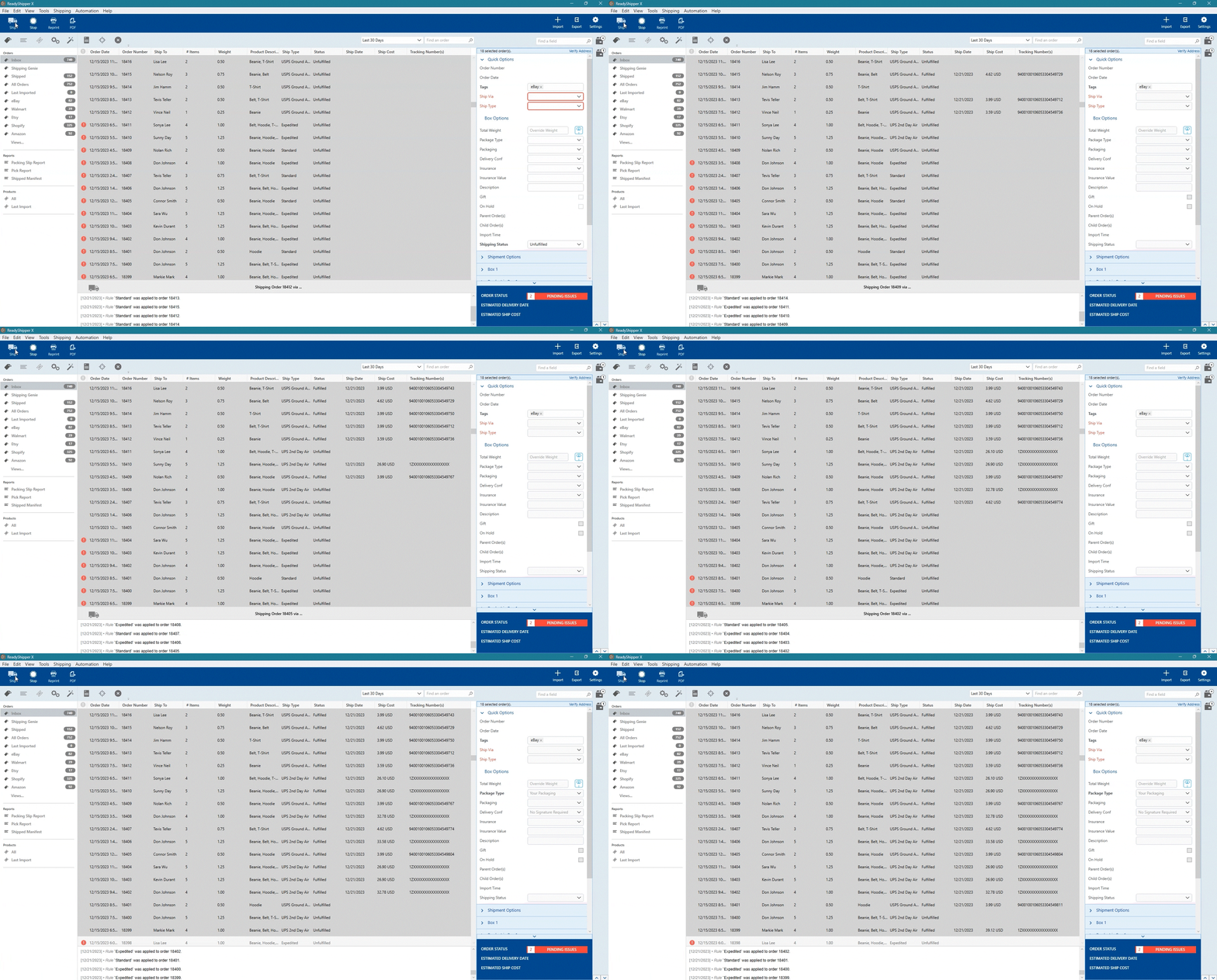
Shipping is easier than ever with ReadyShipper X, a multicarrier solution that simplifies your fulfillment process while saving time and money.

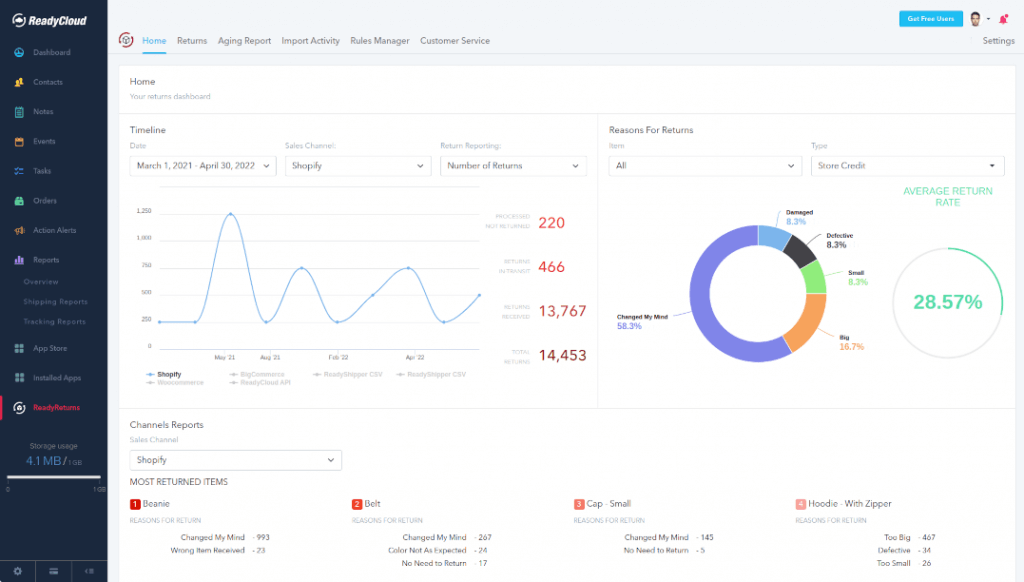
And when it comes to returns, ReadyReturns streamlines the entire process with an automated solution that boosts customer satisfaction and loyalty.

ReadyCloud is more than just a suite of systems—it’s your ticket to thriving in 2026 and beyond!
Start your journey to success today! Learn more and get started here.
Or contact our Sales Department at: 877-818-7447 ext. 1.
FAQ: WooCommerce Shipping by Weight
How do I set shipping rates by weight in WooCommerce?
Add accurate weights to physical products, create weight ranges, assign a shipping rate to each range, and configure a compatible shipping method to calculate the cart total. Test the boundaries between each range before making the setup available to customers.
Can WooCommerce calculate shipping from total cart weight?
Yes. A weight-based configuration can add the weights of eligible products in the cart and apply the shipping rule associated with the resulting total.
How do I link products to shipping rate levels?
Assign each product or variation an accurate shipping weight. The shipping method can then evaluate the combined cart weight and map the order to the corresponding rate level.
Can different WooCommerce products have different shipping rules?
Yes. Shipping classes and other conditions can treat certain products differently. This is useful for oversized, fragile, heavy, or special-handling products.
What happens if a WooCommerce product has no weight?
A shipping rule that depends on weight may produce an incorrect result if product weight is missing. Audit physical products and variations before relying on the rules.
Should I use shipping by weight or live carrier rates?
Shipping by weight works well when fulfillment costs fall into predictable ranges. Live rates can be more useful when costs change substantially according to destination, dimensions, carrier, and service.
Can WooCommerce combine weight and shipping zones?
Yes. Weight conditions can be combined with location-based shipping rules so different destinations receive different charges for the same cart weight.
How should I handle oversized WooCommerce products?
Create a dedicated shipping class or rule for oversized products. Weight alone may not represent the actual carrier cost of a large package.
Can weight-based shipping work for high-volume WooCommerce stores?
Yes, as long as the rules stay accurate and manageable. High-volume stores may also benefit from connecting checkout calculations to shipping software that can automate carrier selection, batch shipping, labels, and tracking after the order is placed.