


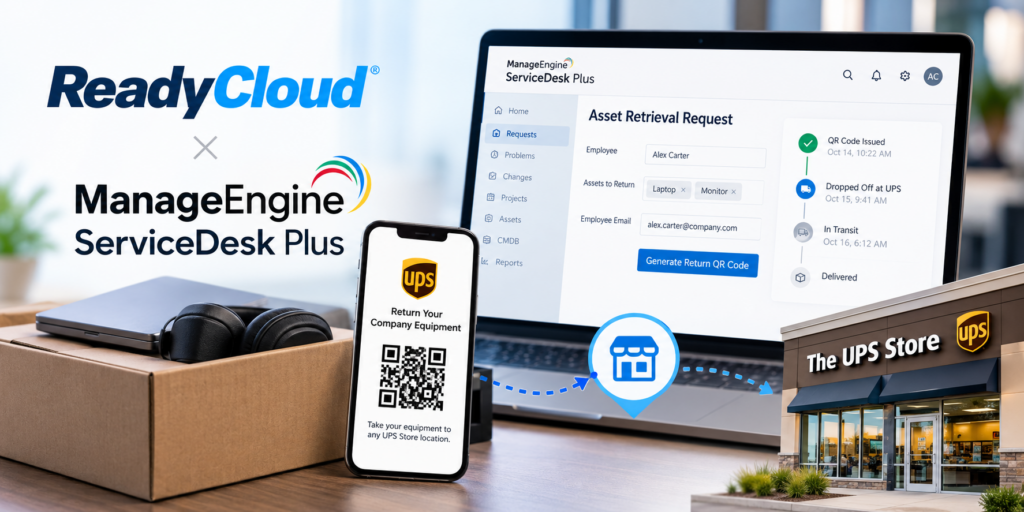
Recovering company-owned equipment shouldn’t require sending empty boxes across the country, chasing former employees for shipping updates, or spending hours coordinating returns. Yet for many IT departments, getting a laptop back from a departing employee remains surprisingly complicated.
Remote work has made IT asset retrieval even more challenging. Employees are spread across cities and states, equipment must be recovered quickly, and IT teams often coordinate everything from shipping supplies to tracking numbers.
Traditional shipping box programs only add to the workload. An IT department ships an empty box to an employee, waits for the equipment to be packaged, sends reminders, and hopes the device eventually makes its way back. If the box sits unused, the company has already spent money without getting anything back.
There’s a better way to manage this.
The new ReadyCloud Asset Retrieval app for ManageEngine ServiceDesk Plus brings automated equipment returns directly into the IT service management platform your team already uses.
With QR-code-based returns, access to more than 5,800 UPS Store locations, automated email reminders, and tracking in ServiceDesk Plus, recovering company-owned equipment becomes much simpler.
Even better, the app installs in under five minutes, requires no separate ReadyCloud account, and has no recurring monthly software fees.
Here’s what IT teams need to know.
Why Traditional IT Asset Retrieval Is So Complicated
Employee offboarding involves more than disabling user accounts and revoking access to company applications. IT departments also need to recover physical assets, including laptops, monitors, smartphones, tablets, and other company-owned devices.
For organizations with remote or hybrid employees, this often involves many manual tasks.
IT administrators must contact departing employees, verify mailing addresses, arrange shipping materials, provide return instructions, monitor shipping activity, and follow up when equipment hasn’t been returned.
The traditional shipping box approach creates additional complications.
A company may send a prepaid shipping kit to a former employee, only to have the box sit unused for days or weeks. Meanwhile, the organization has already paid to deliver the empty box, and the equipment remains outstanding.
The longer the process takes, the harder it can be to recover valuable hardware.
These delays create several operational challenges:
- Additional administrative work for IT and HR departments.
- Shipping expenses for empty boxes that may never be used.
- Limited visibility into outstanding equipment returns.
- Repeated follow-up emails and manual tracking.
- Delays in recovering devices for reassignment or refurbishment.
- Unnecessary complications for remote employees.
For IT teams already managing help desk requests, cybersecurity responsibilities, software deployments, and hardware maintenance, equipment retrieval can become another time-consuming responsibility.
The answer isn’t more manual work. It’s making asset recovery easier for everyone involved.
Introducing ReadyCloud Asset Retrieval for ManageEngine ServiceDesk Plus
ReadyCloud has developed an asset retrieval app specifically for ManageEngine ServiceDesk Plus, giving IT teams a simpler way to recover company-owned equipment directly from their existing service desk.
Available through the ManageEngine Marketplace, the app brings QR-code-based equipment returns, automated email reminders, UPS shipping, and return tracking into ServiceDesk Plus.
Instead of switching between platforms or managing a separate returns account, administrators can initiate retrievals and monitor progress from the service requests they already use.
The process is designed around one simple idea: employees should be able to return company equipment without finding a box, printing a label, or arranging their own shipping.
Here’s what the app provides:
- QR codes for returning laptops, monitors, smartphones, and other IT assets.
- Access to more than 5,800 UPS Store locations.
- UPS handles professional packaging, labeling, and shipping.
- Automated email reminders for outstanding equipment returns.
- Tracking updates tied to ServiceDesk Plus requests.
- Equipment routing to designated return locations.
- Return reporting and visibility into pending assets.
- Pay-as-you-go pricing without recurring software subscription fees.
Everything is managed through ManageEngine ServiceDesk Plus, without requiring an additional ReadyCloud or ReadyReturns account. The result is a more convenient equipment recovery experience for both IT administrators and employees.
How ReadyCloud QR Code Asset Retrieval Works
Recovering company equipment doesn’t need to involve complicated shipping arrangements. ReadyCloud replaces traditional shipping box programs with a QR-code-based process that connects equipment returns to existing ServiceDesk Plus requests.
Here’s how it works.
- Create an Asset Retrieval Request
An IT administrator begins with an employee offboarding request in ManageEngine ServiceDesk Plus.
Using the appropriate service request template, the administrator identifies the employee and the company-owned devices that need to be recovered.
The process only requires the employee’s email address to initiate the return. There’s no need to obtain and verify a residential shipping address before sending instructions.
- Generate a Prepaid UPS QR Code
The ReadyCloud app generates a prepaid UPS QR code associated with the equipment being recovered.
Each QR code includes the instructions needed to determine where to ship the equipment, along with the applicable packaging and shipping requirements.
The employee receives the QR code and return instructions by email.
- Drop Off Equipment at The UPS Store
The employee brings the equipment and QR code to a participating UPS Store location.
No need to find a cardboard box, buy packing materials, print a label, or pay for shipping.
UPS personnel scan the QR code, package the equipment according to the specified requirements, prepare the shipping label, and ship the device to its designated destination.
- Receive Automatic Tracking Updates
When UPS scans the equipment, the return status is updated, and tracking information is associated with the corresponding ServiceDesk Plus request.
IT administrators can monitor the equipment as it moves through the shipping process, from initial acceptance through delivery.
- Complete the Asset Recovery Process
Once the equipment arrives at the designated location, the team has the tracking and delivery information needed to complete its recovery workflow.
Instead of manually coordinating every stage of the return, administrators get a connected process that reduces repetitive work and improves visibility into outstanding assets.


Install the ReadyCloud App in Under Five Minutes
Complex software implementations can slow down even the most straightforward IT improvement projects. The ReadyCloud Asset Retrieval app takes a different approach.
Designed specifically for ManageEngine ServiceDesk Plus, the app installs and configures in less than five minutes.
Getting started is simple:
- Visit the ManageEngine Marketplace.
- Find the ReadyCloud Asset Retrieval app for ServiceDesk Plus once the listing becomes available.
- Install the app into your ServiceDesk Plus environment.
- Accept the applicable terms and configure your email templates and return settings.
- Begin creating asset retrieval requests.
You don’t need a separate ReadyCloud account or an independent returns dashboard.
IT administrators also don’t need to establish their own UPS shipping account or negotiate carrier contracts before using the service.
The installation process is designed for teams that want to recover equipment without taking on another complicated software deployment.
The app is exclusive to ManageEngine ServiceDesk Plus and must be installed through the ManageEngine Marketplace.
No Boxes, No Labels, No Shipping Hassles
One of the biggest obstacles to successful equipment recovery is making the return process unnecessarily difficult for employees.
A departing employee may not have access to shipping materials, a printer, or a convenient way to package an expensive laptop securely.
Traditional shipping programs attempt to solve this problem by sending empty boxes and prepaid labels. That introduces another shipment, another delivery to track, and another opportunity for delays.
ReadyCloud removes those steps.
- Employees can bring their company-owned equipment and QR code to any of more than 5,800 UPS Store locations across the United States.
- UPS personnel handle the packaging, shipping label, and return shipment.
- This approach offers several practical benefits.
- Employees don’t need to purchase shipping materials or schedule a separate box delivery. IT teams don’t need to send empty kits or wait for those kits to arrive before an employee can begin the return process.
- It also creates a more consistent experience for employees returning company property from different locations.
- Whether someone is returning a laptop after leaving a remote position or sending back a company smartphone for replacement, the process remains straightforward.
For organizations handling equipment returns across multiple states, removing the shipping box requirement can eliminate significant unnecessary coordination.
Automated Email Reminders Reduce Manual Follow-Ups
Getting an employee to initiate a return is only part of the challenge. IT departments also need a reliable way to follow up when equipment hasn’t been dropped off. Without automation, administrators may spend valuable time checking spreadsheets, reviewing open tickets, and sending repeated reminder emails.
ReadyCloud addresses this problem with automated email reminders connected to the ServiceDesk Plus asset retrieval workflow.
- Administrators can set reminder schedules and customize email messaging to match their organization’s needs.
- If an employee hasn’t returned the equipment, reminders continue according to the configured schedule.
- Once UPS registers the equipment drop-off, the reminders stop automatically.
- This helps IT teams maintain consistent communication without repeatedly checking each outstanding request.
- The reminders are email-based, keeping the communication process straightforward and connected to ServiceDesk Plus.
For organizations managing equipment returns from remote employees, contractors, and departing personnel, automated follow-ups can reduce the time spent tracking down devices.
Track Every Equipment Return Inside ServiceDesk Plus
Shipping a device back to an organization is only useful if IT administrators can verify its progress. Traditional return programs often require employees to provide tracking numbers manually or administrators to check carrier websites for updates.
The ReadyCloud app brings return visibility directly into ManageEngine ServiceDesk Plus.
Tracking information is linked to the original service request, so IT teams can monitor the equipment recovery process without switching platforms.
Administrators can follow important return milestones, including:
- QR code issued to the employee.
- Equipment accepted and scanned by UPS.
- Package in transit to its destination.
- Equipment delivered to the designated return location.
This creates a documented chain of custody from the initial QR code through final delivery.
ReadyCloud also provides reporting capabilities that help IT teams review return activity, shipping times, delivery information, and outstanding equipment.
For organizations managing many employee devices, having this information connected to existing service desk records makes equipment recovery easier to oversee.
Instead of wondering whether an employee has returned a laptop, administrators can review the associated request and see the latest available tracking information.
Simple Pricing With No Monthly Software Fees
IT departments shouldn’t need another expensive software subscription just to recover company-owned equipment.
ReadyCloud offers straightforward pricing for its ManageEngine ServiceDesk Plus app.
- The app has a one-time $49 fee, with no recurring monthly software subscription costs.
- That initial $49 is added to the user’s wallet as credit toward the first equipment retrieval.
- After the initial credit is used, administrators can purchase additional wallet credits to cover future returns.
- Each asset retrieval uses credits for the applicable packaging, handling, and UPS return shipping costs.
- This pay-as-you-go approach allows organizations to fund equipment returns as needed without maintaining another monthly software subscription.
It also changes how companies approach shipping expenses.
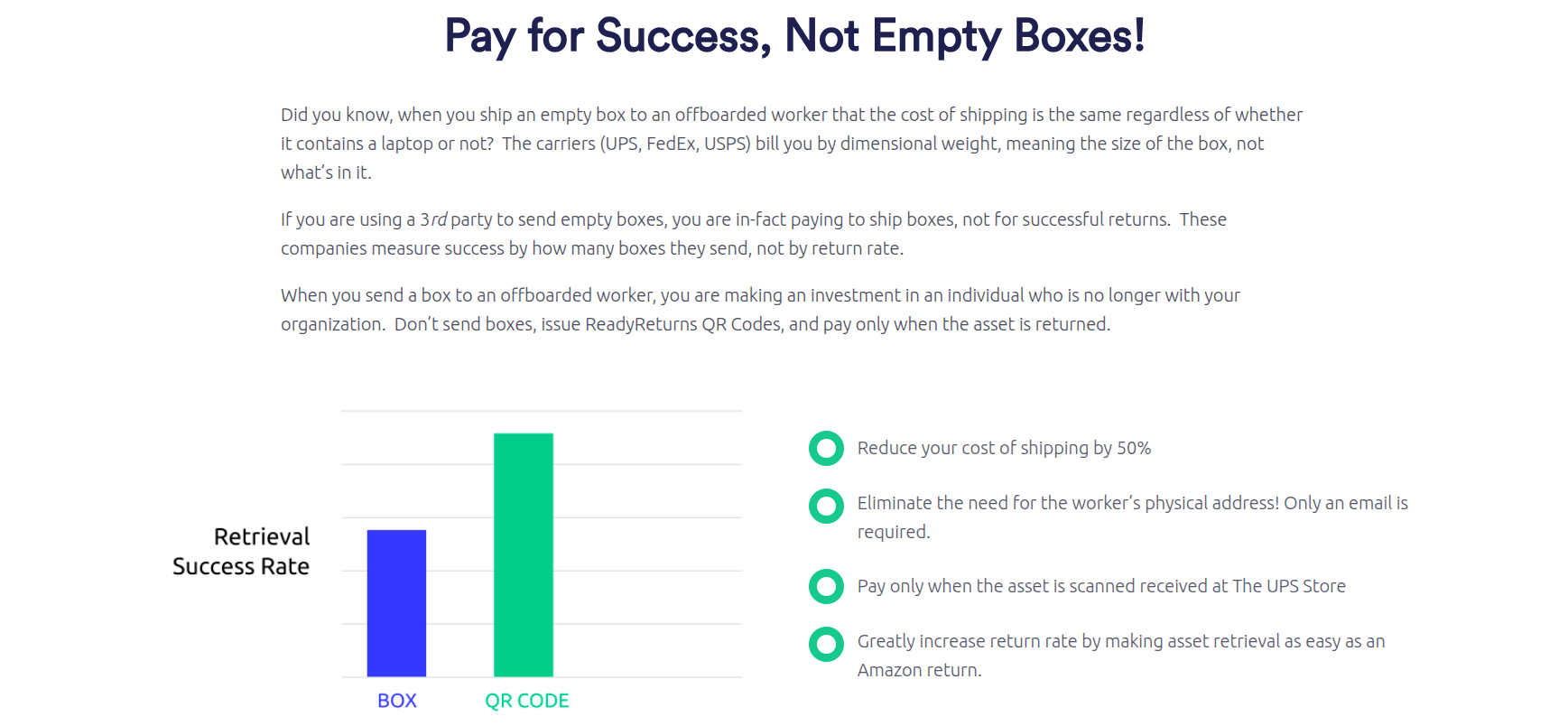
- With traditional shipping kits, organizations may pay to ship an empty box to an employee even when the equipment is never returned.
- ReadyCloud’s QR-code-based model ties return shipping charges to equipment UPS actually drops off and accepts.
- You also don’t need to maintain a separate UPS account.
- The app also provides access to discounted UPS shipping rates, helping organizations manage equipment recovery expenses without negotiating their own shipping agreement.
For IT teams looking for predictable software costs and simpler asset retrieval, this pricing model offers a practical alternative to traditional equipment return programs.
ReadyCloud vs. Traditional IT Equipment Return Programs
Traditional shipping boxes have been a common approach to remote employee equipment recovery, but they create unnecessary work and expenses.
Here’s how the ReadyCloud app compares.


The advantages extend beyond saving money on shipping materials. Removing unnecessary steps makes it easier for employees to return devices and reduces the work required of IT administrators. That’s especially useful for organizations with distributed workforces, frequent employee turnover, or ongoing hardware replacement programs.
IT Asset Retrieval Beyond Employee Offboarding
Employee departures are one of the most common reasons businesses need to recover company-owned equipment. They’re far from the only use case. IT teams regularly retrieve and redistribute hardware throughout the employee lifecycle.
The ReadyCloud app supports several common equipment recovery scenarios:
- Employee Offboarding: Recover laptops, smartphones, monitors, and other company-owned equipment from departing employees without sending shipping boxes or coordinating individual shipping arrangements.
- Remote Hardware Refreshes: When employees receive upgraded laptops or replacement devices, IT teams can issue QR codes to recover the older equipment for reassignment, refurbishment, or disposal.
- Break/Fix Equipment Returns: Employees experiencing hardware failures can return affected devices to designated repair facilities without packaging and shipping the equipment themselves.
- Contractor Equipment Recovery: Temporary workers, consultants, and contractors often use company-owned devices that must be returned when their assignments end.
A QR-code-based process gives IT teams a consistent way to initiate and track these returns.
- Equipment Routing Between Locations
- Recovered equipment doesn’t always need to return to the same office.
- ReadyCloud supports routing assets to designated destinations, including company offices, distribution centers, and centralized return hubs.
- This allows organizations to direct equipment where it needs to go based on the applicable return workflow.
Get Your IT Assets Back With ReadyCloud and ManageEngine ServiceDesk Plus
Recovering company-owned equipment shouldn’t require hours of administrative work, expensive shipping kits, or repeated emails asking employees to return their devices.
ReadyCloud makes the process easier with QR-code-based UPS returns, automated reminders, built-in tracking, and simple pay-as-you-go pricing.
Employees can return equipment easily without packaging supplies or printed labels. IT teams gain better visibility into outstanding returns and spend less time coordinating shipments.
Everything happens inside ManageEngine ServiceDesk Plus, with installation taking less than five minutes and no recurring monthly software fees.
The ReadyCloud Asset Retrieval app is scheduled to arrive on the ManageEngine Marketplace in early November 2026.
Ready to spend less time chasing equipment and more time supporting your organization?
Explore ReadyCloud Asset Retrieval for ManageEngine ServiceDesk Plus and join the waitlist today.
Get Company Equipment Back Without the Chase
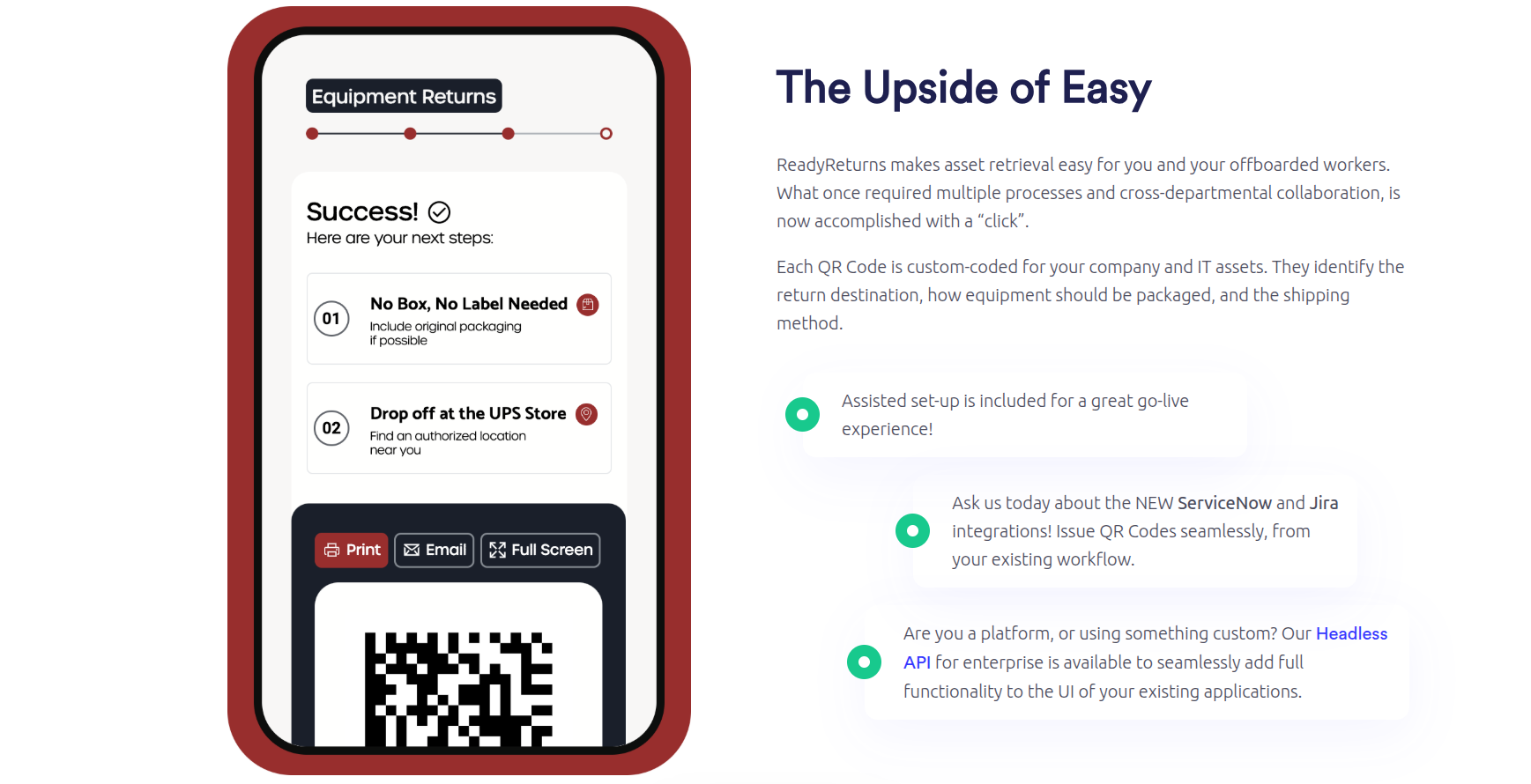
Still relying on boxes, labels, address checks, and repeated follow-ups? ReadyCloud’s equipment return software gives HR and IT teams a faster way to recover laptops, monitors, mobile devices, and other company-owned hardware. Instead of mailing empty boxes and hoping for compliance, you can issue a QR code by email or SMS and let former employees drop equipment off at a UPS Store with no box and no label required. ReadyCloud says this workflow supports returns at more than 5,000 UPS Store locations, integrates with Jira and ServiceNow, and lets teams pay only for successful returns rather than empty-box shipments.

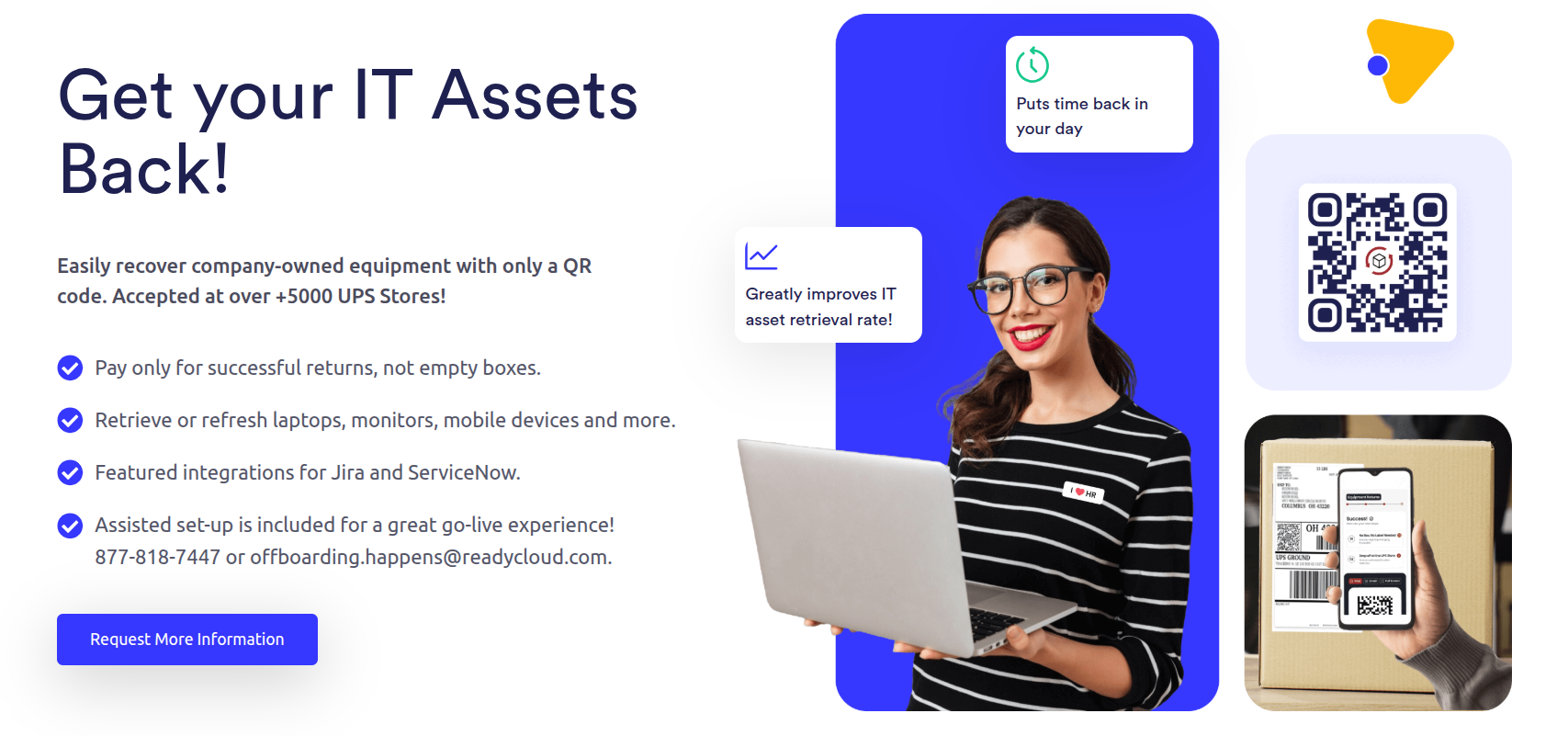
Whether you’re handling remote offboarding, missing laptops, aging asset recovery, or routine device refresh cycles, this is built to make the process easier on both your team and the employee returning the equipment. Explore how ReadyCloud helps streamline retrieval, improve return rates, reduce manual work, and cut shipping waste on the Equipment Returns page.
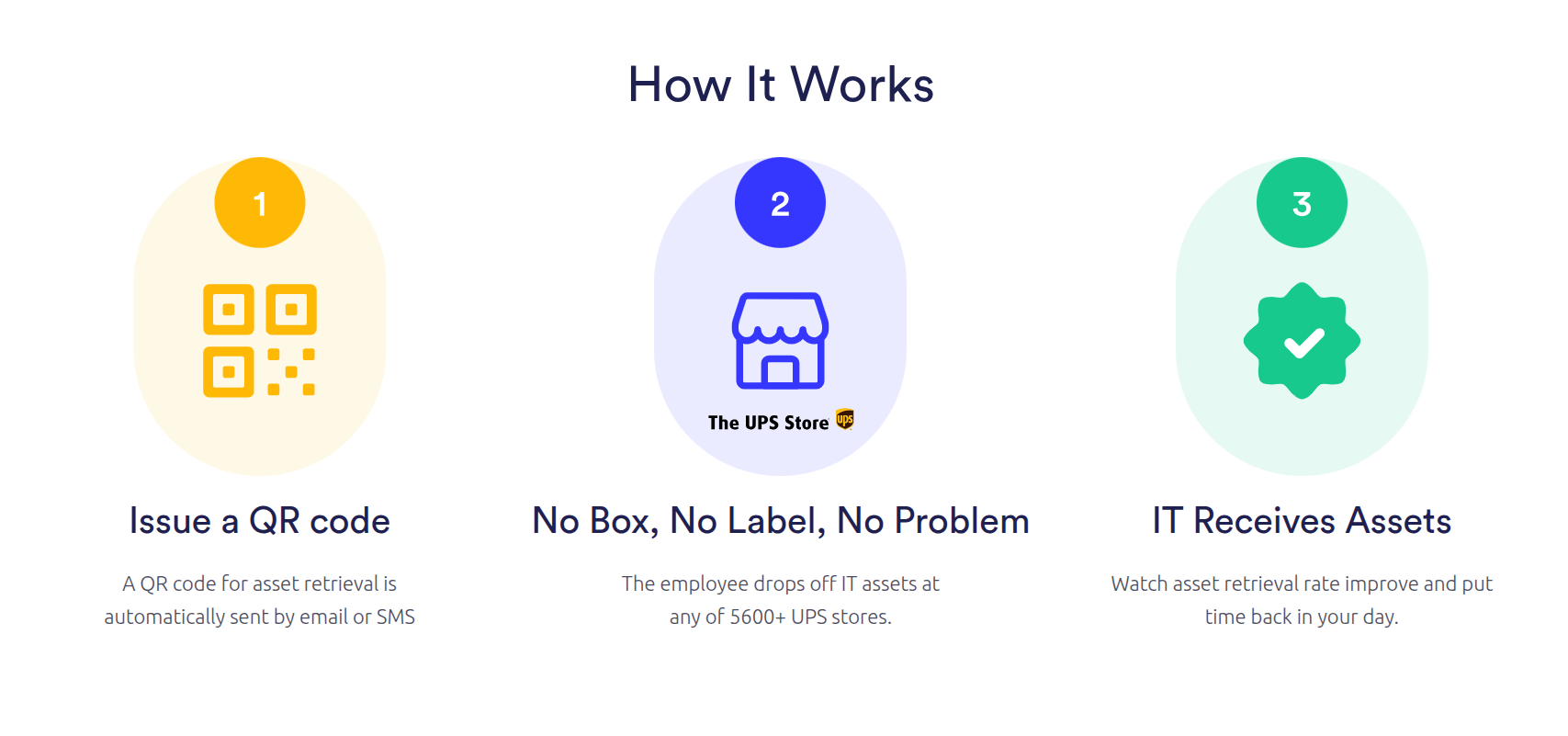
For companies managing remote teams, high-volume offboarding, or expensive hardware losses, this creates a simpler path to getting equipment back without wasting time or budget. See how ReadyCloud’s equipment return software works and connect with the team to learn more.



Why ReadyCloud Fits This Process
ReadyCloud’s Equipment Return Software fits this kind of workflow because laptop recovery shouldn’t depend on memory, manual reminders, or disconnected systems. HR and IT teams need visibility. Former employees need clear instructions. The business needs a return process that’s easy to follow and easy to track.
That means fewer blind spots for internal teams and fewer excuses for delayed returns. It also means the company can move from scattered follow-ups to a more organized system that supports tracking, communication, and accountability from start to finish.
That’s the real next step. Don’t just chase the missing laptop. Build a process that keeps the next one from going missing, too.
Ready to get started? Reach to our Sales Team for a Demo.
Or contact our Sales Department at: 877-818-7447 ext. 1.
Frequently Asked Questions About ReadyCloud for ServiceDesk Plus
- What Is the ReadyCloud Asset Retrieval App?
The ReadyCloud Asset Retrieval app is a ManageEngine Marketplace application designed specifically for ServiceDesk Plus. It lets IT teams recover company-owned equipment using prepaid UPS QR codes, automated email reminders, return tracking, and reporting directly in ServiceDesk Plus.
- How Much Does the ReadyCloud App Cost?
The app has a one-time $49 fee with no recurring monthly software subscription. The $49 is credited to the user’s wallet toward the first asset retrieval. Additional wallet credits can be purchased for future returns.
- Do I Need a ReadyCloud Account?
No. Users can install and operate the app directly inside ManageEngine ServiceDesk Plus without creating a separate ReadyCloud or ReadyReturns account.
- Do I Need My Own UPS Account?
No. The app provides access to UPS shipping services without requiring users to establish their own UPS account. The service offers discounted UPS shipping rates.
- How Long Does Installation Take?
You can install and configure the ReadyCloud app in less than five minutes. Users install it from the ManageEngine Marketplace and complete the necessary email and return settings before issuing their first retrieval.
- Can Employees Return Laptops Without Shipping Boxes?
Yes. Employees bring their laptops and QR codes to a participating UPS Store. UPS personnel handle the packaging, labeling, and shipping based on the instructions associated with the QR code.
- Does ReadyCloud Send Automated Equipment Return Reminders?
Yes. The ServiceDesk Plus app supports automated email reminders using configurable schedules. Reminders stop once the equipment is scanned by UPS.
- Can IT Administrators Track Equipment Returns?
Yes. Tracking information is associated with the corresponding ServiceDesk Plus request. Administrators can monitor QR code issuance, UPS acceptance, shipment progress, and delivery.
- Where Can I Install the ReadyCloud App?
The app will be available exclusively through the ManageEngine Marketplace. Its release is planned for early November 2026.