



Work-from-home isn’t fading out, so company laptop returns need a real process behind them. Did you know that 16% of companies now operate fully remote, 62% of working-age employees work remotely at least some of the time, and 99% would choose remote work in some form for the rest of their lives.
On top of that, 74% say remote flexibility makes them less likely to leave an employer. Those numbers tell a simple story: remote and hybrid work are now part of how modern businesses run. That also means more company devices are sitting in homes, apartments, coworking spaces, and spare bedrooms instead of inside an office.
When an employee leaves and there’s no clear return workflow, the company isn’t just risking the cost of a laptop. It’s risking lost time, sensitive data exposure, and an offboarding process that falls apart when it matters most.
“Modern asset management systems allow IT staff to monitor each device, identify outdated systems, automate updates and proactively address vulnerabilities. These systems support inter-department collaboration by tracking device locations, usage history and access credentials.”
Read Article on Forbes


A laptop isn’t just another piece of company gear sitting in someone’s home office. It may hold saved passwords, customer data, internal files, browser sessions, authentication tools, and direct access to business systems. That means a delayed return can create security, operations, and cost issues all at once.
This problem shows up in a familiar pattern. Someone leaves the company. The team expects the laptop back within a set time. Then the replies slow down, the shipment never gets sent, or nobody can tell whether the box was even prepared. In remote and hybrid teams, that mess gets worse because the employee isn’t walking past IT on the way out. The device is sitting in another city, maybe another state, and your offboarding workflow depends on email follow-ups and crossed fingers.
If you’ve ever experienced a terminated employee not returning company equipment before, here are the immediate next steps that you can take, and a system you can put into place that will give your entity a streamlined solution moving forward.


One Missing Laptop Can Turn Into a Bigger Problem Fast
It’s true, speed matters, documentation matters, and simplicity matters. The goal isn’t to make the process feel punitive. The goal is to get the laptop back quickly from the terminated employee, cut off unnecessary risk, and create a repeatable process your team can use every time.
| Risk Area | What Can Go Wrong | Why It Matters |
|---|---|---|
| Data Security | Saved credentials or local files remain on the device. | Sensitive information may stay exposed longer than expected. |
| Access Control | Accounts may still be tied to the laptop. | IT teams may need additional steps to secure systems. |
| Cost | The company may need to replace the hardware. | Budgets and inventory levels are directly impacted. |
| Productivity | A replacement laptop may be required for a new hire. | Onboarding delays can affect team output and timelines. |
| Compliance | Missing records or unclear follow-up creates confusion. | HR and IT lose visibility into asset recovery and accountability. |

Start With a Clear, Professional Reminder
Your first move should be simple and direct. To help make it easier, we’ve created this Employee Offboarding Checklist.
To start, you can reach out with a written reminder that states exactly what needs to be returned, when it’s due, and how the former employee should return it. A vague message creates room for delay. A clear one reduces confusion and gives your team a record of what was communicated.
That first notice should include the laptop model, if you have it; the serial number, if it’s already in your asset records; the charger or accessories expected back; the return deadline; and the return instructions.
Tone matters here, too. Keep it calm. Keep it factual. Don’t make threats in the opening message. Many delayed returns happen because the person is disorganized, not because they’re trying to keep the device. A clean note with a deadline and a simple next step will often fix the issue without creating more friction.
| Reminder Element | What to Include |
|---|---|
| Device Details | Laptop make, model, serial number, charger, and any included accessories. |
| Deadline | A clear, specific date when the company expects the device to be returned. |
| Return Method | Instructions for shipping, pickup, office drop-off, or carrier handoff. |
| Instructions | Packing steps, label usage, and a point of contact for questions. |
| Documentation | A written record of the request, including when it was sent. |
Confirm Exactly What Was Assigned
Before your team starts escalating, confirm the basics. You need to know which laptop was issued, when it was assigned, what accessories were included, and whether any replacement or swap happened during employment. Plenty of teams lose time chasing the wrong serial number or forgetting that a dock, headset, or external monitor was assigned later.
This step sounds small, though it saves time fast. It also protects your team from making assumptions in writing that turn out to be wrong; and helps you maintain best standards and practices for retrieving tech gear from remote employees.
If your records are incomplete, now’s the time to fix them. Pull what you can from HRIS records, help desk tickets, device management tools, shipping logs, and purchase records. The stronger your documentation is, the easier each next step becomes.
| Checkpoint | Questions to Answer |
|---|---|
| Issued Device | Which laptop was assigned to this employee? |
| Serial Number | Do records match the actual device? |
| Accessories | Was a charger, a dock, a monitor, or a bag included? |
| Replacement History | Was the original laptop swapped or repaired? |
| Current Contact Info | Do you have the correct shipping address and phone number? |
Make the Return Easy Enough That There’s No Excuse
This is where a lot of companies lose momentum. They send a message asking for the laptop back, though they make the return awkward. The former employee has to find a box, print a label, buy tape, locate a drop-off point, and guess whether the charger should be included. That friction slows everything down.
A good employee equipment return process should answer every practical question up front. Where does the laptop go? What’s included in the box? What if the employee doesn’t have packaging? What if they can’t print? What if they’re traveling? What if they moved after leaving the company? Every unanswered detail becomes another day of delay.
The easier path is to remove those obstacles before they come up. That’s especially true for remote teams, where nobody can solve the problem by walking over to the office.
| Return Option | Best For | Main Benefit |
|---|---|---|
| Prepaid Shipping Label | Employees who have printer access. | Fast, familiar, and easy to complete. |
| QR Code Drop-Off | Employees who do not have a printer. | Reduces friction and simplifies the return process. |
| Scheduled Pickup | Busy or remote workers. | Convenient door-to-door device return. |
| Office Drop-Off | Local employees. | Simple in-person handoff. |
| Prepacked Return Kit | Higher-value devices or large employee groups. | Standardizes packing and return execution. |
Loop In IT Right Away
The return process shouldn’t rest solely with HR. IT needs to be involved from the start because the hardware is only part of the issue. If a former employee still has the laptop, your team needs to know what access remains, what controls are in place, and what should happen the moment the separation begins. IT asset retrieval can be complex, but the right solution can ease the process.
That means IT should review account access, revoke or limit access where appropriate, confirm device status in asset systems, and flag the laptop for inspection and wipe procedures once it’s returned. Your team doesn’t want the laptop sitting in limbo with nobody owning the next step.
Offboarding gets cleaner when HR handles communication, IT handles device and access controls, and operations or procurement handles replacement planning if the device doesn’t come back on time.
| Team | Primary Responsibility |
|---|---|
| HR | Send return notices, document outreach, and confirm policy acknowledgment. |
| IT | Disable or restrict access, verify asset records, and inspect returned devices. |
| Operations | Track return logistics, monitor status, and ensure completion of the process. |
| Procurement | Plan and coordinate replacement devices if needed. |
| Legal | Review escalation language and provide guidance if recovery efforts continue. |
Document Every Contact Attempt
Documentation isn’t just for the legal team. It keeps your process organized and prevents internal confusion: one person may think the employee is ignoring outreach, while another sees that a shipping label has already been sent. One team may think the laptop is the only outstanding item, while another knows the charger and access badge are also missing.
Create one timeline that shows every email, text, shipment, phone call, ticket, and deadline. A clean record should answer five things at a glance: what’s missing, when the return was requested, what instructions were given, whether a return option was provided, and what happened next (hint, software can automate this).
This helps HR, IT, legal, and leadership stay aligned without reworking the same problem again and again. It also creates a repeatable model your team can use for the next offboarding event, rather than rebuilding the process from scratch.
| Date | Action Taken | Owner | Status |
|---|---|---|---|
| March 1 | Initial return notice sent | HR | Delivered |
| March 3 | Shipping label issued | Operations | Sent |
| March 5 | Follow-up email sent | HR | Awaiting reply |
| March 6 | Access reviewed and restricted | IT | Complete |
| March 8 | Second notice sent | HR | Pending response |
Send a Second Notice if the First One Goes Nowhere
If the deadline passes and there’s still no action, send a second written notice as per your existing equipment return policy. This one should be firmer than the first, though it still needs to stay professional. Restate the item that hasn’t been returned, reference the prior communication, and include a new deadline. Keep the language direct. Don’t overcomplicate it.
At this stage, your message should make it clear that the issue is no longer an informal reminder. It’s an unresolved company property matter that requires action. That doesn’t mean you need to sound aggressive. It does mean the employee should understand that ignoring the request won’t make it disappear.
A second notice also helps your internal team move forward with confidence. Once it’s clear that the matter isn’t resolving on its own, you need a record showing that the company gave the former employee a fair chance to return the device through a reasonable process.
Remote Employees Create More Return Friction
Remote offboarding changes the whole equation. The employee may not have packaging. They may not have printer access. Their shipping address may have changed. They may be in a location with limited drop-off options. Sometimes the laptop is with a former employee who was traveling, relocated, or simply never set up for a smooth return in the first place.
That’s why remote recovery needs its own process, not a recycled office exit checklist. A remote return workflow should account for shipping, tracking, employee convenience, and status visibility from start to finish. Otherwise, the laptop return sits in limbo while different teams assume someone else is handling it.
| Delay | Why It Happens | Better Approach |
|---|---|---|
| No Printer | The employee can’t print a shipping label. | Offer QR code drop-off. |
| No Box | The employee has nothing suitable to ship the device. | Send a return kit. |
| Address Changed | HR records are outdated or incorrect. | Confirm contact details immediately. |
| Travel or Relocation | The device is not at the expected location. | Ask for the current location before sending instructions. |
| No Nearby Carrier | Drop-off locations are not convenient or accessible. | Offer pickup service. |
Remote teams need clarity more than anything else. Every extra question slows the process down. Every handoff between departments creates another chance for details to get lost. That’s why standardized return workflows matter so much once the workforce spreads out.
Don’t Let Manual Tracking Drag This Out
A surprising number of companies still run laptop recovery through spreadsheets, inbox threads, and ad hoc reminders. That might work when you’re dealing with one device every few months. It falls apart quickly once offboarding volume increases or your workforce expands, which is when it may be time to think about more progressive offboarding and IT asset recovery solution.
Spreadsheets don’t tell you whether the person opened the instructions, whether the shipment is moving, whether a reminder has already been sent, or whether the device arrived damaged. They also don’t give HR and IT the same real-time view unless someone is constantly updating the file. That’s a lot of labor for a process that should already be standardized.
Manual tracking also creates morale issues within the company. HR feels like it’s chasing loose ends. IT feels like it’s missing visibility. Managers feel like nobody owns the problem. A cleaner workflow gives each team a role and keeps the process moving without constant checking and rechecking.
| Manual Process Problem | What It Causes |
|---|---|
| Spreadsheet Not Updated | Teams end up working from stale or inaccurate information. |
| Email Reminders Missed | Follow-up delays build up and slow the recovery process. |
| No Shipment Visibility | Nobody knows whether the laptop is actually in transit or delayed. |
| Unclear Ownership | HR and IT duplicate work or assume someone else is handling it. |
| Scattered Records | Escalations become messy because key details are stored in too many places. |
Know When to Escalate Internally
Some returns are solved with one reminder. Some aren’t. Once communication stalls, the issue should move through an internal path your company already understands. HR should confirm policy and prior acknowledgments. IT should verify the device and access status. Legal can review next steps if the matter continues. Finance or procurement may need to plan for replacement if the device won’t be recovered quickly.
Escalation doesn’t need to be dramatic. It needs to be structured. Teams get better results when they know who owns each stage and what triggers the next action.
A good escalation path also protects the employee experience. That may sound odd in a situation where the laptop hasn’t been returned, though it matters. A consistent process feels more professional than an emotional one. It keeps communication factual and helps your team avoid overreacting too early.
| Stage | Trigger | Internal Action |
|---|---|---|
| Stage 1 | Deadline approaching | Send a reminder and confirm the return method. |
| Stage 2 | Deadline missed | Send a second notice and log the issue internally. |
| Stage 3 | No response after second notice | Review internal policy and tighten access or control measures. |
| Stage 4 | Continued non-response | Involve legal counsel or leadership as appropriate. |
| Stage 5 | Device considered unrecovered | Plan for replacement and close records with proper documentation. |
Think About Prevention While You’re Solving the Current Problem
The fastest way to reduce future laptop loss is to fix the offboarding workflow before the next employee leaves. That means your company should have a defined laptop return policy in the handbook, a record showing the employee acknowledged that policy, a reliable inventory of what was assigned, and a standard, and an easy to follow company equipment returns process triggered the moment an offboarding event begins.
The company also needs a return method that feels straightforward for employees, rather than burdensome. Many return issues don’t begin at termination. They begin months earlier, when the laptop assignment wasn’t documented well, accessories weren’t logged, or no one decided who owns the retrieval at the end of employment.
Prevention also depends on consistency. If one manager sends a return note right away and another waits two weeks, you’ll keep getting mixed results. The best offboarding processes aren’t improvised. They’re defined in advance, supported by the right tools, and simple enough that people actually follow them.
| Prevention Step | Why It Helps |
|---|---|
| Log Serial Numbers and Accessories | Reduces confusion later by clearly documenting what was issued. |
| Require Asset Acknowledgment | Confirms employee responsibility for the assigned equipment. |
| Build Return Steps Into Offboarding | Creates a consistent process every time an employee exits. |
| Assign HR and IT Owners | Prevents gaps by making responsibilities clear across teams. |
| Offer Easy Return Methods | Reduces employee friction and improves return completion rates. |
| Track Deadlines Centrally | Keeps everyone aligned on timing, follow-ups, and status. |
A Better Process Protects More Than Hardware
The biggest mistake companies make is treating a laptop like a replaceable object and nothing more. Yes, there’s a hardware cost. Though there’s also downtime, data risk, redeployment delay, staff frustration, and avoidable administrative work.
That’s why the right response is a process, not a panic reaction. Start with a clear reminder. Confirm the device details. Make the return easy. Involve IT right away. Document each step. Escalate in a structured way if the employee stops responding. Then fix the workflow so the next offboarding event doesn’t create the same scramble.
Companies that handle this well aren’t just better at recovering laptops. They’re better at protecting data, preserving inventory, and keeping HR and IT from wasting hours on preventable follow-up.
Get Company Equipment Back Without the Chase
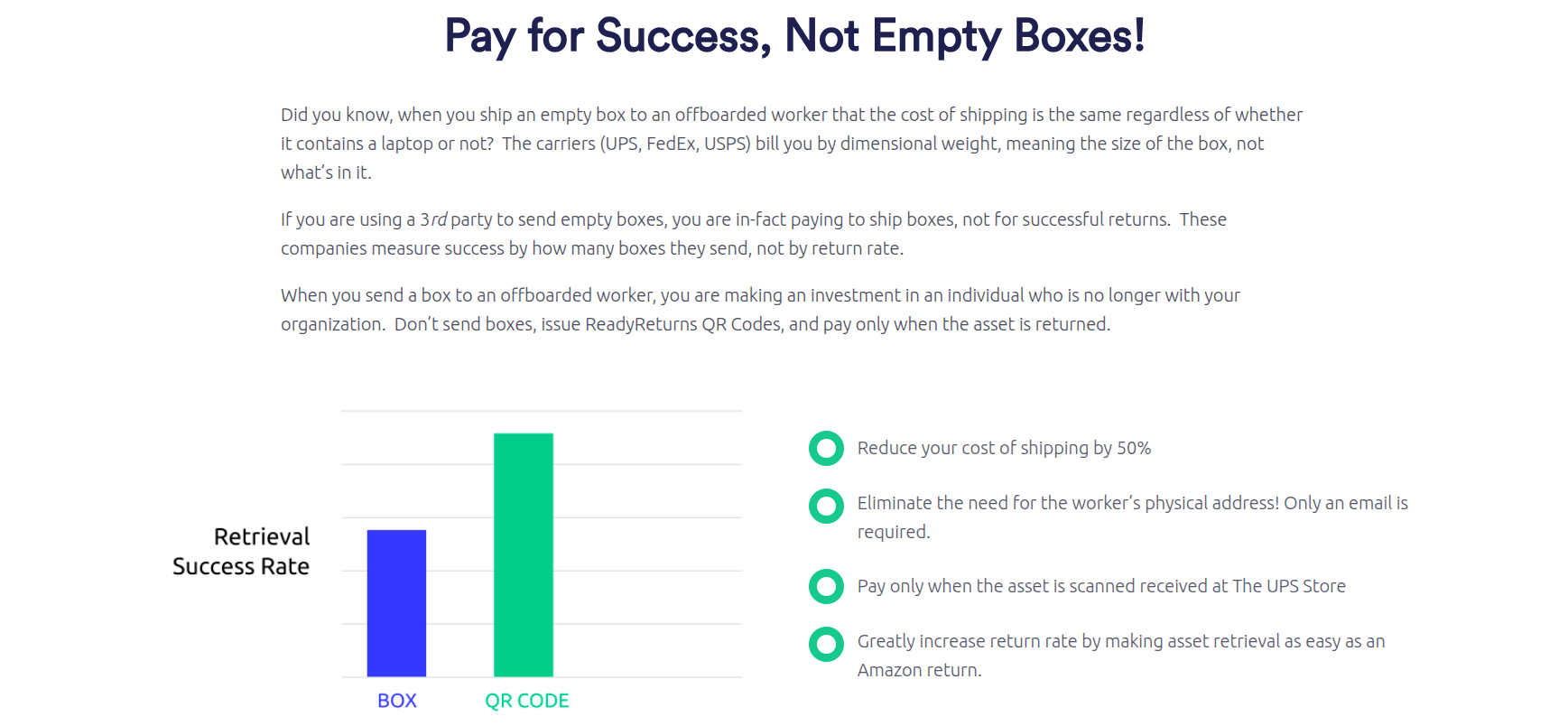
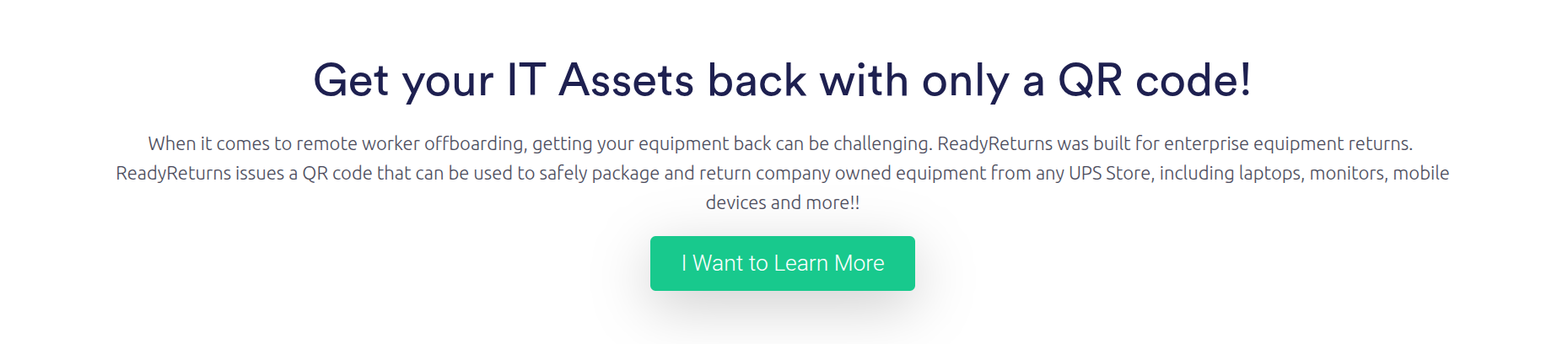
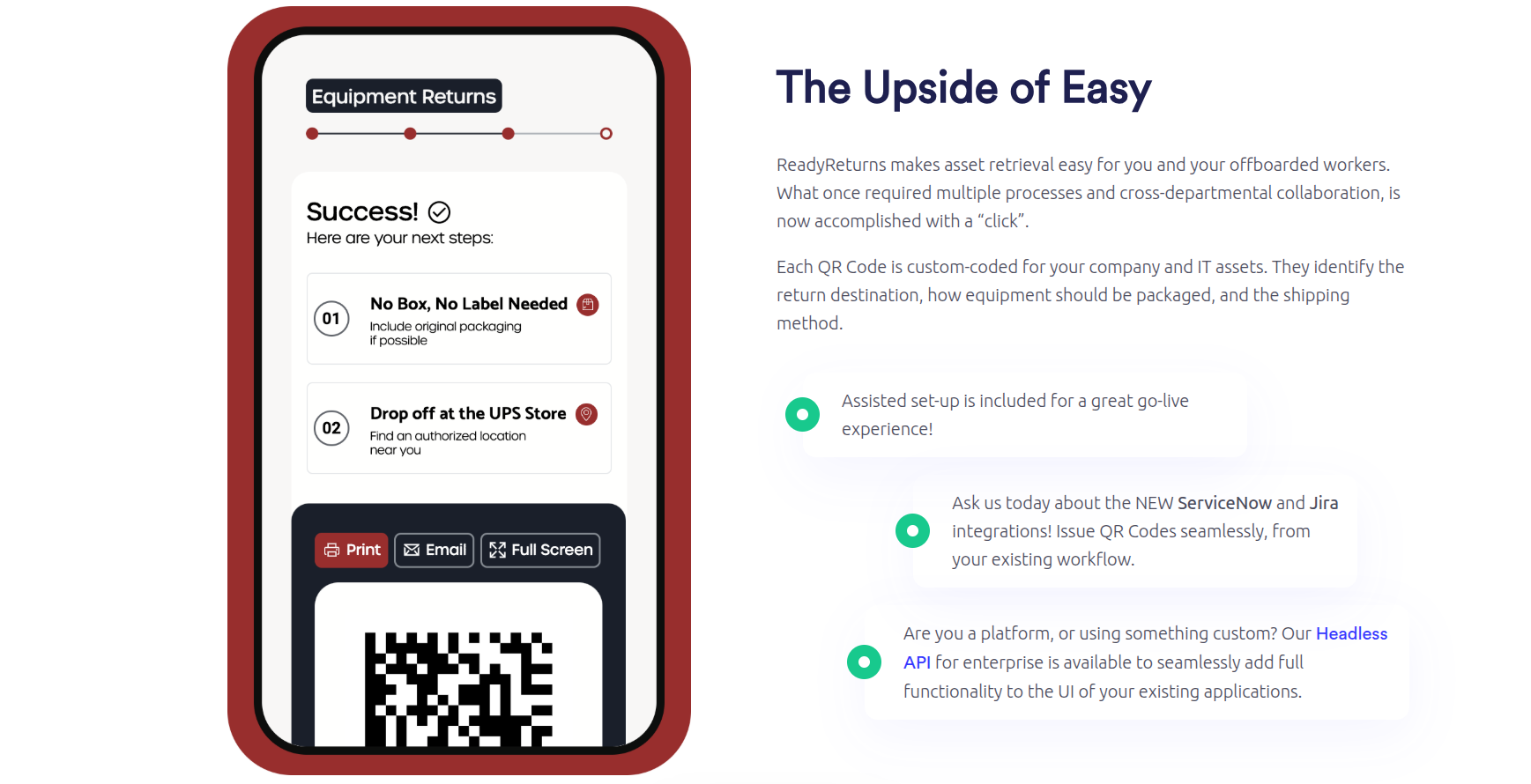
Still relying on boxes, labels, address checks, and repeated follow-ups? ReadyCloud’s equipment return software gives HR and IT teams a faster way to recover laptops, monitors, mobile devices, and other company-owned hardware. Instead of mailing empty boxes and hoping for compliance, you can issue a QR code by email or SMS and let former employees drop equipment off at a UPS Store with no box and no label required. ReadyCloud says this workflow supports returns at more than 5,000 UPS Store locations, integrates with Jira and ServiceNow, and lets teams pay only for successful returns rather than empty-box shipments

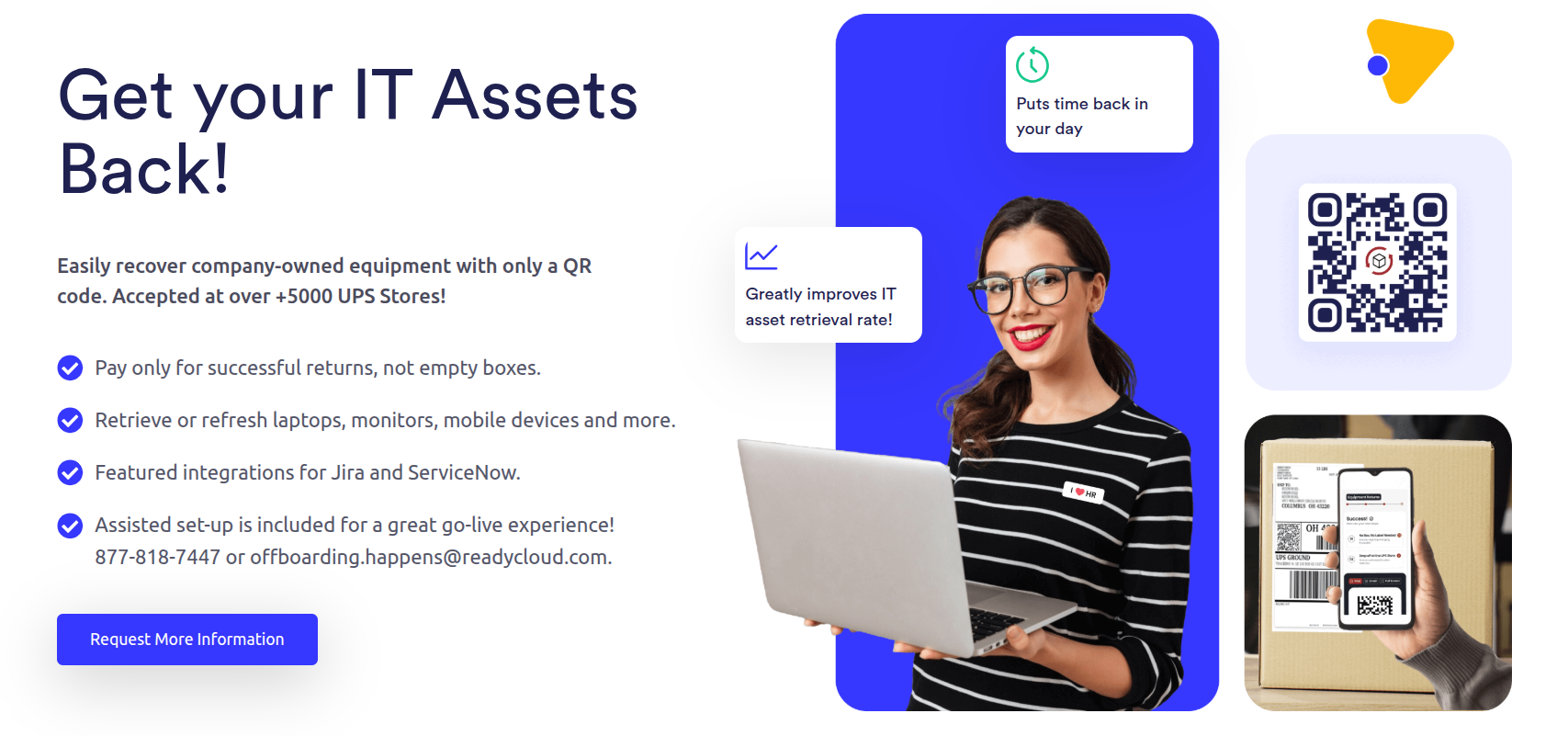
Whether you’re handling remote offboarding, missing laptops, aging asset recovery, or routine device refresh cycles, this is built to make the process easier on both your team and the employee returning the equipment. Explore how ReadyCloud helps streamline retrieval, improve return rates, reduce manual work, and cut shipping waste on the Equipment Returns page.
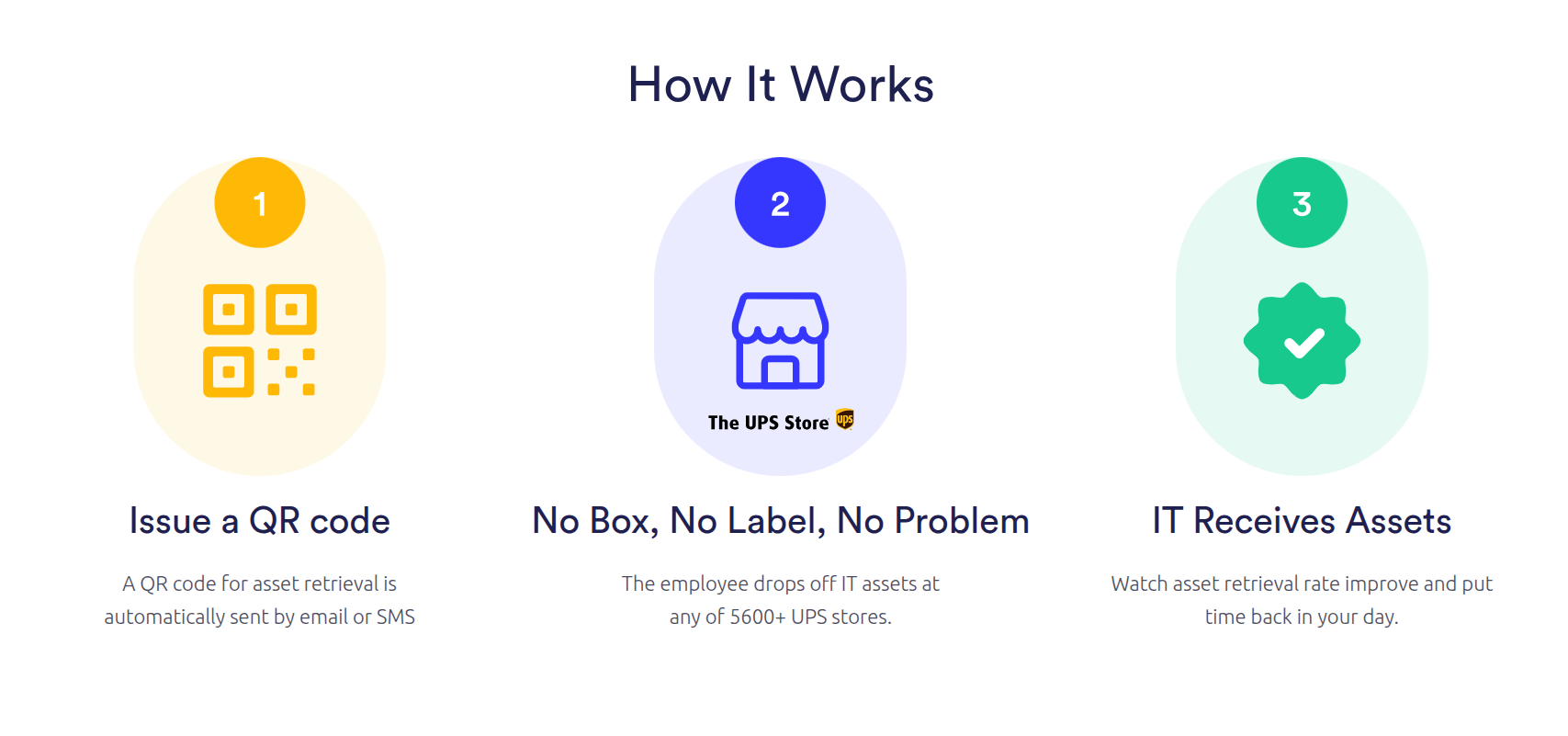
For companies managing remote teams, high-volume offboarding, or expensive hardware losses, this creates a simpler path to getting equipment back without wasting time or budget. See how ReadyCloud’s equipment return software works and connect with the team to learn more.



Why ReadyCloud Fits This Process
ReadyCloud’s Equipment Return Software fits this kind of workflow because laptop recovery shouldn’t depend on memory, manual reminders, or disconnected systems. HR and IT teams need visibility. Former employees need clear instructions. The business needs a return process that’s easy to follow and easy to track.
That means fewer blind spots for internal teams and fewer excuses for delayed returns. It also means the company can move from scattered follow-ups to a more organized system that supports tracking, communication, and accountability from start to finish.
That’s the real next step. Don’t just chase the missing laptop. Build a process that keeps the next one from going missing, too.
Ready to get started? Reach to our Sales Team for a Demo.
Or contact our Sales Department at: 877-818-7447 ext. 1.
FAQs About Employee Not Returning Company Laptop
What should an employer do first when a former employee hasn’t returned a laptop?
Start with a clear written reminder that lists the laptop, any accessories, the return deadline, and the return method. Keep the tone professional and make the next step easy to follow.
Why is an unreturned laptop more serious than other missing equipment?
A laptop can hold saved credentials, business files, and access to internal systems, so the risk goes beyond hardware cost. The real issue often includes security, continuity, and lost time.
What makes remote laptop retrieval harder?
Remote employees may not have access to boxes, labels, printers, or easy drop-off. Shipping details may also be outdated after separation. That adds extra delay if the process isn’t already planned out.
Should HR handle laptop returns alone?
No. HR, IT, and often operations all need a role. HR manages communication and policy, IT manages device and access controls, and operations may help with shipping and tracking.
Why do manual laptop return processes fail so often?
Manual tracking creates missed follow-ups, poor visibility, and inconsistent records. Once teams rely on inbox searches and spreadsheets, details start slipping through the cracks.
How can companies prevent laptop return problems in the future?
Set a written policy, keep accurate assignment records, trigger the process during offboarding, and make returns easy with clear instructions and trackable workflows.
What should be included in a laptop return checklist?
Include the laptop model, serial number, charger, docking station, return deadline, shipping method, contact person, status updates, and final inspection steps upon receipt of the device.
What if the former employee says they lost the charger or packaging?
Don’t let the process stall over smaller details. Focus first on getting the laptop back. Your team can address missing accessories separately while keeping the main return on track.
How long should companies wait before escalating?
That depends on company policy, though escalation should happen quickly once the original deadline passes and the former employee stops responding. A slow response usually makes recovery harder.
What’s the biggest mistake companies make in laptop recovery?
They wait too long, rely on manual tracking, and assume the former employee will figure out the return on their own. Clear ownership and a simple process make a huge difference.