
If you lead IT, you’ve probably lived the same story on repeat. An employee leaves, the ticket gets closed, access gets revoked, and everyone assumes the equipment return will “sort itself out.” Then two weeks pass. Nobody can confirm whether the laptop shipped, who owns the next step, or where the tracking link lives. The device becomes a ghost asset that still contains company data and continues to cost money.
That’s the gap this category solves. Asset retrieval software connects the offboarding trigger to an actual, verifiable return outcome, with automation that doesn’t depend on someone remembering to follow up.
Offboarding should end with proof, not hope. A clean return workflow reduces security exposure, prevents device loss, and keeps IT from playing project manager across HR, facilities, and the service desk.
If you’ve dealt with hard exits, you already know the stakes are higher when timing is tight, and cooperation isn’t guaranteed. This guide is written for IT leaders who want a repeatable, measurable process that works for remote teams and holds up under audit, especially for scenarios such as equipment retrieval from a terminated employee.

| Features & Benefits | FedEx Asset Return Program | ReadyCloud Asset Return |
| Ease of Use | ❎ Moderate: Requires packaging & manual label creation. | ✅ High: Automated workflows, intuitive platform. |
| Employee Convenience | ✅ Good: Accessible FedEx drop-off points. | ✅ Excellent: Simple, automated return process. |
| Real-time Asset Tracking | ❎ Limited: Basic tracking with delays possible. | ✅ Advanced: Instant visibility & notifications. |
| Integration with Existing Systems | ❎ Minimal: Limited integration options. | ✅ Comprehensive: Full integration capabilities. |
| Cost Transparency | ❎ Moderate: Hidden costs, variable fees. | ✅ High: Predictable, transparent pricing. |
| Scalability | ❎Limited: Complex management at high volumes. | ✅ Excellent: Easily scalable, regardless of size. |
| Employee Offboarding Support | ❎Basic: Manual follow-up required. | ✅ Robust: Automated alerts, simplified retrieval. |
| QR Code Support | ✅ Available (via third-party at extra cost). | ✅Included: Fully integrated at no extra fee. |
| Workflow Automation | ️❎ Minimal: Mostly manual processes. | ✅ High: Automated, customizable workflows. |
| Hidden Costs and Fees | ✅ Yes: Packaging, labels, QR subscription fees. | ✅ None: Transparent costs, no hidden fees. |
| Customer Support | ✅ Standard support available. | ✅ Exceptional: Dedicated onboarding & assistance. |
✅ Overall Winner: Clearly, ReadyCloud Asset Return offers unmatched benefits, making it the obvious choice for businesses serious about simplifying and optimizing asset returns.
“Modern asset management systems allow IT staff to monitor each device, identify outdated systems, automate updates and proactively address vulnerabilities. These systems support inter-department collaboration by tracking device locations, usage history and access credentials.” – Read Article on Forbes

Why Equipment Returns Break Down In IT Organizations
Most return failures aren’t caused by one big mistake. They’re caused by a dozen tiny ones stacked together.
Here’s what usually goes wrong:
- No single owner. HR starts the offboarding process, IT owns the assets, facilities want the badge back, and nobody owns “equipment returned and verified.”
- Manual steps hide in too many places. A spreadsheet here, a Slack message there, a ticket note that never gets updated.
- Employees don’t have materials. No box, no label printer, no clue where to ship.
- Terminations change the rules. You need speed, documentation, and escalation, not polite reminders over several weeks.
- Visibility is missing. “In transit” is not a status; it’s a guess unless tracking is centralized.
What’s worse is the operational drag. Every failed return creates a long tail of follow-ups, exception handling, and replacement purchases. Your team pays for it twice, once in lost time and again in lost hardware.
What Great Looks Like: The Retrieval Workflow IT Can Trust
A strong retrieval workflow is simple on the employee side and heavily structured on the IT side.
A practical model looks like this:
- Offboarding event triggers the return workflow (planned separation or termination).
- Assigned assets are pulled into a return order or task set.
- The employee receives a clear return method, either QR drop-off or a prepaid shipping option.
- Automated reminders run on a schedule, with escalation rules when deadlines slip.
- Tracking and status updates stay visible in one place, ideally inside your ITSM.
- Intake confirms receipt, condition, and next action (wipe, repair, redeploy, disposal).
- Reporting captures the full audit timeline and supports internal accountability.
This is where IT leaders win. You’re not just “getting gear back.” You’re building a system that produces proof, reduces exceptions, and gives your service desk a standard playbook.
Features IT Leaders Should Demand
Plenty of tools claim they “handle returns.” IT leaders need more than shipping labels and a dashboard. You need workflow control and defensible documentation.
QR Code Returns That Remove Friction
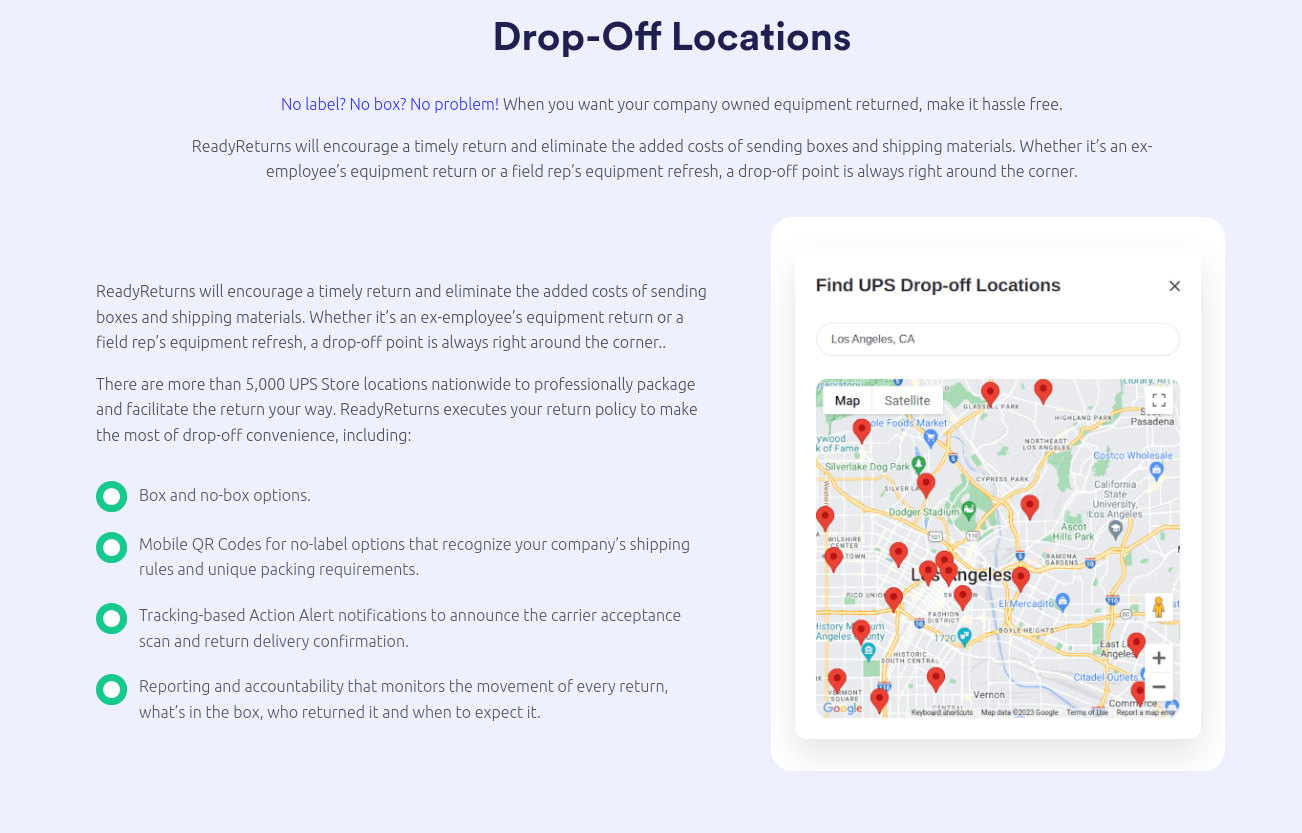
If an employee can return a device without printing anything, your completion rate jumps. QR-based drop-off also reduces the excuses that typically cause delays.
ReadyCloud’s approach to offboarding equipment retrieval highlights why low-friction return methods matter so much for distributed teams.
Prepaid Shipping That Doesn’t Create Ticket Chaos
Shipping can be easy until it becomes a support burden. A good platform makes shipping feel automatic, not like a mini project that generates multiple tickets and follow-ups.
The goal is consistent execution:
- Prepaid options that are issued fast.
- Clear instructions employees actually follow.
- Standardized packaging expectations.
- Fewer “I don’t have a printer” escalations.
Real-Time Tracking And Status Visibility
Tracking shouldn’t live in someone’s inbox. It should be attached to the return record and visible to every stakeholder who needs it.
If your ITSM is ServiceNow, you’ll care even more about keeping status within the system your teams already use. That’s why a ServiceNow plugin for asset reclamation is a big deal for IT leaders trying to standardize outcomes.
Automated Reminders And Escalations
Your team shouldn’t be sending manual nudges. Automation should handle standard reminders and escalate only when the timeline crosses thresholds you define.
A serious setup includes:
- Reminder cadence based on separation type.
- Escalation routing to the right owner.
- Exception workflows for lost, damaged, or disputed devices.
Chain Of Custody And Audit-Ready Logs
IT leaders don’t just want “delivered.” You want timestamps, milestones, and a single source of truth that shows who had what, when actions were taken, and when the device returned.
That’s the backbone of a defensible offboarding posture, especially in regulated industries and environments that require the kind of reporting discussed in healthcare IT asset management and operational efficiency.
Integrations That Make Adoption Real: Freshservice And ServiceNow
If your workflow lives outside your ITSM, adoption suffers. Integrations turn retrieval into part of the standard service desk motion.
Freshservice: Turning Offboarding Into A Completed Return
Freshservice teams often run offboarding through structured tickets and tasks. When equipment return automation is aligned to those workflows, the process becomes consistent and trackable without extra admin work.
Our recent breakdown of how Freshservice automates IT asset retrieval during employee offboarding maps cleanly to what IT leaders actually want:
- Offboarding triggers that generate retrieval actions automatically.
- A status that stays visible alongside the rest of the offboarding tasks.
- A service desk that stops chasing updates across tools.
ServiceNow: Keep Asset Reclamation Inside The Platform
ServiceNow leaders care about control, reporting, and governance. A retrieval motion that feeds tracking and status back into ServiceNow helps you standardize outcomes and measure compliance across business units.
That’s where something like the ServiceNow asset reclamation workflow becomes more than a convenience:
- Fewer swivel-chair workflows.
- Better visibility for leadership.
- Cleaner handoffs between HR and IT.
- A consistent audit trail tied to the systems of record.
Terminations: When Time, Risk, And Documentation Matter Most
Standard offboarding is one thing. Terminations are different. The window for cooperation can be short, and the consequences of a missing device can be serious.
In an offboarding flow, IT leaders often need:
- Immediate retrieval initiation.
- Shorter return deadlines.
- Stronger escalation rules.
- Clear documentation for internal review.
That urgency is exactly why offboarding equipment retrieval for terminated employees needs its own playbook. A strong platform supports separate workflows for voluntary exits vs involuntary exits. That’s how you reduce loss and reduce risk during the highest-friction departures.
Carrier Programs vs. a Purpose-Built Platform
Some teams start by asking, “Can’t FedEx handle this?” A carrier can move a box. It doesn’t run your offboarding process.
Carrier return programs may help with labels and shipping options, but they usually don’t solve:
- Offboarding workflow control.
- ITSM integration.
- Automated reminders and escalation.
- Centralized reporting and proof.
- A consistent, repeatable experience across separation types.
If you’re weighing approaches, ReadyCloud’s comparison of a FedEx asset return program vs equipment return software makes the distinction clear. From an IT leadership lens, the difference comes down to ownership and evidence. Shipping is a step. Retrieval is the outcome.
Security And Compliance: Retrieval Is A Control, Not A Convenience
Offboarding is one of the most common moments where security controls slip. Accounts can be disabled quickly. Devices are harder.
A missing laptop can still include:
- Cached credentials.
- Sensitive customer data.
- Internal documents.
- VPN profiles.
- Access tokens and saved sessions.
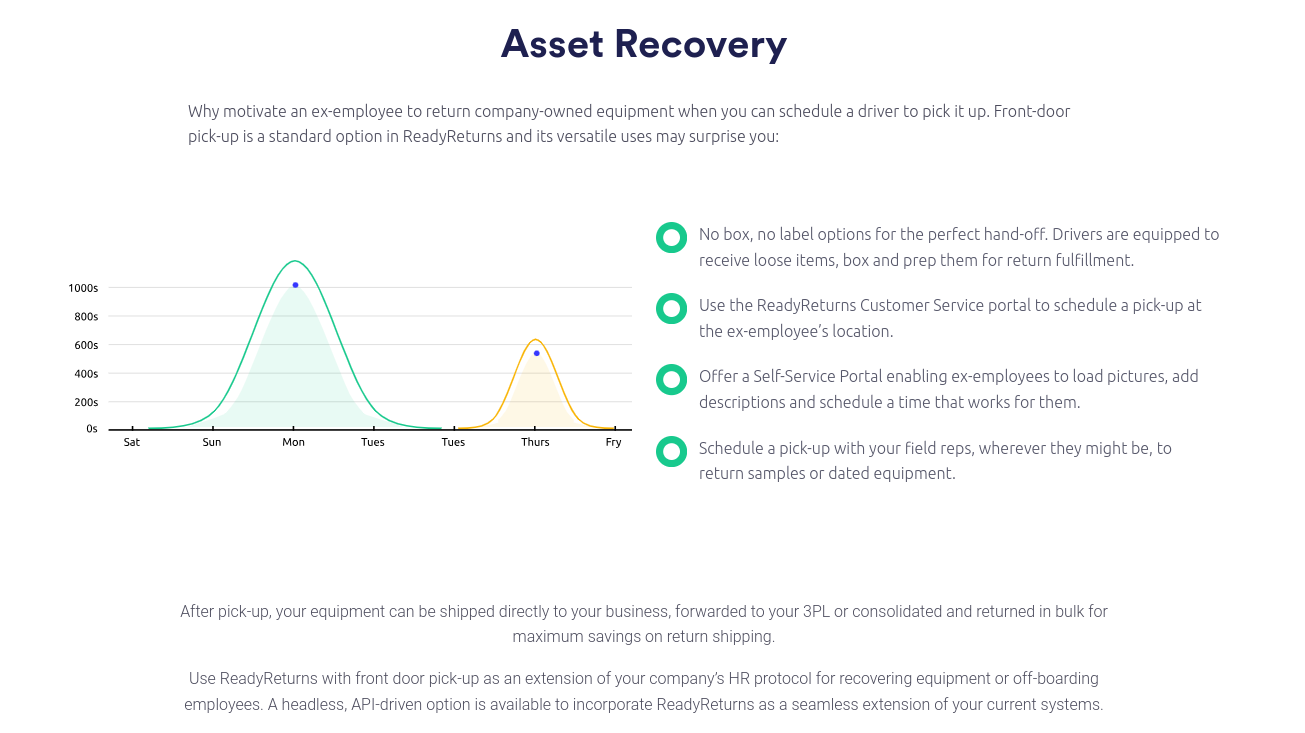
Retrieval automation strengthens security by reducing device time “in the wild” and improving the quality of documentation around custody.
This is even more critical in healthcare and other compliance-driven environments. ReadyCloud’s guidance on HIPAA-aligned asset management and operational efficiency, and the vital role of healthcare IT asset management software, reinforces why chain of custody and reporting cannot be optional.
If you’re building a defensible program, focus on proof points:
- Return requested date and method.
- Shipping or drop-off confirmation.
- Delivery confirmation.
- Intake confirmation and condition notes.
- Wipe or redeploy completion.
That data isn’t busywork. It’s what keeps leadership confident and auditors satisfied.
A Practical Rollout Plan For IT Leaders
You don’t need a year-long program to improve returns. You need a clear rollout with ownership and measurable targets.
Days 1–30: Policy, Ownership, And Asset Hygiene
- Define what “complete offboarding” means in IT terms.
- Align HR, IT, and service desk ownership.
- Clean up asset assignment data so the right devices trigger returns.
Days 31–60: Workflow Configuration And Integration
- Connect your ITSM to the return workflow, including options like Freshservice offboarding automation or a ServiceNow asset reclamation plugin.
- Configure reminders and escalation paths.
- Standardize communications so employees get clear steps.
Days 61–90: Go Live, Measure, And Tighten Exceptions
- Launch across a pilot group, then expand.
- Track completion rate, days-to-return, and exceptions.
- Tighten termination playbooks and compliance reporting.
KPIs That Prove The Program Worked
IT leaders need more than “it feels better.” Track outcomes that connect to cost and risk.
KPIs worth reporting monthly:
- Return completion rate.
- Average days-to-return.
- Percent of returns needing manual follow-up.
- Replacement spend avoided.
- Time saved per offboarding event.
- Exceptions by category (lost, damaged, non-responsive).
Your north star is simple: fewer missing devices and fewer hours spent chasing them.
Buyer’s Checklist: What To Look For Before You Commit
A platform should make returns easier for employees and easier to govern for IT.
Must-haves:
- QR-based drop-off or similarly low-friction return options.
- Centralized tracking is visible to stakeholders.
- Automated reminders and escalation rules.
- Audit-ready reporting and exportability.
- Integration paths such as Freshservice asset retrieval workflows and ServiceNow asset reclamation.
- Support for termination-specific workflows, like equipment retrieval for terminated employees.
Red flags:
- “Shipping-only” solutions that don’t manage the workflow.
- No reporting beyond tracking links.
- No escalation controls.
- No clear chain-of-custody timeline.
Build A Return Process That Actually Finishes
Offboarding is a security event and an operations event. If devices don’t return reliably, you’re carrying unnecessary risk and unnecessary cost, and your service desk ends up stuck in the middle.
The right approach makes returns predictable. It reduces follow-ups, strengthens the chain of custody, and gives IT leadership clear reporting on what’s been returned, what’s missing, and what needs escalation.
For deeper platform-specific workflows, start with Freshservice automation for IT asset retrieval and the ServiceNow plugin for asset reclamation.
Automate Asset Retrieval With ReadyCloud
Ready to stop tracking returns in spreadsheets and Slack threads? ReadyCloud helps IT teams close offboarding with proof through low-friction drop-off options, real-time tracking, automated reminders, and audit-ready reporting. Schedule a demo and map your offboarding workflow into a process your service desk can run consistently, even during high-risk exits and fast-paced hiring cycles. Or Learn more here: /lp/equipment-return-software