


Welcome to Shopify shipping. The truth is that shipping can make or break the eCommerce experience. Whether it’s the speed, cost, or accuracy of delivery, it’s one of the first things customers look at during checkout and one of the last things they remember after placing an order. In today’s competitive online landscape, it’s not enough to offer great products; your shipping strategy (and the software you’re using) needs to be just as polished.
If your store runs on Shopify, you’ve already got access to a built-in shipping suite designed to help you manage this critical piece of the puzzle. From calculating rates to printing labels and connecting with major carriers, Shopify shipping is made to support growing businesses that want flexibility without complexity.
“The post-purchase experience deserves a seat at the executive table because it affects both brand equity and margin. A better return process can reduce service volume while increasing customer confidence. Clearer shipping communication can lower inbound tickets while improving trust. Faster resolution can protect repeat purchases. Cleaner workflows can reduce stress on teams and make the business easier to scale.” Read Article on Forbes


But how does Shopify shipping work behind the scenes? What are the best ways to configure it? And when should you consider a more advanced Shopify shipping solution like ReadyShipper X?
This in-depth guide walks you through everything you need to know to ensure your Shopify shipping setup runs smoothly, efficiently, and profitably.



What Is Shopify Shipping?
Shopify Shipping is a built-in feature available to merchants using the Shopify platform. It’s not an extra app you have to install or manage; it’s already there in your dashboard, waiting to be set up. It offers a set of tools that streamline order fulfillment, shipping label generation, and delivery rate calculations.
This feature is especially valuable for merchants based in the U.S., Canada, and Australia, where Shopify has direct partnerships with major carriers like USPS, UPS, DHL Express, and Canada Post. Merchants in these regions can access discounted shipping rates and generate carrier-approved shipping labels directly from their Shopify Admin.
Shopify Shipping lets you:
- Automatically calculate real-time shipping rates at checkout.
- Purchase and print shipping labels from your admin.
- Offer estimated delivery times based on your selected carrier and service.
- Provide tracking numbers to your customers.
Shipping may seem simple on the surface, but it’s one of the most complex parts of running an online store. Shopify has built a foundation to help, but you still need to configure it properly to get the most out of it.
| Feature | Why It Matters for Shopify Merchants |
|---|---|
| Shopify Integration | Direct integration with Shopify ensures real-time order syncing without custom code or manual imports. |
| Batch Shipping | Processing hundreds of orders in just a few clicks saves time, reduces labor costs, and speeds fulfillment. |
| Multi-Origin Support | Enables accurate shipping when orders are fulfilled from multiple warehouses, vendors, or dropshipping partners. |
| Carrier Discounts | Built-in discounted rates lower shipping costs immediately and help improve margins without negotiation. |
| Returns Management | Simplified returns reduce friction for customers while minimizing manual handling for your operations team. |
| Automation Rules | Automated shipping decisions remove repetitive tasks and ensure consistent service levels across orders. |
| CRM Integration | Access to shipping history and customer data supports smarter marketing, support, and retention efforts. |
| Scalability | The right platform supports today’s volume and scales smoothly as order counts and complexity grow. |
“The post-purchase experience shapes your brand just as much as what draws a customer to it before they buy. Branding or advertising begin to shape customer confidence, but the experience that follows checkout influences loyalty more.” Read Article on Fast Company


How to Set Up Shopify Shipping (Step-by-Step)
Getting started with Shopify shipping only takes a few steps, but each one plays a major role in how your customers experience checkout and delivery. Here’s what you need to do to set it up correctly.
Step 1: Access Shipping Settings: From your Shopify Admin, navigate to Settings > Shipping and Delivery. This is where you’ll control all your shipping rates, profiles, and label options.
Step 2: Create Shipping Zones and Profiles: Shipping zones are geographic regions where you plan to ship. Profiles allow you to apply different rules to specific products. For example, heavy or oversized items can have their own pricing model.
Step 3: Choose Carriers and Service Levels: You can select from carriers like USPS, UPS, DHL Express, and others based on your region. Each carrier offers different service levels such as ground, 2-day, or overnight. Shopify lets you show live rates or set up flat-rate shipping.
Step 4: Add Package Dimensions and Weight: Accurate shipping rates depend on accurate package dimensions and weight. Set default dimensions for commonly used packages, and assign accurate weights to each product in your catalog.
Step 5: Activate Label Printing: Once your carriers are selected, enable shipping label printing directly from the order page. Shopify supports most standard label sizes and thermal printers.
Step 6: Add Handling Time and Processing Rules: Handling time tells customers how long it takes you to prepare an order before shipping. You can also add buffer time to ensure packages leave your facility as promised.
In addition, Shopify lets you enable local delivery or in-store pickup if you have a physical location or a nearby warehouse.
“The ultimate key is having access to a shipping solution that integrates with all your carriers and offers real-time rate shopping and unique rate options. Don’t wait until it’s too late. Begin setting up test shipments now, and familiarize yourself with deadlines and additional fees each carrier imposes to gain a competitive advantage.” – Read Article on Forbes


Meet ReadyShipper X: The Shopify Shipping Software Sellers Are Talking About
ReadyShipper X is shipping software that’s built for the demands of modern eCommerce. It connects directly with Shopify and Shopify Plus, syncing your orders and customer data in real-time so you can ship quickly and accurately.
What sets it apart? It doesn’t just replace the built-in tools. It gives you features you won’t find anywhere else in the Shopify ecosystem:
| ReadyShipper X Capability | What It Delivers for Growing Merchants |
|---|---|
| Multi-Origin Shipping | Automatically routes orders to the nearest warehouse or dropship partner to reduce delivery time and costs. |
| Batch Shipping Engine | Ships hundreds of orders in just a few clicks using presets and automation designed for speed. |
| Flat Rate Select | Provides exclusive USPS discounts that significantly reduce shipping costs for lightweight packages. |
| Multichannel Capability | Centralizes orders from Shopify, Amazon, eBay, Walmart, and more into a single fulfillment platform. |
| Built-In CRM | Connects with ReadyCloud CRM to track orders, conversations, and customer behavior across channels. |
| Return Automation | Enables branded return portals and automatically generates return labels without manual intervention. |
| Carrier Support | Ships with USPS, UPS, FedEx, DHL, and other major carriers through one unified interface. |
| Automation Rules | Applies logic based on weight, destination, product type, and more to auto-select the correct shipping method. |
Everything about ReadyShipper X is built for speed and accuracy. Whether you’re shipping from one location or managing a complex fulfillment operation across multiple warehouses, it brings powerful tools into a user-friendly package.
“Growing e-commerce brands have set a new standard. They’re demonstrating that, with the right strategy in place, the post-purchase experience can be elevated. And customers are noticing it. For the larger retailers in the pond, this represents a monumental shift that swings from traditional customer acquisition to long-term retention.” Read Article on Forbes
How to Set Up Shopify Shipping (Step-by-Step)
Getting started with Shopify shipping only takes a few steps, but each one plays a major role in how your customers experience checkout and delivery. Here’s what you need to do to set it up correctly.
Step 1: Access Shipping Settings: From your Shopify Admin, navigate to Settings > Shipping and Delivery. This is where you’ll control all your shipping rates, profiles, and label options.
Step 2: Create Shipping Zones and Profiles: Shipping zones are geographic regions where you plan to ship. Profiles allow you to apply different rules to specific products. For example, heavy or oversized items can have their own pricing model.
Step 3: Choose Carriers and Service Levels: You can select from carriers like USPS, UPS, DHL Express, and others based on your region. Each carrier offers different service levels such as ground, 2-day, or overnight. Shopify lets you show live rates or set up flat-rate shipping.
Step 4: Add Package Dimensions and Weight: Accurate shipping rates depend on accurate package dimensions and weight. Set default dimensions for commonly used packages, and assign accurate weights to each product in your catalog.
Step 5: Activate Label Printing: Once your carriers are selected, enable shipping label printing directly from the order page. Shopify supports most standard label sizes and thermal printers.
Step 6: Add Handling Time and Processing Rules: Handling time tells customers how long it takes you to prepare an order before shipping. You can also add buffer time to ensure packages leave your facility as promised.
In addition, Shopify lets you enable local delivery or in-store pickup if you have a physical location or a nearby warehouse.
“Did you know that 96% of consumers regularly review companies’ return policies before making an online purchase? It’s true; your return policy is a major element that determines whether consumers will buy from you!” – Read Article on Forbes
Understanding Shopify Shipping Rates
One of the most important decisions you’ll make is how to charge for shipping. Shopify gives you three main ways to handle this:
| Shipping Rate Type | How It Works in Shopify | When It Makes the Most Sense |
|---|---|---|
| Flat Rate Shipping | A fixed shipping fee charged at checkout regardless of package weight, destination, or carrier cost. | Best for stores with consistent product sizes and weights that want simple, predictable pricing for customers. |
| Calculated Shipping Rates | Real-time carrier rates pulled during checkout based on weight, dimensions, origin, and destination. | Ideal for stores with variable products or shipping destinations that want accurate pricing and margin protection. |
| Free Shipping | Shipping costs are hidden from the customer and absorbed into product pricing or order thresholds. | Effective for boosting conversions, especially when tied to minimum order values. |
| Conditional Shipping Rules | Shipping rates can change dynamically based on order value, weight, customer location, or product type. | Useful for encouraging higher cart values or offering targeted promotions without sacrificing margins. |
| Zone-Based Pricing | Different shipping rates are applied depending on the customer’s geographic shipping zone. | Helps control costs when shipping domestically versus internationally or to remote regions. |
| Hybrid Rate Strategies | Combines flat rates, calculated rates, and free shipping thresholds within the same store. | Best for growing merchants who need flexibility while balancing customer experience and profitability. |
Shipping Labels and Fulfillment Options
Once an order is placed, it’s time to fulfill it. Shopify Shipping makes this part easy with integrated label printing and fulfillment tracking.
| Fulfillment Step | How Shopify Handles It | What Merchants Should Know |
|---|---|---|
| Buying Shipping Labels | Labels can be purchased directly inside Shopify using discounted carrier rates. | Supports major carriers and works with thermal or standard desktop printers, keeping setup simple. |
| Order Fulfillment | Merchants select an order, enter package details, choose a shipping service, and generate the label. | The process is straightforward but becomes time-consuming when handling large daily order volumes. |
| Carrier Service Selection | Shopify displays available carrier services and rates based on the order’s shipping details. | Rates are convenient, though options and automation are limited without additional tools. |
| Pickup and Drop-Off | Merchants can schedule pickups with some carriers or drop off packages at carrier locations. | Pickup availability varies by carrier and location, so planning ahead is important. |
| Tracking Number Generation | Tracking numbers are automatically created and emailed to customers after fulfillment. | Automated notifications reduce “Where is my order?” inquiries and improve post-purchase communication. |
How ReadyShipper X Compares to Other Shipping Platforms
| Feature | ReadyShipper X | Other Shipping Platforms |
| Hybrid-Cloud Technology | ✅ Yes | ❌ No |
| Multi-Carrier Rate Shopping | ✅ Yes | ✅ Yes |
| Batch Processing & Automation | ✅ Yes | ✅ Yes |
| Ecommerce & Marketplace Integration | ✅ Yes | ✅ Yes |
| Branded Tracking & Returns | ✅ Yes | ❌ No |
| Exclusive Carrier Discounts | ✅ Yes | ❌ No |
| Offline Capabilities | ✅ Yes | ❌ No |
Many platforms offer label printing and carrier integrations, but ReadyShipper X goes further by adding advanced automation, better cost-saving tools, and a hybrid-cloud model that maximizes efficiency.
Shopify Shipping Zones, Profiles, and Rules
Shipping zones, profiles, and rules are the building blocks of your shipping strategy inside Shopify.
| Shipping Component | How It Works in Shopify | Why It Matters for Your Shipping Strategy |
|---|---|---|
| Shipping Zones | Groups countries or regions together so they share the same shipping rates, such as domestic versus international. | Lets you control costs and delivery expectations based on where customers are located. |
| Shipping Profiles | Allows you to group products and apply different shipping rules to each group. | Makes it possible to handle special cases, like perishable items needing expedited delivery. |
| Custom Rate Rules | Supports conditional pricing, including free shipping thresholds and weight-based tiers. | Helps protect margins while giving customers clear and predictable pricing. |
| Free Shipping Thresholds | Enables free shipping when orders exceed a specific dollar amount. | Encourages higher average order values without fully absorbing shipping costs. |
| Tiered Weight or Price Rates | Adjusts shipping costs dynamically based on order weight or value ranges. | Prevents undercharging on heavier shipments and avoids overcharging on smaller orders. |
| Ongoing Zone Management | Shipping zones can be reviewed and updated as you add new countries or regions. | Essential for international expansion and maintaining accurate global shipping costs. |
It’s also worth reviewing your shipping zones regularly, especially if you plan to expand internationally. Our guide to setting up international shipping on Shopify breaks this down in detail.
Shopify Shipping Carriers and Integrations
Shopify partners with several major carriers to help you access discounted shipping rates and streamlined label generation.
Supported Carriers Include:
- USPS
- UPS
- DHL Express
- Canada Post
- Sendle (Australia)
These integrations allow you to pull real-time rates into your checkout process and automatically fulfill orders without logging in to multiple carrier portals.
If your preferred carrier isn’t listed, you can connect it using third-party shipping software. Many merchants find that Shopify’s built-in options are enough to start, but as you grow, you may need more flexibility or automation.
Adding a Shipping App to Shopify
If your shipping needs go beyond what Shopify Shipping offers, it might be time to look into a third-party shipping app.
The best Shopify shipping apps can help you:
- Access more carrier options
- Automate shipping rules and rate logic
- Batch print labels
- Handle complex fulfillment workflows
- Manage returns and exchanges
One of the top-rated options is ReadyShipper X. It integrates with your Shopify store and gives you access to advanced features such as bulk label printing, multi-carrier rate shopping, and direct connections to your CRM and returns portal.
Apps like these are especially valuable during peak seasons when speed and accuracy matter most. If you’re getting ready for the holidays, don’t miss our guide on preparing your Shopify store for the holiday shopping season.
Best Practices for Shopify Shipping Success
Even with the right tools, your shipping process needs structure. Here are a few tried-and-true strategies:
- Offer free shipping when it makes sense, especially on high-margin products.
- Display accurate delivery estimates at checkout.
- Use real-time tracking to keep customers informed.
- Ship orders quickly to build brand loyalty.
- Use branded packaging to leave a lasting impression.
- Automate where possible to reduce human error and fulfillment time.
Successful shipping isn’t just about logistics; it’s part of your overall customer experience.
How ReadyShipper X Powers Shopify Shipping
If you’re ready to upgrade from the basics, ReadyShipper X is built for Shopify stores scaling fast and needing more horsepower.
Here’s what you can expect from ReadyShipper X:
- Plug-and-play Shopify integration.
- Multi-carrier shipping with built-in discounts.
- Bulk label printing to speed up fulfillment.
- Custom shipping rules and rate logic.
- Seamless connections with ReadyReturns and ReadyCloud.
- Friendly user interface designed for everyday use, not just IT pros.
Many of today’s fastest-growing eCommerce brands use ReadyShipper X to keep orders moving efficiently and affordably, without sacrificing service.
Final Thoughts: Simplifying Shopify Shipping
Shopify Shipping gives merchants a solid foundation for getting orders out the door quickly and accurately. But as your store grows, you’ll likely outpace the built-in tools and start looking for more automation, flexibility, and performance.
That’s where solutions like ReadyShipper X for Shopify come into play. Whether you’re shipping 10 orders a day or 1,000, the right software can help you deliver faster, cheaper, and more reliably—no guesswork needed.
The Future of Ecommerce is Now
Staying ahead in the ecommerce industry means embracing innovation and anticipating changes before they arrive. The ecommerce trends shaping 2025 provide valuable insights into what’s next, but the future also brings exciting new possibilities. Businesses that adapt quickly and leverage the right tools will thrive in this dynamic landscape.
Ready for 2026? ReadyCloud Has You Covered!
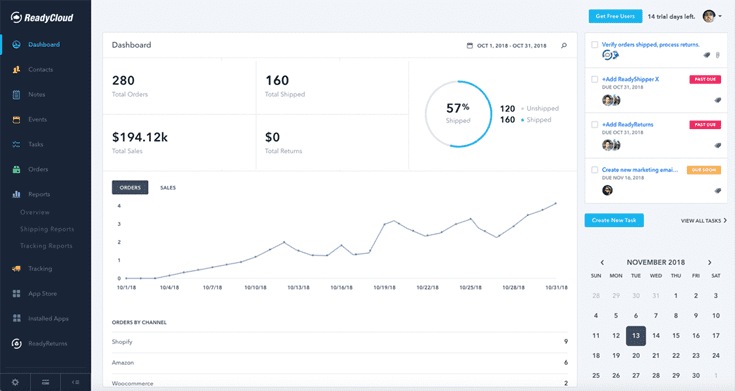
Success in 2026 starts with the right tools, and ReadyCloud’s suite of solutions is designed to propel your ecommerce business to new heights. With ReadyCloud, you’ll have all your data centralized in one place, offering insights that drive smarter decisions. Take your marketing to the next level with Action Alerts, delivering growth-focused, automated campaigns that keep your customers engaged.

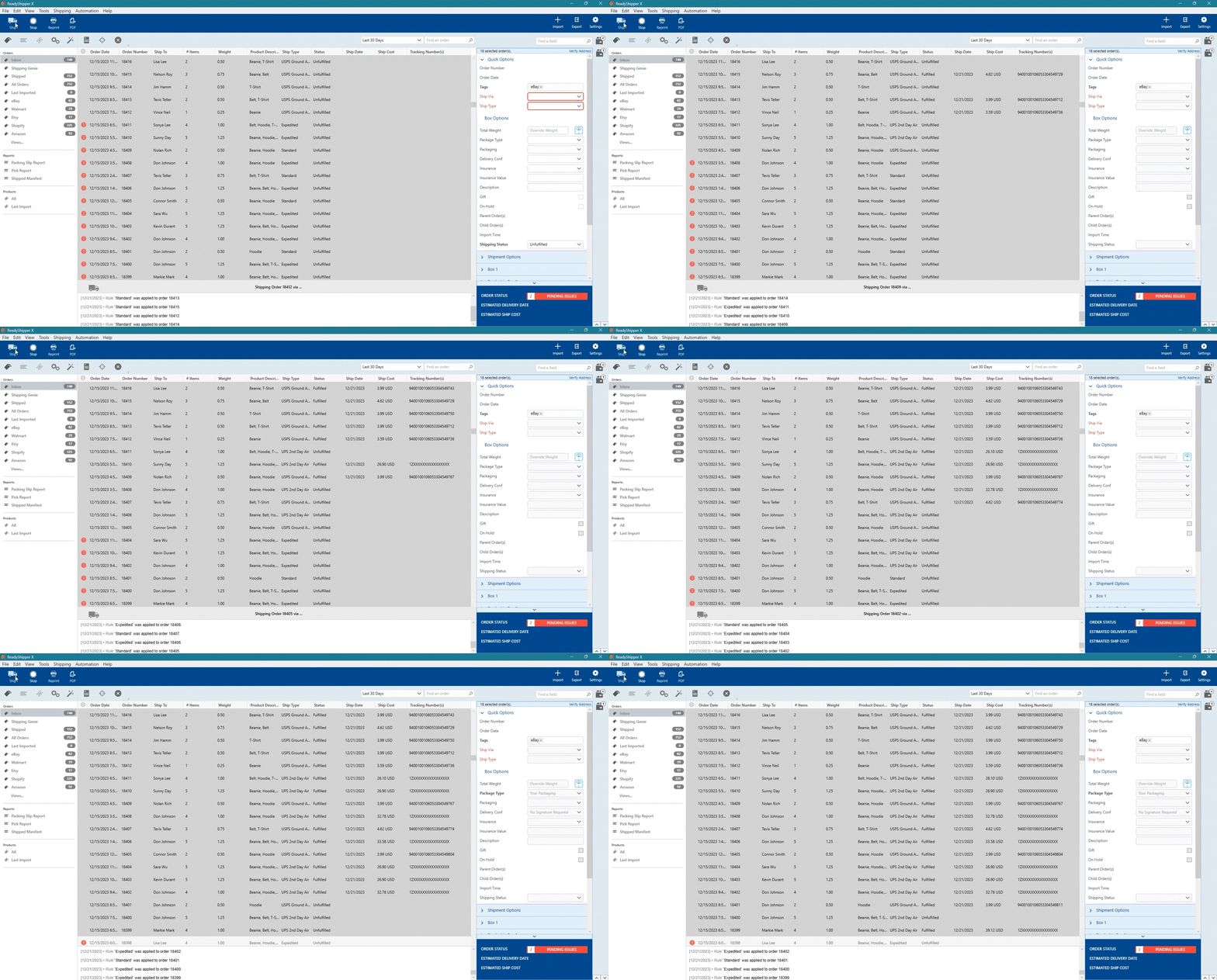
Shipping is easier than ever with ReadyShipper X, a multicarrier solution that simplifies your fulfillment process while saving time and money.

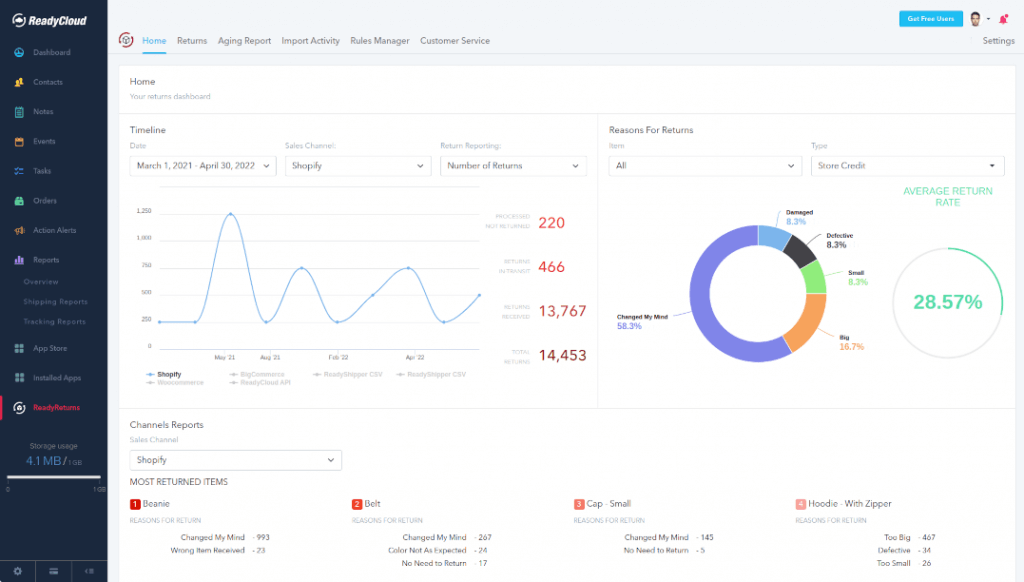
And when it comes to returns, ReadyReturns streamlines the entire process with an automated solution that boosts customer satisfaction and loyalty.

ReadyCloud is more than just a suite of systems—it’s your ticket to thriving in 2026 and beyond!
Start your journey to success today! Learn more and get started here.
Or contact our Sales Department at: 877-818-7447 ext. 1.
FAQs About: How Does Shopify Shipping Work?
What is Shopify Shipping and how does it work?
Shopify Shipping is a built-in tool that helps Shopify merchants calculate shipping rates, buy labels, and fulfill orders. It connects with carriers like USPS, UPS, and DHL to streamline the process.
Do I have to use Shopify Shipping, or can I use my own carrier?
You can use your own carrier if you prefer. Shopify Shipping is optional, and you can connect your own accounts through apps or APIs for full control.
Can I print shipping labels from Shopify?
Yes, you can purchase and print shipping labels directly from your Shopify Admin using a standard or thermal printer.
Does Shopify charge for shipping?
Shipping charges are based on carrier rates, which you can pass on to customers or cover yourself. Shopify does not mark up the shipping rates, but you do need to pay for the labels.
What shipping carriers work with Shopify?
Shopify partners with USPS, UPS, DHL Express, Canada Post, and others, depending on your location.
Can I use a third-party shipping app on Shopify?
Absolutely. Apps like ReadyShipper X provide more advanced features, automation, and carrier flexibility.
How do I offer free shipping on Shopify?
You can create a shipping rate that applies to orders over a certain amount, or set it up as a condition in your shipping profile.
Can I ship internationally with Shopify?
Yes, Shopify supports international shipping. You’ll need to create international shipping zones and possibly connect with global carriers. See our international shipping setup guide for more.
How can I track Shopify orders and send updates to customers?
Shopify automatically provides tracking numbers and emails them to your customers when an order is fulfilled, so they’re always in the loop.