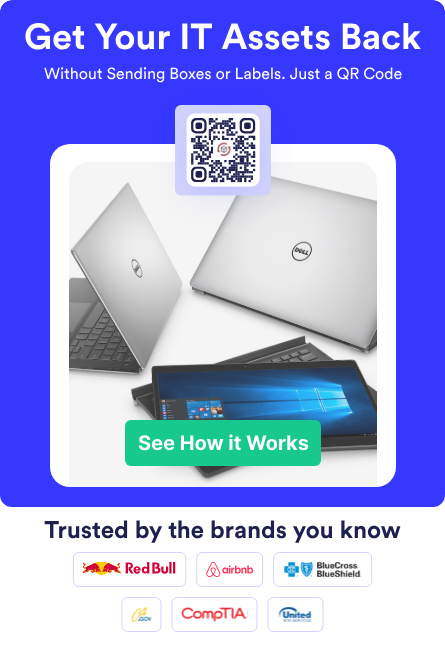

Your devices don’t stop being valuable when they hit end of life. What changes is the urgency and the number of people who suddenly care about one missing laptop. IT wants equipment back for refresh or redeployment. Security wants proof that the device stayed under control. Finance wants accurate records, and HR wants offboarding to feel professional, not chaotic.
End-of-life cycle IT is also the moment when “we’ll track it in a ticket” turns into a backlog that never goes away. A label gets emailed, the employee can’t find a box, and the tracking number ends up buried in someone’s inbox. Weeks later, a manager asks why a device is still assigned to a former employee, and the scramble starts all over again.
ReadyCloud focuses on making IT asset returns predictable, trackable, and simple for the employee completing the return. This playbook lays out what a strong end-of-life recovery program looks like, where teams usually get stuck, and what to standardize so you stop chasing devices one message at a time. It’s written for real-world environments, including remote work, mixed-device fleets, and high-volume offboarding or refresh cycles.

| Features & Benefits | FedEx Asset Return Program | ReadyCloud Asset Return |
| Ease of Use | ❎ Moderate: Requires packaging & manual label creation. | ✅ High: Automated workflows, intuitive platform. |
| Employee Convenience | ✅ Good: Accessible FedEx drop-off points. | ✅ Excellent: Simple, automated return process. |
| Real-time Asset Tracking | ❎ Limited: Basic tracking with delays possible. | ✅ Advanced: Instant visibility & notifications. |
| Integration with Existing Systems | ❎ Minimal: Limited integration options. | ✅ Comprehensive: Full integration capabilities. |
| Cost Transparency | ❎ Moderate: Hidden costs, variable fees. | ✅ High: Predictable, transparent pricing. |
| Scalability | ❎Limited: Complex management at high volumes. | ✅ Excellent: Easily scalable, regardless of size. |
| Employee Offboarding Support | ❎Basic: Manual follow-up required. | ✅ Robust: Automated alerts, simplified retrieval. |
| QR Code Support | ✅ Available (via third-party at extra cost). | ✅Included: Fully integrated at no extra fee. |
| Workflow Automation | ️❎ Minimal: Mostly manual processes. | ✅ High: Automated, customizable workflows. |
| Hidden Costs and Fees | ✅ Yes: Packaging, labels, QR subscription fees. | ✅ None: Transparent costs, no hidden fees. |
| Customer Support | ✅ Standard support available. | ✅ Exceptional: Dedicated onboarding & assistance. |
✅ Overall Winner: Clearly, ReadyCloud Asset Return offers unmatched benefits, making it the obvious choice for businesses serious about simplifying and optimizing asset returns.
“Modern asset management systems allow IT staff to monitor each device, identify outdated systems, automate updates and proactively address vulnerabilities. These systems support inter-department collaboration by tracking device locations, usage history and access credentials.” – Read Article on Forbes

Why End-of-Life IT Asset Recovery Matters More Than Ever
Distributed workforces changed the return game. Employees and contractors can be anywhere, devices can move between homes and coworking spaces, and a simple office drop-off isn’t always an option. What’s more, refresh cycles are tighter than they used to be, which means returns happen more often and at higher volume.
End-of-life recovery isn’t only about reducing replacement purchases. It also protects your security posture and your brand. A missing laptop creates uncertainty, and uncertainty is what keeps security leaders awake. Even with encryption, custody matters, timelines matter, and consistent documentation matters.
There’s also a human side to this process. Offboarding is emotional even when it’s friendly, and a confusing return experience can add friction at the worst time. A clean, guided return makes the exit feel organized and fair, reflecting well on the company and reducing back-and-forth for everyone involved.
Finally, a disciplined retrieval process protects value. Plenty of devices still have life left for redeployment, loaners, interns, training labs, or resale. The faster an asset returns under your control, the more options you have, and the more accurate your planning becomes.
What “Recovering IT Assets” Actually Means
Some teams treat recovery as “the carrier says delivered.” That’s a useful signal, yet it isn’t proof that the correct device arrived, in the right condition, with the right accessories. Delivery scans can’t confirm serial numbers, and they can’t solve disputes when packages land in a mailroom with no intake process.
- Recovery should mean you can confidently answer a few basic questions.
- Did the right device arrive, and can you match it to the record?
- Are accessories accounted for, including chargers, docks, and security keys?
- Do you have a documented chain of custody that supports your security and audit expectations?
Recovery also includes data protection actions and a clear disposition decision. Some devices are redeployed, others are refreshed, and others are sent to secure disposition partners. The key is consistency, since inconsistency is where devices get stranded, and records drift.
A strong IT asset lifecycle management program treats end-of-life as a controlled stage, not a cleanup project. Once you define recovery properly, it becomes easier to build a workflow and measure it in a way leadership can trust.
Where End Of Life Cycle IT Breaks Down In Real Companies
Most breakdowns recur across industries and usually start with ownership. HR triggers offboarding. IT owns devices. Facilities might receive packages. Security needs evidence. Managers get pulled in to chase someone for a box. If nobody owns the end-to-end return workflow, everyone ends up owning the confusion.
The next breakdown is incomplete triggers. Offboarding is obvious, yet refresh cycles, contractor exits, break-fix swaps, leave of absence, and relocations often slip through. Each missed trigger creates a future “missing asset” that shows up later as an audit headache or an unexpected replacement purchase.
Instructions are another common failure point. Many return messages are vague, and employees don’t know what to pack, where to ship, or what to do if they don’t have packaging. Some people wipe devices without guidance, and others refuse to touch anything because they’re worried they’ll violate policy. Either way, the process slows down, and exceptions pile up.
Shipping gets mistaken for the entire plan. A label doesn’t solve routing, reminders, intake verification, exception management, or reporting across stakeholders. Shipping is important, yet it’s only one component of a real return program.
Finally, intake is often inconsistent. Devices arrive, get stacked, and someone updates the system later, if they remember. That gap creates disputes that burn time and goodwill. A user says they returned it, IT says it never arrived, and the carrier says it was delivered. Without standardized intake evidence, the organization can’t close the loop with confidence.
A Repeatable End Of Life IT Workflow That Protects Data And Preserves Value
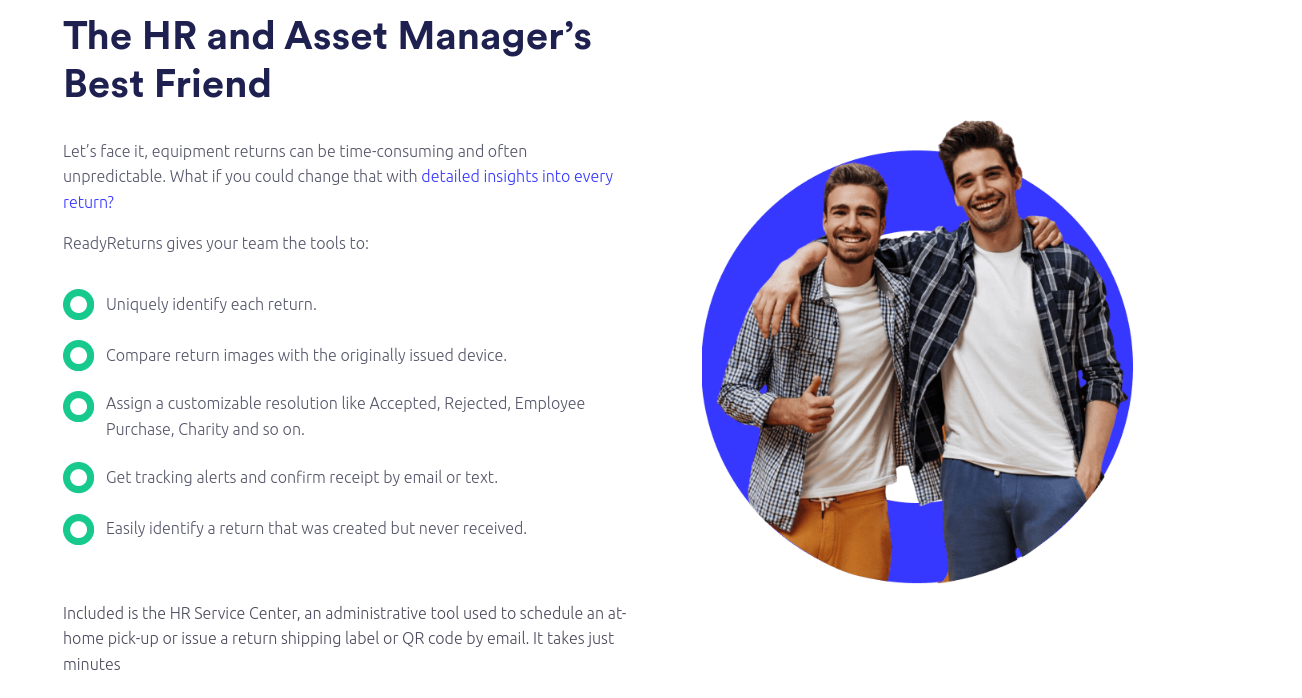
A reliable IT equipment offboarding workflow doesn’t need to be complicated. It needs to be consistent, measurable, and easy for employees to complete. The most effective programs share one trait: they remove decision-making from the moment of return and push it into defined policy and standard steps.
Start with a simple promise to stakeholders. Devices will be requested on time, returned with minimal friction, verified at intake, and closed out in systems of record with documentation that supports security and audits. Once that promise is explicit, the workflow becomes easier to align across IT, HR, and security.
Define Triggers And Return Policies That Fit Your Business
Begin with a short list of events that automatically create a return action. Offboarding should trigger returns, and so should device refresh, contractor end dates, and break-fix replacements. Role changes, relocations, and office closures also belong on the list if they regularly move equipment out of IT’s control.
Each trigger needs a return window and a clear escalation path. A common approach is to define a set number of business days, paired with automated reminders that escalate from the employee to the manager, then to HR or operations. Escalation should feel routine and consistent, not personal or punitive.
Exceptions need to be part of policy, not a surprise. Travel, medical leave, international shipping limitations, and equipment already shipped to a different location all happen in the real world. When you define exception handling early, your team spends less time improvising and more time closing returns.
Confirm Asset Assignment Before You Ask For A Return
Before sending return instructions, confirm what the person has. Serial numbers matter, and accessories matter too. If your records are incomplete, the return request will be incomplete, and intake will turn into detective work.
Clean assignment records prevent unnecessary tension. If you ask someone to return a device they never received, trust drops fast, and support tickets spike. A quick pre-check also helps you catch cases where equipment was swapped informally or shipped to a different location.
Teams that treat accessories as “nice to have” often regret it later. Chargers, docks, monitors, and security keys add up, and missing accessories can delay redeployment or refresh. If accessories matter to your business, include them in the asset record and the return checklist.
Send Instructions People Can Actually Follow
Return instructions should be short, specific, and practical. Employees need clear steps, a packing checklist, and one channel for help. The goal is to reduce the mental load, since people are already juggling offboarding tasks, last-day transitions, and personal logistics.
A strong return message tells the employee exactly what to return and how to pack it. It also clarifies what not to do, such as wiping devices or removing asset tags unless the policy says otherwise. People want to comply, yet they can’t comply with instructions they don’t understand.
Set expectations for what happens after receipt. Tell employees how intake is verified and when the return will be marked complete. That transparency reduces follow-ups and prevents the “did you get my laptop?” loop from turning into a week of emails.
Standardize Shipping, Routing, And Packaging Options
Routing is a major source of loss and delay. Offboarding returns might be routed to a central intake location, while refresh returns might be routed to staging or a regional hub. Repairs might be handled by a service partner. A single destination address can lead to unnecessary handling, increasing the risk of misplacement.
Packaging is another hidden failure point. A laptop shipped in a thin box arrives damaged, and a monitor shipped without padding becomes a write-off. Packaging guidance should be specific and consistent, especially for high-value or fragile items. If volume justifies it, packaging kits can remove friction and protect assets in transit.
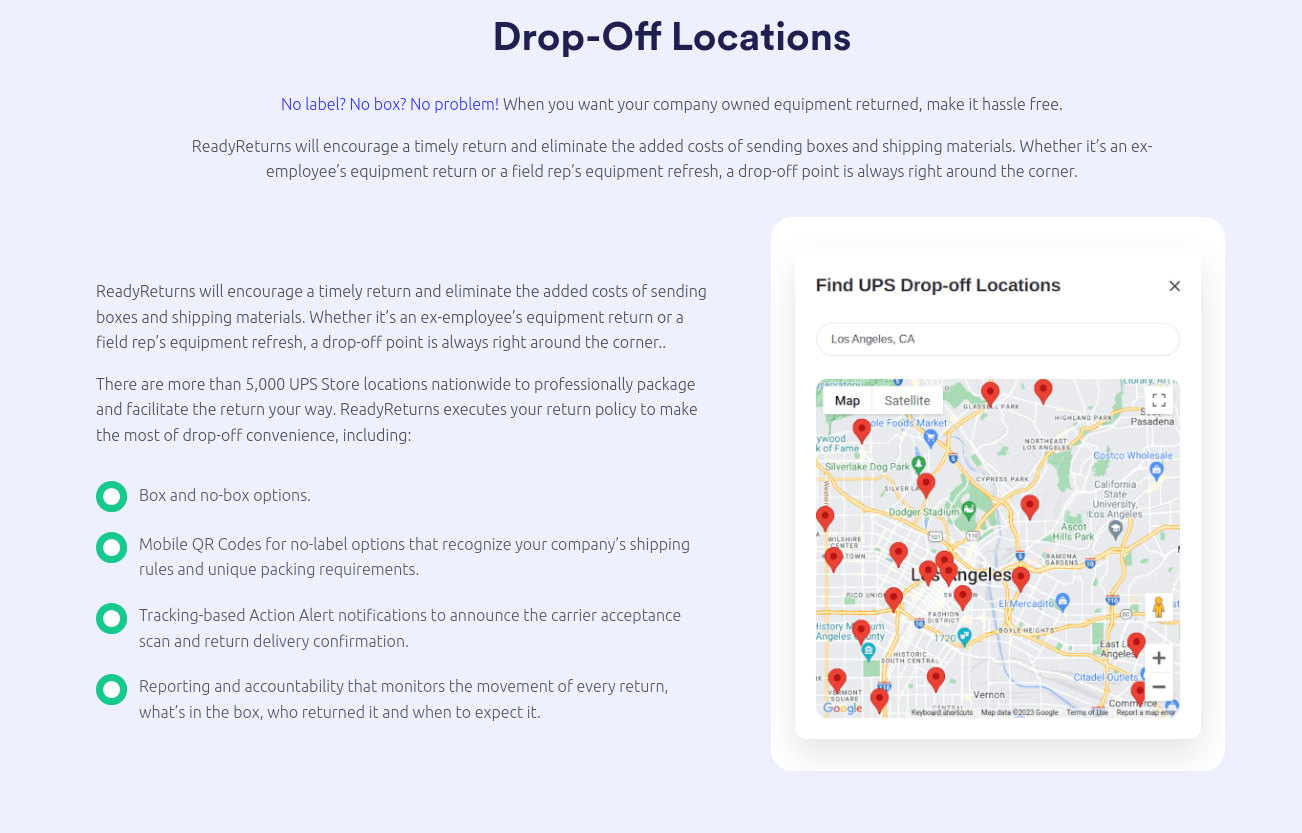
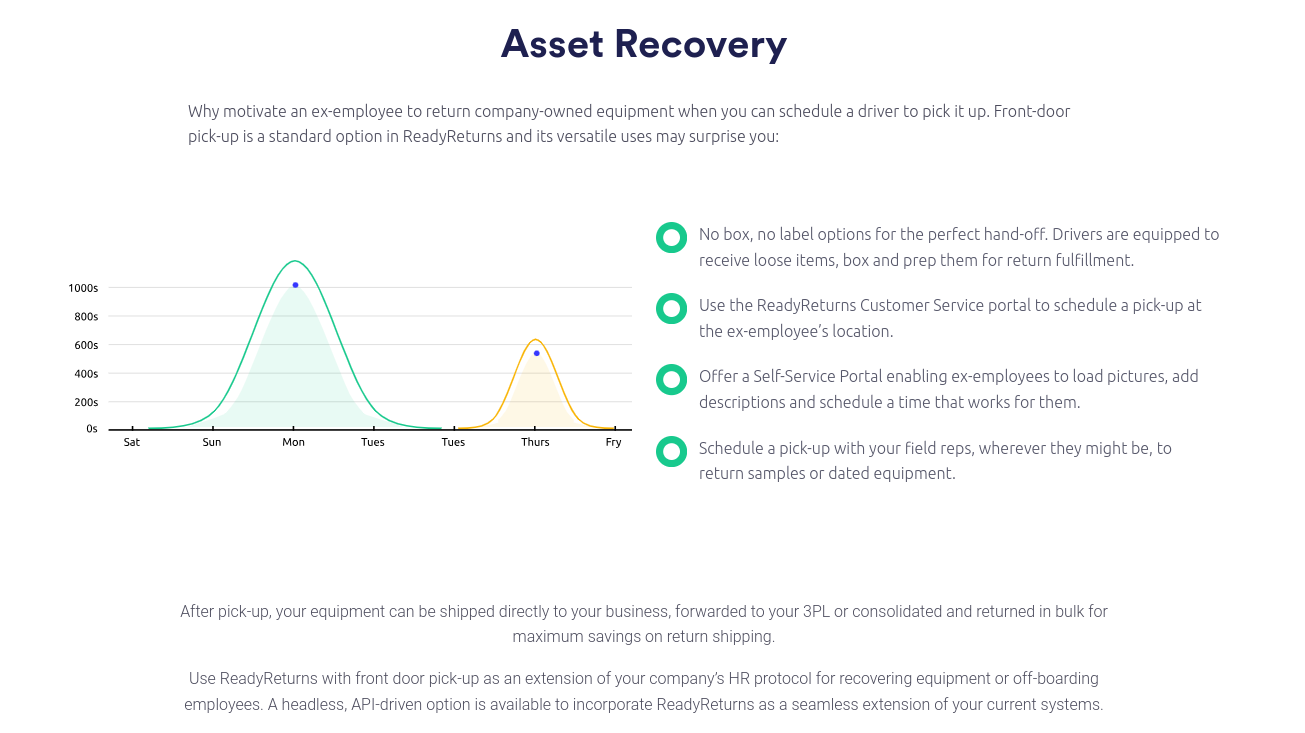
Some employees can’t print labels or access a convenient drop-off location. Pickup options can reduce delays, especially across a remote workforce. The return process should support the reality of your people, not the ideal scenario. This is where the right IT offboarding software can streamline your efforts.
Verify Intake Immediately And Document What You Need
Intake is where the return becomes provable. A consistent intake step includes scanning the package on arrival, confirming the serial number, verifying accessories, and documenting the condition. If you need photo evidence for disputes or audits, make it part of the standard workflow, not an exception.
Standardize what “received” means. In many organizations, “received” gets marked when a box arrives, even if nobody confirmed the contents. That shortcut creates the exact disputes you’re trying to avoid. A better definition is “received and verified,” tied to serial confirmation and a checklist.
Exception handling should be built into intake. If a serial doesn’t match or if accessories are missing, the workflow should create a clear next step with an owner and a timeline. When exceptions are standardized, the team resolves them faster and reports on them more accurately.
Build Data Protection Into The Workflow
Data protection can’t be a hope. It needs repeatable controls that align with your risk profile, device standards, and compliance obligations. Even if encryption is required, custody uncertainty and delayed returns can still create serious exposure.
Define what happens to devices that arrive damaged, suspicious, or incomplete. Quarantine protocols, wipe verification steps, and evidence capture should be consistent. Access to return records should also be controlled, especially if your documentation includes sensitive employee details or device history.
Set a clear plan for non-returned devices. That plan might include remote lock or wipe actions, legal follow-up, final pay policies where allowed, or replacement cost recovery policies. The key is consistency, since inconsistent enforcement creates resentment and weakens compliance.
Decide Disposition Paths Upfront
Disposition shouldn’t be a last-minute decision. Define your categories and rules in advance so intake can route devices correctly. Typical disposition paths include redeploy, refresh, repair, donation, and secure disposition through ITAD partners.
Disposition rules should align with finance and security expectations. Device age, condition, and model standards can determine whether something is worth redeploying. Security requirements can determine whether a device must be wiped or destroyed under certain circumstances.
Clear disposition reduces inventory stagnation. Devices that sit in a pile for weeks lose value and create reporting noise. A structured process keeps assets moving toward their next best use.
Close The Loop In Systems Of Record
The final step is record accuracy. Asset status, assignment, return completion, and disposition should be updated quickly and consistently. If the record stays open after the device is physically verified, the organization will relive the same confusion later.
This is where its asset management lifecycle becomes measurable. Accurate records support budgeting, refresh planning, and audit readiness. They also reduce the time your team spends answering the same status questions.
A clean closure process also supports a better employee experience. Employees want closure, too, especially if they worry about being blamed for a missing item. A consistent “return completed” confirmation reduces friction and builds trust.
Equipment Retrieval Models And What To Expect From Each
Organizations typically choose one of a few retrieval models, and each has trade-offs. The right choice depends on volume, geography, internal bandwidth, and risk tolerance. It also depends on how important consistent documentation is to your compliance and security requirements.
The most common mistake is choosing a model based only on label creation. Labels matter, but they don’t solve routing, communication, verification, or exception handling. A full return program is a workflow, not a shipment.
Below are the most common models and the experiences teams have once they’re operating at scale.
In-House Returns With Standard Carriers
In-house returns are common for smaller teams. IT emails a label, the employee ships, and support tracks progress in a ticket. It’s simple to start and can work for low-volume.
At higher volume, exceptions start to dominate. Wrong addresses, missing packaging, and unclear instructions drive support tickets. Tracking becomes scattered across inboxes, ticket comments, and spreadsheets.
In-house programs also struggle with consistent verification of intake. Devices may arrive at different locations or be received by different teams. Without a standardized intake process, disputes and delays become routine.
Carrier Program Approaches
Carrier programs like FedEx’s asset retrieval option can reduce friction around shipping and labels, and that’s useful. They can also provide tracking information that helps teams see whether a package is moving. For some organizations, this is a step up from purely manual label creation. Others will benefit from a more adept and focused IT asset retrieval process, such as the one offered by ReadyCloud.
What’s missing is the workflow layer. Employee guidance, routing logic, reminders, intake verification, exception management, and cross-team reporting still need a structured system. If your organization has audit pressure or high volume, shipping support alone usually won’t cover the full need.
Carrier programs also don’t solve system closure. Even if a package is delivered, your asset system still needs verified intake and disposition updates. Without that, leadership reports remain noisy and unreliable.
Managed Return Services
Managed return services often include packaging kits, pickups, and centralized intake. This can reduce internal workload, especially for distributed teams with high offboarding volume. It can also improve the employee experience, since the process is less dependent on employees finding boxes and printers.
Evaluation should focus on the quality of the evidence and operational clarity. Ask what intake documentation looks like, how serial confirmation is handled, and how exceptions are resolved. Ask how status integrates into your existing tools, since disconnected status tracking creates the same drift you’re trying to eliminate.
Service level expectations matter too. Clarify timelines for shipping kit delivery, scheduling pickups, and verifying intake. If timelines are unclear, recovery rates can suffer even with a managed service.
Return Workflow Platforms
A platform approach like ReadyCloud’s standardizes the end-to-end process. It focuses on consistent steps, a clear employee experience, visibility into tracking, and structured exception handling. It also supports reporting that leadership can trust.
This model fits teams that want fewer manual follow-ups without building a custom system. It can also support different scenarios such as offboarding, refresh, or contractor returns without forcing IT to reinvent the process each time.
No matter which model you choose, decide on your success metrics first. Track recovery rate, days to return, exception rate, shrink cost, and labor hours spent per return. Measurement is what turns a return program into an operational advantage.
How ReadyCloud Supports End-of-Life Asset Returns
ReadyCloud is built for the messy reality of returns. Devices don’t always follow the happy path, and IT teams shouldn’t have to reinvent the process every time something goes sideways. The focus is on building a return experience that employees can complete quickly, while giving IT and security the visibility and documentation they need.
A structured return flow supports guided employee steps, centralized tracking, and consistent routing. That means fewer status pings and fewer “where is this laptop?” threads. It also means fewer disputes, since intake verification and exception paths are standardized.
Returns also need to feel fair and straightforward. When the process is clear, employees complete returns faster and ask fewer questions. When it’s confusing, people stall, and IT spends time chasing instead of closing.
This structure supports stronger IT lifecycle management outcomes, since end-of-life activities finally align with policies written earlier in the lifecycle. A clean return stage improves reporting accuracy, reduces shrinkage, and supports better planning for refresh and redeploy.
Learn more about ReadyCloud’s IT asset returns management software.
Integrations That Keep IT Asset Programs From Drifting
Return workflows touch multiple systems, and drift happens when status lives outside the tools teams already use. HR systems trigger offboarding. Service management tools track tasks and exceptions. Asset systems store the record of truth. Project tools track operational work, especially for refresh cycles and staging.
For example, ReadyCloud integrated with popular service models like Jira, FreshService, and ServiceNow to streamline operational workflow. These types of integrations help keep the story consistent across teams. Status updates become reliable, and ownership becomes clearer. Leaders can see what’s outstanding without pulling reports from three places and reconciling them manually.
This also reduces manual updates. If your team is copying tracking numbers into tickets or pasting status into spreadsheets, the process will fall behind. A connected workflow keeps people focused on exceptions and outcomes, not data entry.
The goal isn’t adding more tools. The goal is to reduce blind spots and keep records aligned with reality, especially during high-volume periods like layoffs, seasonal contract cycles, or company-wide refresh initiatives.
Compliance And Audit Readiness For Regulated Teams
Regulated industries, like Healthcare, don’t get the luxury of “close enough.” Security and audit teams want evidence that stands up to review. Chain of custody, intake verification, and wipe documentation matter, especially when devices may have been used in sensitive workflows.
Healthcare teams feel this pressure acutely. Even with strong encryption standards, custody uncertainty and inconsistent documentation create risk. Operational efficiency matters too, since delayed returns slow refresh cycles and increase downtime.
Strong controls don’t have to be heavy. Standardized intake checks, consistent evidence capture, and role-based visibility go a long way toward achieving these goals. The key is to make the compliant path the easy path, so teams don’t route around policy under pressure.
A disciplined and compliant asset return program also supports a better incident response posture. If a device is missing, you want to know quickly, not weeks later. Fast detection and consistent escalation reduce exposure and improve decision-making.
Common Mistakes And How To Fix Them Fast
Many teams try to fix end-of-life recovery with more reminders. Reminders help, but they don’t address root causes such as unclear ownership, weak intake verification, or missing packaging options. Fast fixes focus on standardization and visibility.
Replace “email a label” with a guided return flow that includes packing instructions, packaging options, and a clear help channel. Employees complete returns faster when the process feels simple and supported. Support tickets drop when instructions are consistent.
Stop using “delivered” as the final status. Intake verification should be the closure point, tied to serial confirmation and a checklist. This single change reduces disputes and improves reporting accuracy.
Create a real exception path. Damage, missing accessories, and mismatches should follow defined steps with clear ownership and timelines. Exceptions will still happen, yet they won’t derail the program.
Build A Repeatable End-of-Life Return Process With ReadyCloud
If your end-of-life returns rely on memory and heroics, your organization is paying for it in device loss, support tickets, and avoidable risk. A repeatable process changes that, and it starts with consistency across triggers, instructions, and intake verification.
Begin with your triggers and return windows. Standardize what employees receive, including clear packing guidance and support paths. Align intake verification with security and audit expectations to close disputes quickly.
Then connect the workflow to the tools your teams already use to keep records aligned. When status is consistent among stakeholders, the return program becomes calm rather than chaotic.
ReadyCloud helps teams operationalize equipment returns with a guided experience, consistent tracking, and visibility across stakeholders. The result is fewer exceptions, faster recovery, and a cleaner asset program that supports growth. Learn more about ReadyCloud’s IT Asset Returns Software.
FAQs About Recovering IT Assets at the End of the Lifecycle
What Is The Best Way To Recover IT Assets At End Of Life?
A consistent workflow is the difference maker. Define triggers, confirm assigned devices and accessories, and send clear instructions employees can follow without extra steps. Track returns through verification at intake, not just shipment delivery.
Recovery should end with a verified device under your control and a closed record in your system. That closure protects reporting accuracy and reduces the risk of repeat disputes. It also helps employees feel confident that the return is complete.
What Should an End-of-Life Cycle IT Checklist Include?
A strong checklist covers triggers and return windows, asset-to-user confirmation, communication templates, packing instructions, and shipping options. It also includes routing rules so devices go to the right place the first time.
Intake verification steps should be explicit, including serial confirmation, accessory checks, and documentation of condition. Add data-handling controls, exception workflows, disposition paths, and system-update requirements so the record matches reality.
How Do Companies Track Returned Laptops From Remote Employees?
Remote tracking works best when the employee experience is guided and the organization has one place to see status. Clear steps, simple packaging guidance, and practical pickup or drop-off options remove the most common friction points.
On the back end, intake verification should confirm serial numbers and accessories. Status should update consistently so IT, HR, and security don’t rely on scattered ticket comments to understand what’s outstanding.
What’s The Difference Between ITAD And Internal Asset Recovery?
Asset recovery focuses on retrieving and verifying devices and bringing them back under organizational control. ITAD focuses on secure disposition, such as certified wiping, recycling, and resale. Many teams need both, since recovery often occurs before any final disposition can be made.
A strong program connects these stages so devices don’t stall between “returned” and “disposed.” That connection improves audit readiness and helps preserve residual value where appropriate.
Is A Carrier Asset Return Program Enough For Enterprise Returns?
Carrier programs can help with shipping logistics, labels, and basic tracking. Most enterprises still need workflow controls for routing, employee instructions, reminders, intake verification, exceptions, and cross-team reporting.
Shipping is important, yet it’s only one piece of the end-to-end story. If your volume is high or your audit requirements are strict, workflow consistency usually matters more than label creation alone.
How Does Service Management Support Hardware Asset Returns During Offboarding?
Service management tools can trigger tasks, assign owners, and store the activity history around returns. The return program improves when those tasks are tied to consistent return steps rather than ad hoc actions managed through email.
A standardized return workflow reduces manual updates and keeps statuses aligned with what actually happened. That alignment improves reporting and makes audit questions easier to answer without a scramble.
What Metrics Should IT Track For End-of-Life Asset Returns?
Track recovery rate, average days to return, exception rate, and missing accessory rate. Add shrink cost and labor time per return to understand the operational impact. Wipe verification completion time is also useful when security teams need evidence.
Redeploy versus retire outcomes help you understand how well the program preserves value. Over time, these metrics turn the return process into a measurable operational function, not a recurring fire drill.
How Do Healthcare Teams Keep Asset Returns HIPAA Aligned?
Maintain chain-of-custody evidence, standardize intake verification, and document wipe actions as required. Restrict access to sensitive return details and define clear exception-handling steps so nobody improvises under pressure.
Consistency is the key. A repeatable workflow supports audit readiness and reduces risk, while keeping device refresh and redeploy cycles moving so clinical and administrative teams aren’t slowed down.