
Shoppers expect more than an order confirmation after making an online purchase. They want to know when their package ships, where it’s going, and when it will arrive. For WooCommerce retailers, meeting those expectations requires more than simply adding a tracking number to an order.
The real issue starts after checkout.
Recent research finds that 66% of logistics teams rely on three or more separate systems to manage shipments. That kind of disconnected workflow can create unnecessary manual work, fulfillment delays, and gaps in customer communication.
Shipping teams have orders to process, labels to print, carrier rates to compare, and customers waiting for delivery updates. Without the right tools, these everyday tasks can create fulfillment delays, increase shipping costs, and generate a steady stream of “Where Is My Order?” (WISMO) support requests.
WooCommerce offers plenty of shipment tracking plugins designed to help customers follow their purchases. Some provide basic tracking links and email notifications. Others offer advanced carrier integrations, branded tracking pages, and automated status updates.
The better approach is to find a solution that supports the entire shipping process, not just the tracking number.
That’s where ReadyShipper X comes in.
While traditional tracking plugins concentrate on shipment visibility, ReadyShipper X connects WooCommerce orders with multi-carrier shipping, label printing, rate shopping, fulfillment automation, and tracking updates.
Here’s a closer look at five WooCommerce shipping and tracking solutions, their capabilities, and which one makes the most sense for growing ecommerce brands.
“The post-purchase experience deserves a seat at the executive table because it affects both brand equity and margin. A better return process can reduce service volume while increasing customer confidence. Clearer shipping communication can lower inbound tickets while improving trust. Faster resolution can protect repeat purchases. Cleaner workflows can reduce stress on teams and make the business easier to scale.” Read Article on Forbes

What Should You Look for in a WooCommerce Shipment Tracking Plugin?
Choosing a tracking plugin for WooCommerce starts with understanding what your shipping operation actually needs.
A smaller WooCommerce store shipping a handful of orders each day may only need an easy way to add tracking numbers and notify customers. A retailer shipping hundreds or thousands of packages needs additional capabilities to keep fulfillment moving.
Here are the features worth considering.
- Automated tracking updates: Tracking numbers should flow back into WooCommerce without requiring employees to manually update every order.
- Multi-carrier support: Retailers using USPS, UPS, FedEx, and other carriers need tools that accommodate their shipping services.
- Shipping label printing: Creating labels and assigning tracking numbers should be part of an efficient fulfillment workflow.
- Bulk order processing: High-volume retailers need ways to process multiple shipments without repeatedly opening individual orders.
- Customer notifications: Automated shipping updates help shoppers stay informed while reducing unnecessary support requests.
- Carrier rate shopping: Comparing available shipping services can help retailers manage delivery expenses and protect margins.
- WooCommerce integration: Order information, shipping details, and tracking numbers should stay connected across the tools your team uses.
The biggest consideration is whether your business needs a tracking plugin or a complete shipping platform.
Tracking software tells customers what’s happening after a package ships. Shipping software helps your team get that package out the door.
For growing ecommerce brands, having both capabilities working together can make a significant difference.
“In my experience, the most effective enterprise organizations are the ones that make it easy for people to understand what needs to happen next. This is because simplicity isn’t about removing capability. On the contrary, it’s about removing unnecessary friction.” Read Article on Forbes
The 5 Best WooCommerce Shipment Tracking Solutions for 2026
You can manage shipment tracking in WooCommerce in several ways. The following five solutions address different operational needs, from simple tracking-number management to advanced shipping automation.
1. ReadyShipper X: Best for WooCommerce Shipping Automation and Fulfillment
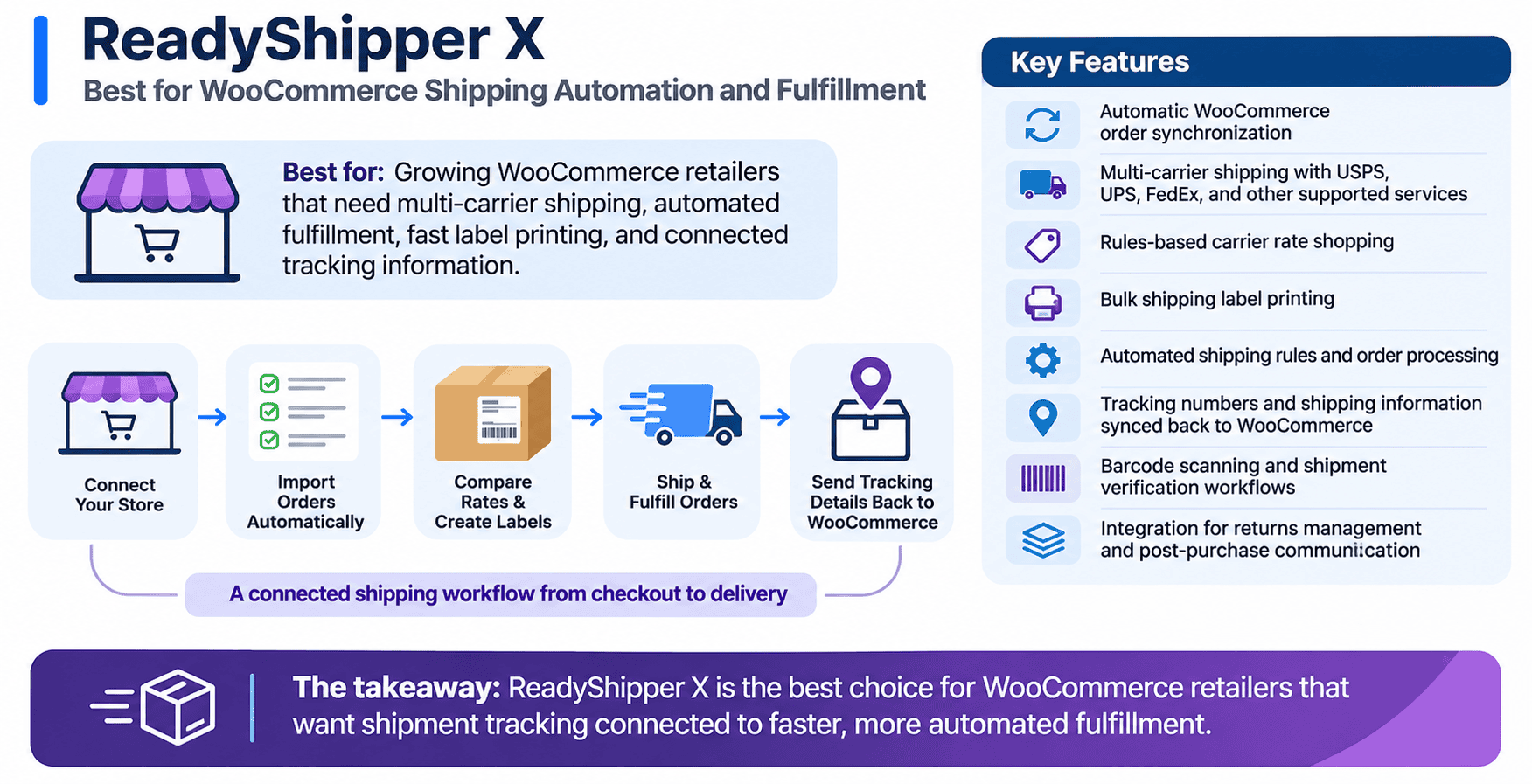
Best for: Growing WooCommerce retailers that need multi-carrier shipping, automated fulfillment, fast label printing, and connected tracking information.
ReadyShipper X takes a different approach to shipment tracking. Rather than functioning solely as a tracking plugin, it’s advanced ecommerce shipping software designed to help retailers manage fulfillment from the moment an order enters the shipping workflow.
With ReadyShipper X for WooCommerce, retailers can connect their store, automatically import orders, compare shipping services, print labels, and send shipment details back to WooCommerce.
This creates a more connected process between checkout, warehouse operations, and customer communication.
Key features include:
- Automatic WooCommerce order synchronization.
- Multi-carrier shipping with USPS, UPS, FedEx, and other supported services.
- Rules-based carrier rate shopping.
- Bulk shipping label printing.
- Automated shipping rules and order processing.
- Tracking numbers and shipping information synced back to WooCommerce.
- Barcode scanning and shipment verification workflows.
- Integration with ReadyCloud for returns management and post-purchase communication.
One of ReadyShipper X’s biggest advantages is its ability to simplify repetitive shipping tasks.
Consider a WooCommerce retailer processing 500 orders in a day. Without shipping automation, employees may need to review orders individually, select carriers, generate labels, and update shipment information.
Those repetitive steps consume valuable warehouse time.
ReadyShipper X helps teams automate shipping decisions and process orders in batches, reducing the manual work involved in getting packages ready for delivery.
Multi-carrier shipping provides another advantage.
Instead of using the same shipping service for every order, retailers can compare carrier options based on their shipping rules and service requirements. This makes it easier to balance delivery speed with shipping costs.
Once labels are generated, tracking information can flow back into WooCommerce, giving customers access to their shipment details.
ReadyShipper X also connects with the broader ReadyCloud suite.
ReadyReturns helps merchants manage returns, exchanges, and store credit, while Action Alerts supports automated customer communication tied to shipping and returns events.
For retailers looking beyond basic shipment tracking, ReadyShipper X offers the strongest operational fit among these five options.
The takeaway: ReadyShipper X is the best choice for WooCommerce retailers that want shipment tracking connected to faster, more automated fulfillment.
2. Zorem Advanced Shipment Tracking Pro: Best for Tracking Automation
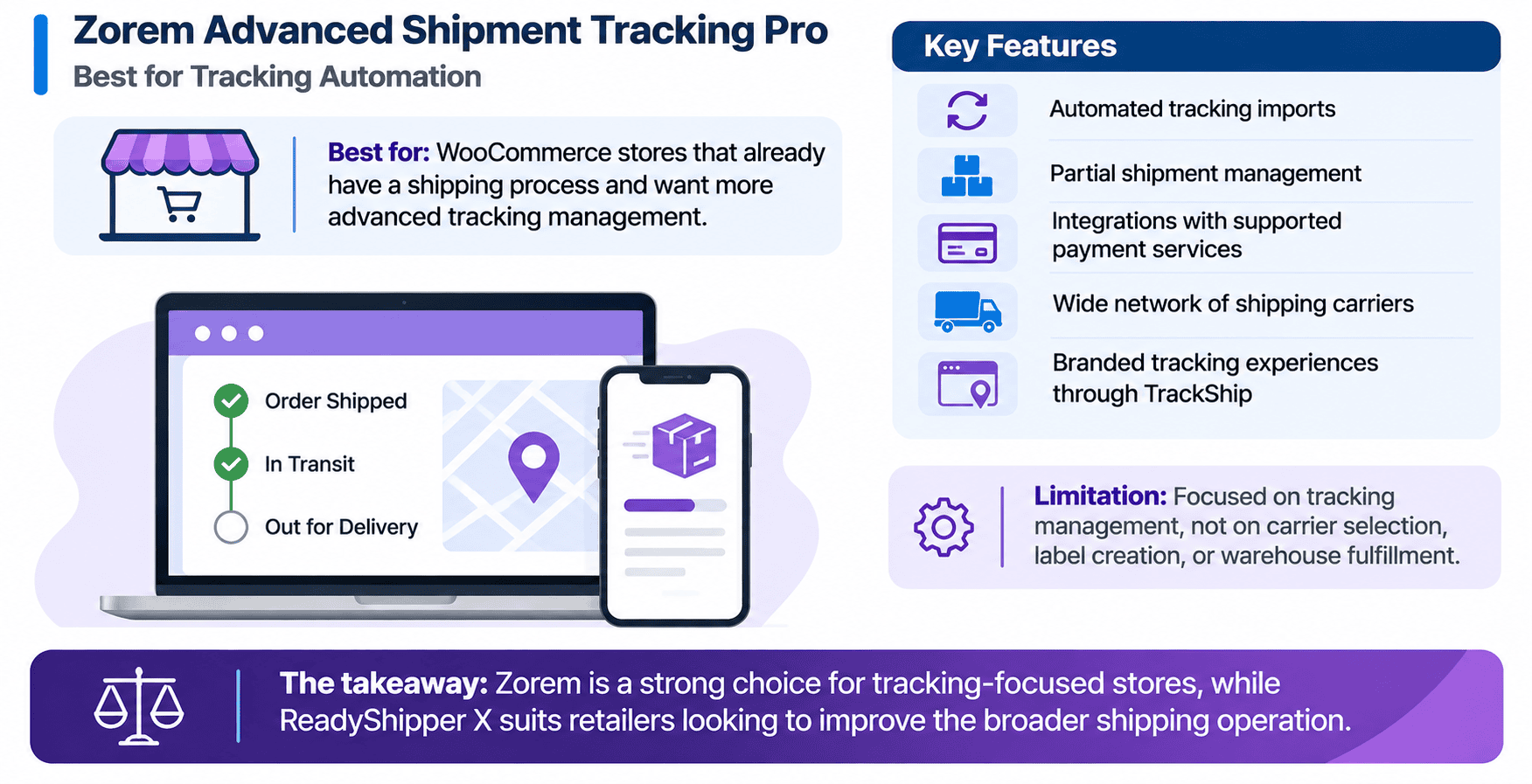
Best for: WooCommerce stores that already have a shipping process and want more advanced tracking management.
Zorem Advanced Shipment Tracking Pro focuses on improving how merchants manage tracking information and communicate shipping progress.
The plugin supports a wide network of shipping carriers and includes tools to import tracking numbers, manage shipment details, and update customers.
Its capabilities include automated tracking imports, partial shipment management, and integrations that help merchants synchronize tracking details with supported payment services.
Zorem also offers branded tracking experiences through TrackShip, letting retailers give customers a more customized way to follow their packages.
This makes the plugin especially useful for stores with established shipping and warehouse workflows.
The limitation is its focus.
Advanced Shipment Tracking Pro is primarily designed around tracking management rather than replacing the shipping software responsible for carrier selection, label creation, and warehouse fulfillment.
A retailer may still need a separate shipping platform to handle those responsibilities.
The takeaway: Zorem is a strong choice for tracking-focused stores, while ReadyShipper X suits retailers looking to improve the broader shipping operation.
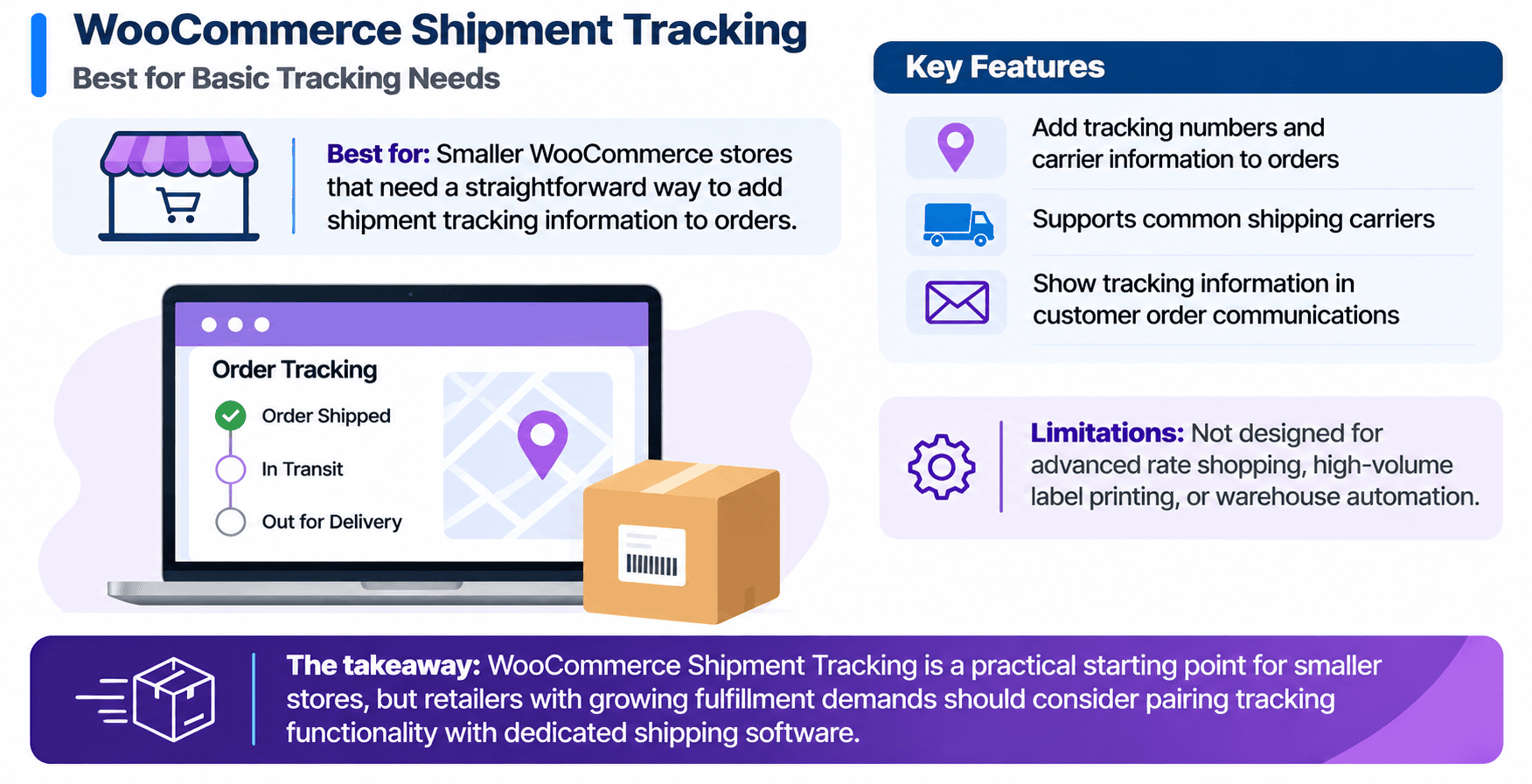
3. WooCommerce Shipment Tracking: Best for Basic Tracking Needs
Best for: Smaller WooCommerce stores that need a straightforward way to add shipment tracking information to orders.
The official WooCommerce Shipment Tracking extension provides a relatively simple way for merchants to share tracking details with customers.
Retailers can assign tracking numbers and carrier information to orders, making it easier for shoppers to locate their packages after shipment.
The extension supports common shipping carriers and allows tracking information to appear in customer-facing order communications.
For stores with limited order volume, this straightforward functionality may be enough.
A merchant shipping 10 or 20 orders per day might not need advanced warehouse automation. Adding tracking numbers and linking customers to carrier tracking pages could adequately support the operation.
The limitations become more apparent as order volume increases.
The official tracking extension isn’t designed to provide advanced carrier rate shopping, high-volume label printing, or detailed warehouse automation.
These functions generally require additional shipping tools.
That said, the official extension can also complement a more advanced shipping platform. ReadyShipper X supports WooCommerce workflows that can use the official tracking extension to manage shipment information.
The takeaway: WooCommerce Shipment Tracking is a practical starting point for smaller stores, but retailers with growing fulfillment demands should consider pairing tracking functionality with dedicated shipping software.
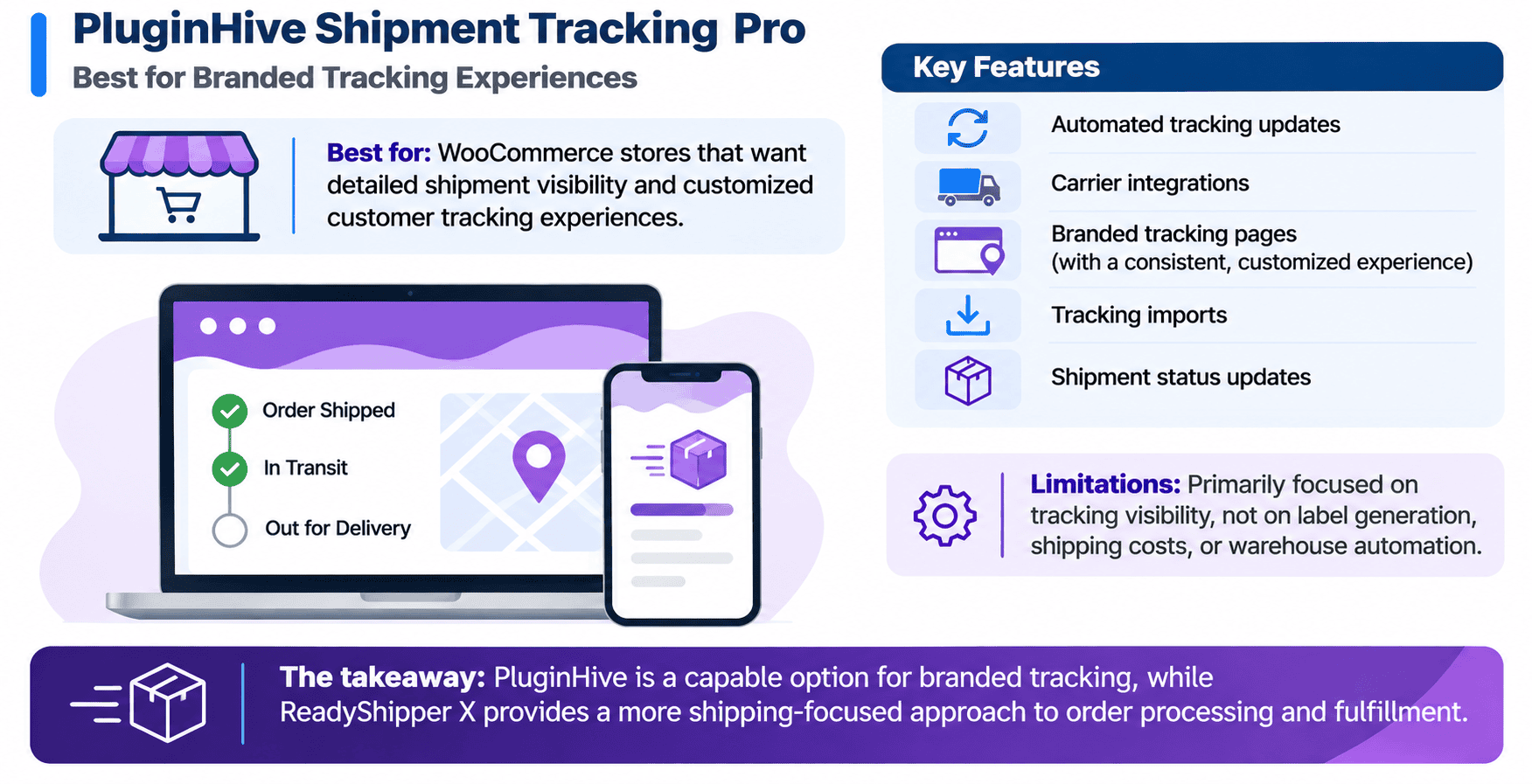
4. PluginHive Shipment Tracking Pro: Best for Branded Tracking Experiences
Best for: WooCommerce stores that want detailed shipment visibility and customized customer tracking experiences.
PluginHive Shipment Tracking Pro helps retailers manage shipment information across multiple supported carriers.
Its features include automated tracking updates, carrier integrations, branded tracking pages, and tracking imports.
Rather than relying entirely on external carrier tracking pages, merchants can offer a more customized experience that keeps shoppers connected to their store.
This can help brands invest in their post-purchase customer experience.
For example, a retailer shipping through several carriers may want customers to follow deliveries from a consistent tracking interface instead of visiting separate carrier websites.
PluginHive addresses that requirement.
The plugin also includes automation to import tracking information and support shipment status updates.
Still, tracking visibility is only one part of shipping operations.
Retailers also need to manage packing, label generation, shipping costs, and warehouse productivity.
PluginHive Shipment Tracking Pro primarily serves the tracking side of that process. Merchants looking for broader fulfillment automation may benefit from additional shipping software.
The takeaway: PluginHive is a capable option for branded tracking, while ReadyShipper X provides a more shipping-focused approach to order processing and fulfillment.
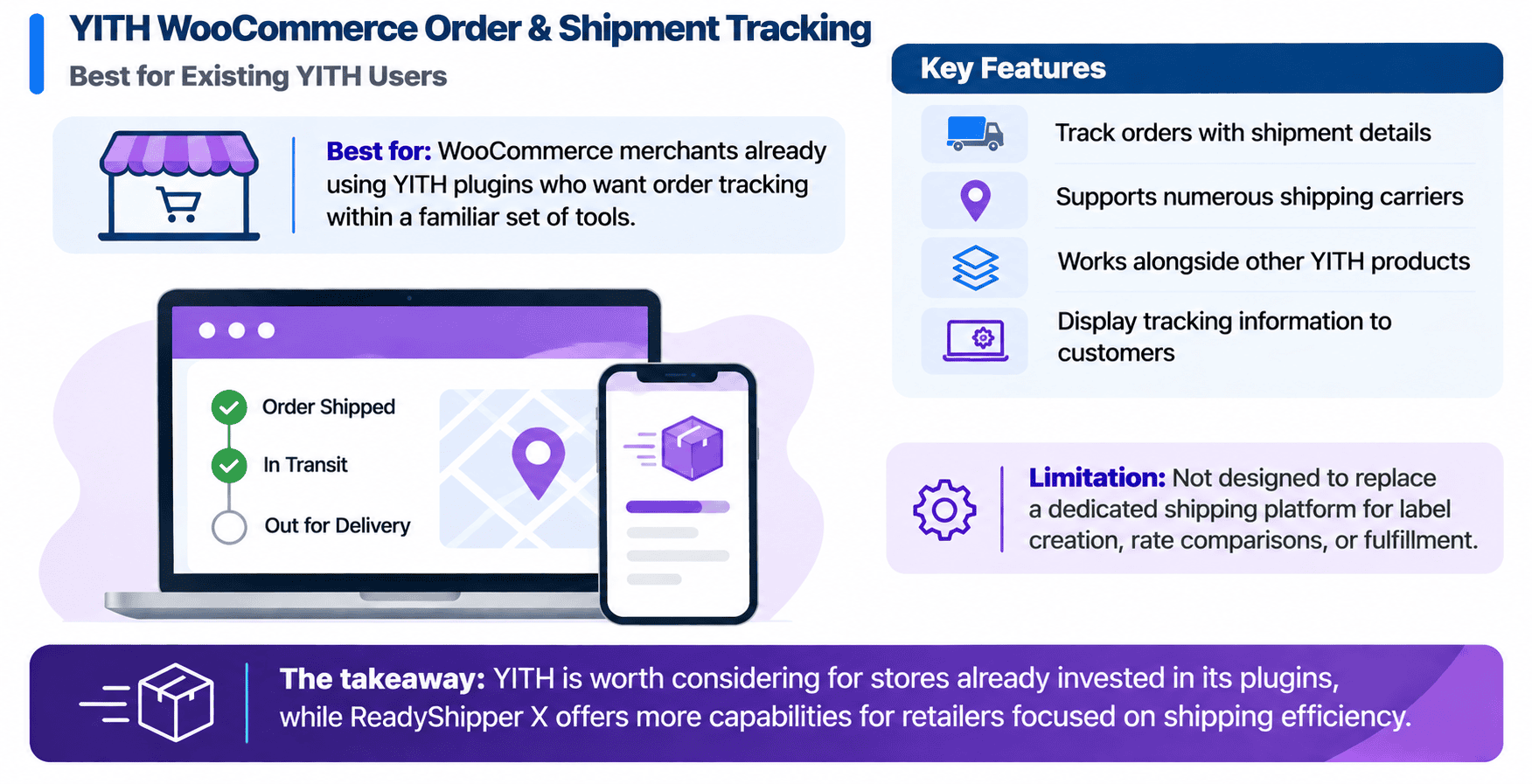
5. YITH WooCommerce Order & Shipment Tracking: Best for Existing YITH Users
Best for: WooCommerce merchants already using YITH plugins who want order tracking within a familiar set of tools.
YITH WooCommerce Order & Shipment Tracking allows retailers to associate shipment details with customer orders and make tracking information easier to access.
The plugin supports numerous carriers and provides options for displaying tracking details to customers.
It can also work alongside other YITH products, making it a practical choice for merchants already using those extensions.
For example, an online retailer managing several WooCommerce functions through YITH may prefer keeping shipment tracking within the same product family.
That can make the plugin attractive for stores with relatively straightforward fulfillment requirements.
Its main limitation is that it isn’t designed to replace a dedicated shipping management platform.
Warehouse teams still need solutions for shipping label creation, carrier rate comparisons, and fulfillment automation.
For merchants experiencing increasing order volume, those operational requirements may become more pressing than basic tracking functionality.
The takeaway: YITH is worth considering for stores already invested in its plugins, while ReadyShipper X offers more capabilities for retailers focused on shipping efficiency.
WooCommerce Shipment Tracking Plugins Compared: Which Is Best?
The right solution depends on your store’s shipping volume, operational requirements, and customer communication goals.
Here’s how these five options compare.
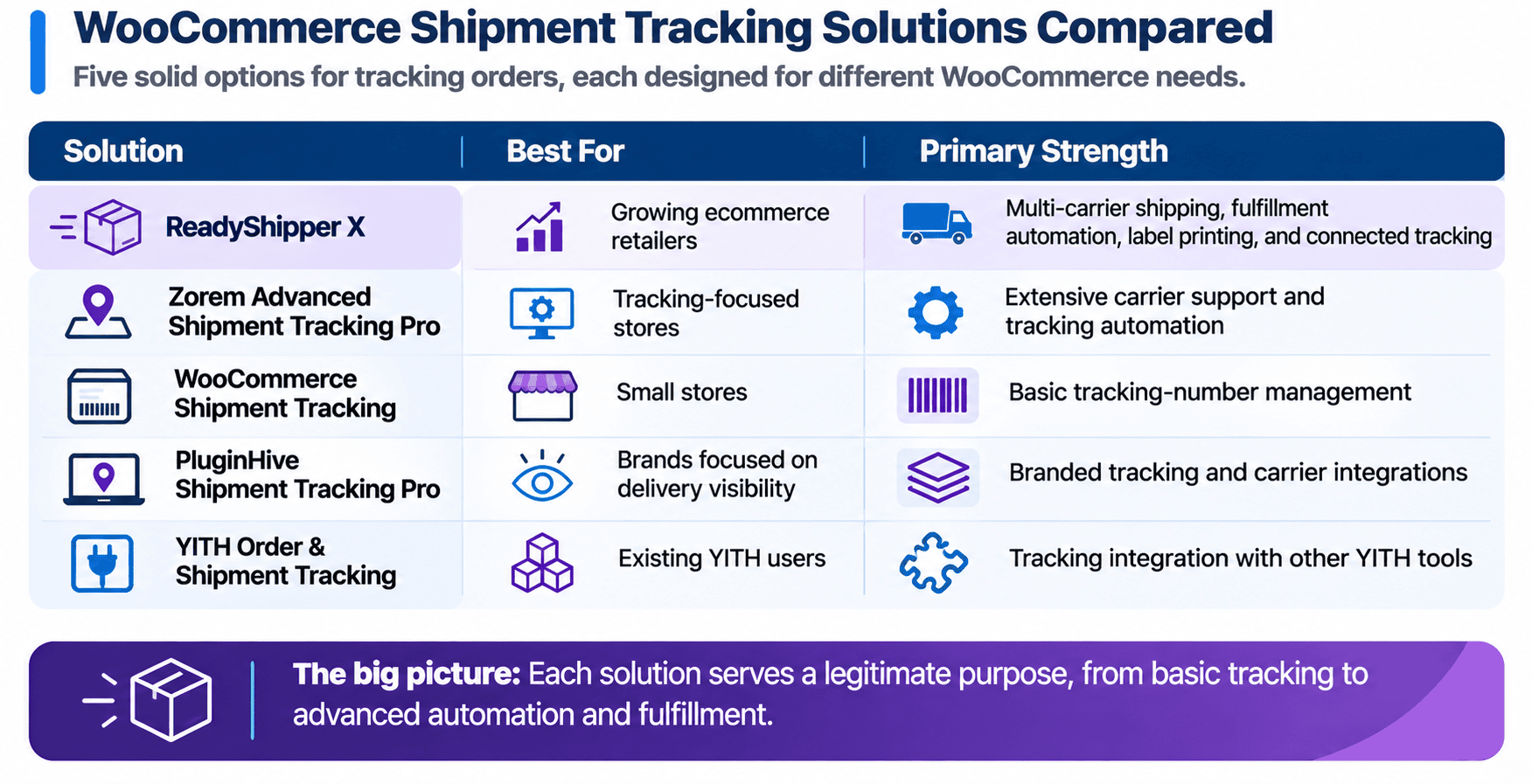
Each solution serves a legitimate purpose.
The difference is how much of the shipping workflow it manages.
Basic tracking plugins help retailers communicate shipment details. More advanced tracking tools add carrier integrations and automation.
ReadyShipper X goes further by helping merchants manage the fulfillment work that creates those shipments.
That makes it a strong choice for WooCommerce brands experiencing higher order volume, increasing shipping costs, or growing warehouse complexity.
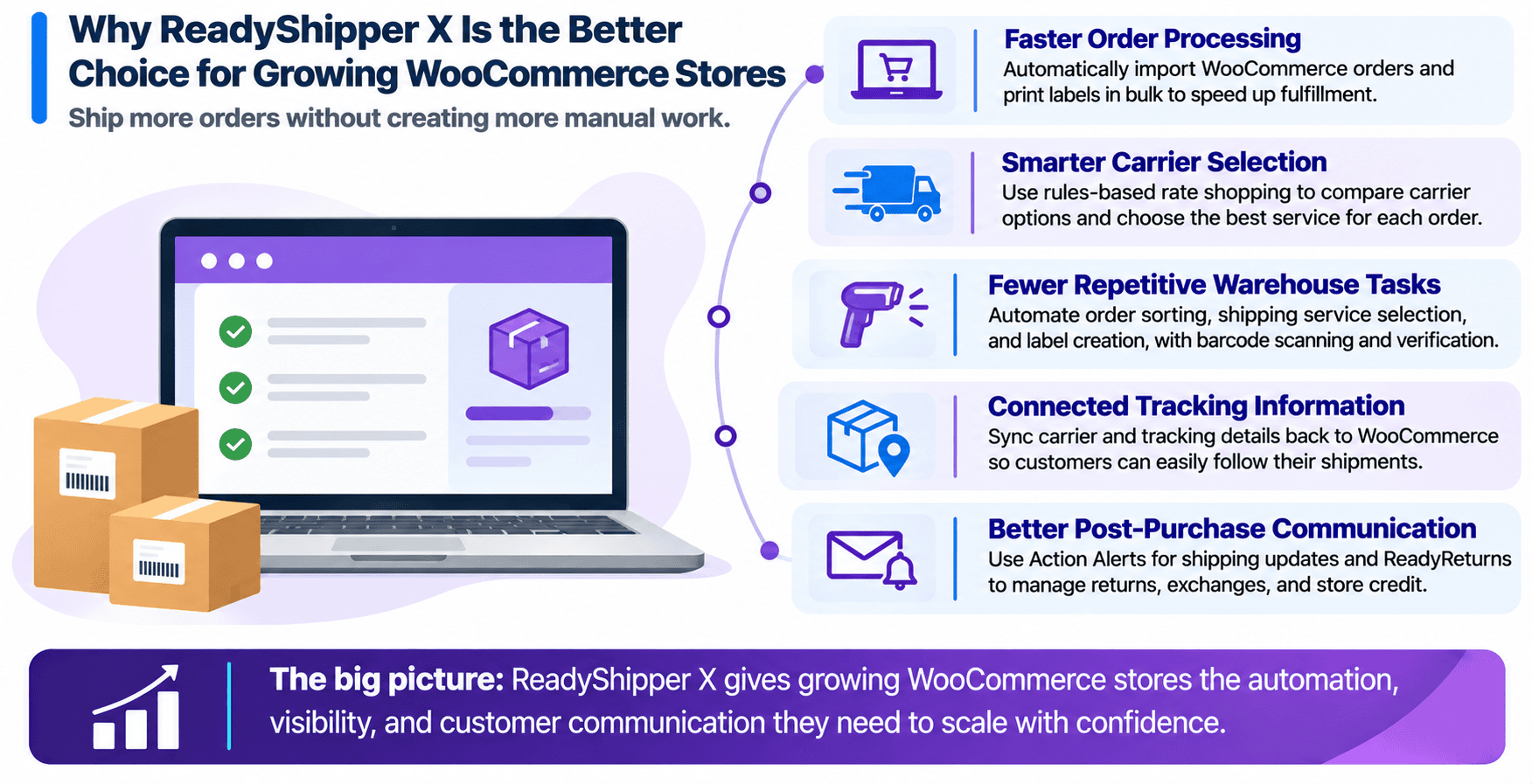
Why ReadyShipper X Is the Better Choice for Growing WooCommerce Stores
For ecommerce teams, the challenge is simple: ship more orders without creating more manual work.
A tracking number only becomes useful after an order has been processed and a shipping label has been generated.
If those steps are inefficient, even the most advanced tracking plugin won’t solve the underlying fulfillment problem.
ReadyShipper X addresses several areas that directly affect shipping performance.
- Faster order processing
ReadyShipper X automatically imports WooCommerce orders and supports batch label printing, helping warehouse teams prepare shipments without processing each order individually.
This is particularly valuable during holiday peaks, promotions, and other high-volume sales periods.
- Smarter carrier selection
Shipping costs can vary based on package weight, dimensions, destination, and service requirements.
Rules-based rate shopping helps retailers evaluate supported carrier options and select services that meet their shipping requirements.
For businesses managing tight margins, controlling these expenses can make a meaningful difference.
- Fewer repetitive warehouse tasks
Manual shipping processes create opportunities for mistakes.
Shipping automation reduces repetitive steps like order sorting, shipping service selection, and label creation.
Barcode scanning and shipment verification can add another level of control before packages leave the warehouse.
- Connected tracking information
Once a shipment is processed, carrier and tracking information can synchronize back to WooCommerce.
This reduces the need to copy tracking numbers between separate systems and helps customers access accurate shipment details.
- Better post-purchase communication
ReadyShipper X also connects with ReadyCloud, giving retailers access to additional tools that support the post-checkout customer experience.
Action Alerts can send shipping-related email and SMS messages, while ReadyReturns provides options for managing returns, exchanges, and store credit.
The result is a more connected approach to shipping and customer communication.
Growing retailers need more than basic tools. They need systems that keep shipping operations organized as order volume increases.
How Do WooCommerce Shipping Zones, Classes, and Methods Affect Tracking?
Shipment tracking is only one part of a successful WooCommerce shipping setup.
Before orders reach the warehouse, retailers need to set up how shipping options and charges work at checkout.
WooCommerce provides three important configuration tools.
- Shipping zones determine where particular shipping options are available. For example, a store might create separate zones for domestic shipping, international destinations, and local delivery areas.
- Shipping methods determine the delivery options customers can select at checkout. Common examples include flat rate shipping, free shipping, and local pickup.
- Shipping classes help retailers apply different shipping costs to particular products or product categories.
A retailer selling clothing and heavy home goods might use shipping classes to account for products with very different delivery requirements.
These settings influence checkout, but they don’t automatically handle everything that happens afterward.
Once an order is placed, the retailer still needs to select the appropriate carrier service, create a shipping label, fulfill the order, and provide tracking information.
That’s where shipping software becomes valuable.
ReadyShipper X connects the fulfillment process with WooCommerce order information, helping retailers handle shipping operations more efficiently.
For a closer look at checkout configuration, read our guide to WooCommerce Shipping Zones, Classes & Methods.
How to Connect WooCommerce Shipping Rules With Automated Fulfillment
WooCommerce retailers often use several different shipping rules to determine what customers pay during checkout.
The challenge is making sure those rules work alongside actual fulfillment requirements.
Consider an online retailer selling apparel, accessories, and larger home goods.
A lightweight accessory might qualify for an economical USPS service, while a heavier household item could require a different carrier or shipping method.
Customers see available shipping options during checkout. The warehouse must then determine how to fulfill the order efficiently.
This process involves several steps.
- Start with accurate product information. Product weights, dimensions, and shipping classifications should reflect what your business actually sells.
- Configure shipping charges. WooCommerce shipping zones, methods, and applicable extensions help determine which rates customers receive.
- Connect your shipping software. A shipping integration can bring orders into a centralized fulfillment workspace and help warehouse employees prepare shipments.
- Automate carrier selection where appropriate. Shipping rules can account for package characteristics, destinations, available services, and business requirements.
- Create labels and synchronize tracking. Once the order ships, shipment details should return to WooCommerce so customers can follow their deliveries.
Retailers using USPS can follow our guide on setting up USPS shipping in WooCommerce, including postage, tracking, and label printing.
Stores handling products with different shipping weights can also review our tutorial on setting up weight-based shipping in WooCommerce.
These configurations provide a useful foundation.
ReadyShipper X helps extend that foundation into more advanced multi-carrier fulfillment and shipping automation.
The goal is simple: give shoppers clear shipping options while making fulfillment easier for the teams responsible for delivering orders.
Choose a WooCommerce Shipping Solution That Does More Than Track Orders
Shipment tracking is an essential part of the ecommerce customer experience. Shoppers want accurate delivery information, and retailers need reliable ways to provide it.
Basic tracking plugins can meet that need for smaller WooCommerce stores. More advanced options add carrier coverage, tracking automation, and branded shipment updates.
For growing retailers, the bigger opportunity is improving the work that happens before a package ships.
ReadyShipper X brings shipping automation, multi-carrier rate shopping, fast label printing, and connected tracking information into the fulfillment process. Instead of managing tracking as a separate task, retailers can make it part of their everyday shipping operation.
With ReadyCloud, those capabilities can extend into returns management, customer communication, and retention-focused growth marketing.
The customer experience doesn’t stop at checkout. Better shipping operations help create better experiences after every order.
Explore ReadyShipper X for WooCommerce and see how connected shipping, returns, and customer communication can help your business grow.
Frequently Asked Questions About WooCommerce Shipment Tracking
Does WooCommerce include shipment tracking automatically?
WooCommerce provides built-in order statuses and order management features, but full shipment tracking generally requires an additional extension or integration. Retailers can use a tracking plugin to add carrier information, tracking numbers, and customer-facing shipment links.
What is the best WooCommerce plugin for automated shipping and tracking?
ReadyShipper X is a strong choice for retailers that want automated shipping and tracking information connected in one workflow. It supports multi-carrier shipping, rate shopping, bulk label printing, and automatic synchronization of tracking details with WooCommerce. Stores that only need tracking-number management may prefer a simpler extension.
Can WooCommerce automatically send tracking numbers to customers?
Yes. With a compatible tracking extension or shipping integration, WooCommerce can share tracking numbers through customer order information and shipping notifications. ReadyCloud also offers Action Alerts for automated email and SMS communication tied to shipping events.
How does ReadyShipper X work with WooCommerce?
ReadyShipper X connects to WooCommerce through ReadyCloud’s integration. Orders synchronize into the shipping workflow, where retailers can select carrier services, print labels, and process shipments. Once shipping labels are created, tracking numbers and carrier information can synchronize back to WooCommerce.
Can I use multiple shipping carriers with WooCommerce?
Yes. WooCommerce supports shipping integrations that work with multiple carriers. ReadyShipper X allows merchants to ship with supported services from USPS, UPS, FedEx, and other carriers while comparing rates and managing shipments from one shipping interface.
What’s the difference between shipping software and a shipment tracking plugin?
A shipment tracking plugin primarily helps merchants record tracking numbers, display delivery information, and notify customers. Shipping software supports operational tasks such as importing orders, comparing carrier rates, generating shipping labels, and processing shipments. Together, the two can create a more complete shipping workflow.
Can shipment tracking plugins reduce WISMO requests?
They can help. Customers who receive clear tracking details and timely shipment updates are less likely to contact support simply to ask where their orders are. Automated communication through tools such as Action Alerts can provide additional visibility into shipment progress.
Is ReadyShipper X suitable for high-volume WooCommerce stores?
Yes. ReadyShipper X is designed to support retailers with demanding fulfillment requirements. Bulk label printing, shipping automation, multi-carrier support, and warehouse verification tools help teams process larger order volumes more efficiently.